Tatasoft Disk Clone
Tatasoft Disk Clone copies complete disks or selected partitions and moves operating systems and data between storage devices.
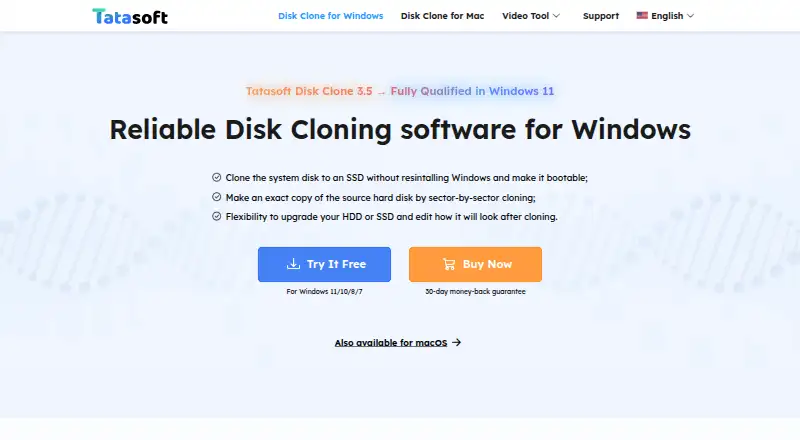
What Tatasoft Disk Clone is
Tatasoft Disk Clone copies complete disks or selected partitions and moves operating systems and data between storage devices. Windows users can clone disks, clone partitions, or copy sector by sector. During a Windows clone, they can copy only data, fit content to the destination, preserve the source layout, or edit that layout manually. A smaller destination works when it has enough space for all source data. Cloning can run from WinPE bootable USB, CD/DVD, or ISO media outside the installed system. The Mac version creates read-only DMG or ZIP disk images and saves backups locally or to cloud storage. Listed file systems include APFS, HFS/HFS+, NTFS, NTFS+, exFAT, and FAT12/16/32. Windows support ranges from Windows 11 through Vista and Server 2003 through 2022; Mac support lists macOS 26 Tahoe through macOS 11 Big Sur and Mac OS X 10.9.
Good
- Clones disks or individual partitions
- Supports sector-by-sector copying
- Can resize layouts during cloning
- Bootable WinPE media available
- Mac disk images can use DMG or ZIP
Watch out
- No free plan
- Some plans limit the number of computers or Macs
- Platform support differs between Windows and Mac
Who it suits
It suits Windows and Mac users backing up drives, upgrading HDDs to SSDs, replacing storage, or migrating data. Technician plans are also listed for client services.
Verdict
Tatasoft Disk Clone provides flexible disk and partition migration for Windows and Mac, including bootable media and adjustable layouts. Its paid licensing has several terms and limits, so users should match a plan to their devices and cloning needs.
Plans and prices
From Tatasoft Disk Clone's own pricing page, checked 8 Oct 2026.
| Plan | Price | What it gives you |
|---|---|---|
| Tatasoft Disk Clone for Windows — 1 Month License | $19.95 a month | 1 license for 2 computers · 1-month free upgrades · Monthly; cancel any time |
| Tatasoft Disk Clone for Mac | $19.95 a month | 2 Macs · 1-month free upgrades · Page does not state billing term |
| Tatasoft Disk Clone for Windows — 1 Year License | $39.95 a year | 1 license for 2 computers · 1-year free upgrades · Yearly; cancel any time |
| Tatasoft Disk Clone for Windows — Lifetime Upgrades | $59.95, paid once | 1 license for 2 computers · Lifetime free upgrades · One-time payment |
| Tatasoft Disk Clone for Mac — Lifetime Upgrades | $59.95, paid once | 2 Macs · Lifetime free upgrades · Page does not state billing term |
| Tatasoft Disk Clone Technician for Windows | Priced on request | One license for unlimited activations · Technical service for clients · Start from $89.00 |
| Tatasoft Disk Clone for Mac Technician — Yearly | $89.99 a year | Unlimited usage · 1-year free upgrades · Yearly |
The facts
Each one read from Tatasoft Disk Clone's own pages, with the date it was checked.
What it does
- Disk and partition cloning
- The Windows guide describes disk cloning, partition cloning, and sector-by-sector copying.checked 8 Oct 2026
- Flexible layouts
- For Windows cloning, users can copy data only, autofit the destination, copy the source layout, or edit the destination layout manually.checked 8 Oct 2026
- Payment security
- The Windows purchase page says transactions use advanced encryption and fraud protection.checked 8 Oct 2026
- Purpose
- Tatasoft Disk Clone copies an entire disk or individual partitions and can migrate an operating system and data between storage devices.checked 8 Oct 2026
- Smaller destinations
- The Windows guide says a disk can be cloned to a smaller destination when it has enough space for all source data.checked 8 Oct 2026
- Storage and file systems
- The Mac product page lists APFS, HFS/HFS+, NTFS, NTFS+, exFAT, and FAT12/16/32 file systems.checked 8 Oct 2026
- Technical support
- The Windows purchase page says Tatasoft provides email support within 24 hours.checked 8 Oct 2026
- Use cases
- The homepage describes using Disk Clone to back up drives, upgrade HDDs to SSDs, replace drives, and migrate data to another Windows PC.checked 8 Oct 2026
The company
- Headquarters
- Chengdu, Chinachecked 28 Sep 2026
Where it runs
- Mac disk images
- The Mac product page says the software can create read-only disk images in DMG or ZIP format and save backups locally or to cloud storage.checked 8 Oct 2026
- Supported Mac systems
- The Mac product page lists macOS 26 Tahoe through macOS 11 Big Sur and Mac OS X 10.9 as supported.checked 8 Oct 2026
- Supported Windows systems
- The homepage lists Windows 11, 10, 8.1, 8, 7, Vista, and Windows Server versions 2003 through 2022 as supported.checked 8 Oct 2026
- Windows boot media
- The Windows guide describes creating a WinPE bootable USB, CD/DVD, or ISO to run cloning outside the installed operating system.checked 8 Oct 2026
Money
- Trial and support
- Tatasoft’s support center offers free software downloads for testing and lists Windows and Mac Disk Clone downloads and guides.checked 8 Oct 2026
Alternatives to Tatasoft Disk Clone
- 1

FOG Project
Free planOpen sourceWebAPILinuxmacOS7.7Free plan - 2
Lazesoft Recovery Suite
Free planLinuxWindows7.0$27.95 one-time - 3

Clonezilla
Free planLinuxmacOSSelf-hostedWindows6.7Free plan - 4

HDClone
Free planLinuxSelf-hostedWindows6.7€19.90 one-time - 5
Lazesoft Disk Image & Clone
Free planWindows6.6$17.95 one-time - 6
OpenSuperClone
Free planLinux6.5Free plan