
TabMaker
TabMaker is a browser-based tool for creating, organizing, and managing tabs for guitar, bass, ukulele, and banjo.
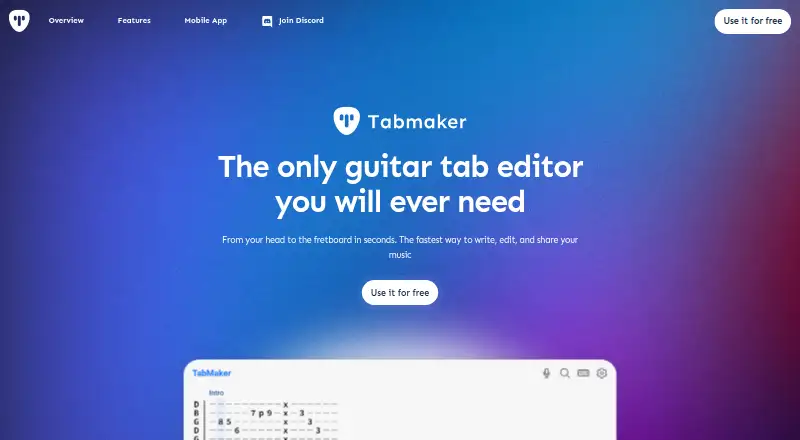
What TabMaker is
TabMaker is a browser-based tool for creating, organizing, and managing tabs for guitar, bass, ukulele, and banjo. Its AI can turn a guitar riff recorded through a microphone into tab, or process MP3 and M4A files up to 6 MB in Quick Tabs, Enhanced Tabs, or Chords Only modes. A separate Guitar & Bass to MIDI tool converts MP3 recordings into standard MIDI files with detected notes and musical properties. The browser app supports tab and standard notation, and plays tabs with acoustic guitar, electric guitar, bass, or banjo sounds. Users can export tabs as PDF or ASCII text, print them in the browser, and share them through a link. The free plan costs nothing, requires no registration, and keeps tabs in browser localStorage; paid plans add cloud storage. The iOS app includes full notation and additional export options, including MP3 and MIDI. Monthly subscription costs $3.99 a month, or annual subscription costs $34.99 a year.
Good
- Creates tabs from microphone recordings or audio files.
- Converts MP3 recordings into standard MIDI files.
- Exports tabs as PDF or ASCII text.
- Plays tabs with four listed instrument sounds.
- iOS app supports full notation and cloud saving.
Watch out
- Free tabs stay only in browser localStorage.
- Free features or ads may be limited.
- Cloud-based storage requires a paid plan.
- Audio conversion accepts files up to 6 MB.
Who it suits
TabMaker suits players who want to create, play, export, or share instrument tabs in a browser or mobile app. Its free plan may work for users comfortable with local browser storage and limited features or ads.
Verdict
TabMaker combines tab creation, playback, MIDI conversion, export, and link sharing. The free plan has no registration, but cloud storage is reserved for paid subscribers.
Plans and prices
From TabMaker's own pricing page, checked 1 Oct 2026.
| Plan | Price | What it gives you |
|---|---|---|
| Free | Free | no registration · local browser storage · no cloud backup · ads/features may be limited |
| Monthly subscription | $3.99 a month | unlimited access · ad-free · cloud-based tab storage · monthly |
| Annual subscription | $34.99 a year | unlimited access · ad-free · cloud-based tab storage · annually |
The facts
Each one read from TabMaker's own pages, with the date it was checked.
What it does
- AI audio conversion
- The AI guitar tab generator accepts .mp3 and .m4a files up to 6 MB, processes them locally, and offers Quick Tabs, Enhanced Tabs, and Chords Only modes.checked 1 Oct 2026
- AI tab creation
- Its AI feature can transform recorded guitar riffs into tabs using a microphone.checked 1 Oct 2026
- Compliance and data rights
- The terms describe GDPR rights for EEA users and CCPA rights for California users, including access, deletion, portability, and objection rights.checked 1 Oct 2026
- Exports
- Tabs can be exported to PDF or ASCII text and printed in the browser.checked 1 Oct 2026
- MIDI conversion
- The Guitar & Bass to MIDI tool converts MP3 recordings into standard MIDI files containing detected notes and musical properties.checked 1 Oct 2026
- Playback
- The browser app plays tabs using acoustic guitar, electric guitar, bass, or banjo sounds.checked 1 Oct 2026
- Privacy and security
- TabMaker says browser tabs are stored exclusively in the browser and states that it uses commercially reasonable data-protection measures.checked 1 Oct 2026
- Product purpose
- TabMaker is a browser-based tool for creating, managing, and organizing guitar, bass, ukulele, and banjo tabs.checked 1 Oct 2026
- Sharing
- Users can share tabs by copying a link for others to view in their browser.checked 1 Oct 2026
- Storage limits
- Free users' tabs are stored only in browser localStorage, while paid users receive cloud-based tab storage.checked 1 Oct 2026
- Support
- Privacy and legal inquiries can be sent to [email protected].checked 1 Oct 2026
- Supported instruments
- The mobile app lists guitars with 5-, 6-, 7-, 8-, 9-, 10-, and 12-string configurations, 4-, 5-, and 6-string basses, 5-string banjo, ukulele, mandolin, and charango.checked 1 Oct 2026
- Third-party services
- The privacy policy names Google Analytics, Google AdSense, RevenueCat, Polar, Apple App Store, Google Play Store, and Sentry as service providers.checked 1 Oct 2026
The company
- Headquarters
- Poznań, Polandchecked 28 Sep 2026
Where it runs
- Mobile app features
- The iOS app supports ASCII tabs or full music notation, PDF/MP3/MIDI/TEXT export, playback, cloud saving, link sharing, and community tabs.checked 1 Oct 2026
The full review of TabMaker
TabMaker brings a broad set of tab workflows to web, macOS, iOS, and Android. It is most compelling for players who want to move from a short recording to editable notation, playback, and export without paying upfront.
Overview
The service combines tab and standard notation, audio conversion, MIDI output, playback, and sharing. Its main compromise is storage: free tabs remain in the browser’s local storage, while cloud storage requires a subscription. That makes the free tier a useful way to work without registration, but a weak choice for anyone who needs dependable backup or access to saved tabs across devices.
Key features
Audio conversion
TabMaker can create tabs from guitar riffs recorded through a microphone. Its file-based AI generator accepts MP3 and M4A files up to 6 MB, processes them locally, and offers Quick Tabs, Enhanced Tabs, and Chords Only modes. Local processing is a practical privacy advantage for this workflow; the 6 MB ceiling, however, makes it better suited to short excerpts than lengthy recordings.
A separate Guitar & Bass to MIDI tool converts MP3 recordings into standard MIDI files with detected notes and musical properties. That gives players a way to carry musical material into MIDI, alongside the tab-focused conversion options.
Editing, playback, and sharing
Tabs can be organized, played in the browser with acoustic guitar, electric guitar, bass, or banjo sounds, and exported as PDF or ASCII text. Browser printing and link sharing round out a useful workflow for keeping a part, reviewing it, and passing it to someone else. Shared links let others view a tab in their browser; they do not change the free plan’s local-only storage arrangement.
The iOS app supports ASCII tabs and full music notation, playback, cloud saving, link sharing, community tabs, and PDF, MP3, MIDI, or text export. Its instrument range is unusually broad: guitar configurations from 5 to 12 strings, 4-, 5-, and 6-string basses, plus banjo, ukulele, mandolin, and charango. Those mobile capabilities are valuable for players working beyond standard six-string guitar, though cloud saving is a paid-user benefit.
Pricing
TabMaker has three plans. The free tier costs nothing, requires no registration, and keeps tabs in local browser storage. Ads or features may be limited, and there is no cloud backup. It suits casual use or trying the workflow, not a library that must survive a browser change or be available across devices.
The Monthly subscription costs $3.99 a month, billed monthly. It includes unlimited access, removes ads, and adds cloud-based tab storage, making it the lower-commitment choice for regular users who want their work backed up. The Annual subscription costs $34.99 a year, billed annually, with the same unlimited access, ad-free use, and cloud storage. It fits users confident they will rely on TabMaker over the year; the monthly plan avoids that longer billing commitment.
Platforms
TabMaker supports web, macOS, iOS, and Android. The browser-based app is central to its editing and conversion workflow, while the iOS app adds mobile notation, exports, cloud saving, and community tabs. The platform range offers several ways to use the product, but free local storage should not be mistaken for cross-device synchronization.
Who it's for
TabMaker is a good fit for guitarists and bassists converting short audio ideas into tabs or MIDI, and for players who want playback, printable exports, and link sharing in the same toolkit. Its support for ukulele and banjo, along with the mobile app’s wider instrument selection, broadens its appeal. It is less suitable for people who need cloud-backed work without a subscription or who routinely convert audio files larger than 6 MB.
Pros and cons
- Pros: Local processing for MP3 and M4A tab conversion keeps that workflow on-device.
- Pros: Tab, standard notation, MIDI conversion, playback, PDF and text export, printing, and link sharing cover several stages of working with music.
- Pros: No-registration free access gives casual users a way to try the service without a subscription.
- Cons: Free tabs are stored only in browser localStorage, with no cloud backup.
- Cons: The AI audio upload limit is 6 MB, a constraint for longer recordings.
- Cons: Cloud storage and ad-free use require a paid subscription.
Alternatives
For a broader comparison, browse Guitar Tab Software.
- Cesure is worth considering if you want a free plan with three saved scores, unlimited version history, and five AI transcriptions per month, or broader desktop platform coverage.
- Guitar Tab Maker is a free alternative for users who prioritize no account, no credits, and no watermarks.
- Guitar Tabs X is an option for Android, iOS, macOS, or Windows users who want basic functionality free and do not need a published Pro price to compare.
- Guitar2Tabs may suit users who want unlimited demo transcriptions capped at 20 seconds each and PDF downloads on its free plan.
- Soundslice is an alternative for users focused on scans, with a free allowance of two scan pages per month and a Plus plan offering 100 pages per month.
- TuxGuitar is a free guitar tablature editor for users who prefer Linux or Windows support.
- Guitar Tab Creator is a free option on iOS and web, with a standard editor available without an account.
- Note2Tabs is another web-based freemium option.
Verdict
Choose TabMaker if you want audio-to-tab and MIDI conversion alongside playback, exports, and sharing, especially if its 6 MB audio limit fits your projects. The free plan is a low-friction starting point, but anyone who values cloud backup will need to pay; users who need longer audio uploads or free cloud storage should look elsewhere.
Getting started
- Open TabMaker in a browser or install its iOS or Android app
- Choose the free plan without registration or select monthly or annual access
- Create a tab for guitar, bass, ukulele or banjo
- Record a riff or upload an MP3 or M4A file up to 6 MB for AI conversion
- Play back the tab and export it as PDF or ASCII text
- Copy a sharing link for others to view in their browser
Limits worth knowing
The free plan stores tabs only in browser localStorage, has no cloud backup and may include ads or limited features. MP3 and M4A input for the AI converter is limited to files up to 6 MB; cloud-based storage and unlimited access are included with paid subscriptions.
Questions
What platforms support TabMaker?
TabMaker is available on the web, macOS, iOS and Android.
Is there a free plan?
Yes. The Free plan costs $0.00, requires no registration and stores tabs in browser localStorage.
What do subscriptions cost?
Monthly access costs $3.99 per month. Annual access costs $34.99 per year.
What do paid plans include?
The monthly and annual plans provide unlimited access, ad-free use and cloud-based tab storage.
Can TabMaker create tabs from audio?
Its AI accepts recorded guitar riffs through a microphone and MP3 or M4A files up to 6 MB, with Quick Tabs, Enhanced Tabs and Chords Only modes.
What can the iOS app export?
The iOS app supports PDF, MP3, MIDI and TEXT export, along with cloud saving, link sharing and community tabs.
Alternatives to TabMaker
- 1

Guitar2Tabs
Free planAndroidiOSWebAPI8.1Free plan - 2

Cesure
Free planAndroidiOSWebAPI8.0From €39.99 a year - 3

Note2Tabs
Free planWeb7.4From $5.99 a month - 4

Guitar Tab Maker
Free planAndroidiOSWebLinux7.3Free plan - 5

Soundslice
Free planAndroidiOSWeb7.2From $5 a month - 6
TabbyPro
Free planWeb7.2Free plan