SystemTrayMenu
SystemTrayMenu is a free, open-source Windows toolbar and Start Menu alternative for browsing and opening files.
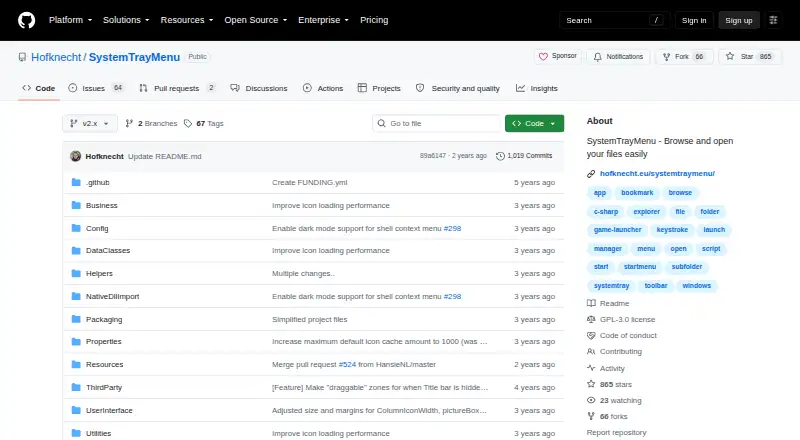
What SystemTrayMenu is
SystemTrayMenu is a free, open-source Windows toolbar and Start Menu alternative for browsing and opening files. It arranges files, links, and folders into nested dropdown menus, which can help keep frequently used apps, games, scripts, URLs, and network shortcuts together. Folder and network-path shortcuts open to show their contents as a folder. You can control the menu with a keyboard, mouse, or touchscreen, and search for items using configurable hotkey sequences. Dragging an item can open it with an application or copy it to the desktop; dragging a browser URL into the menu can create a shortcut with the browser icon. Appearance, hotkey, autostart, and behavior are adjustable. The project describes the app as portable and also offers installation through the Microsoft Store. The latest listed release is 1.3.5.0, with portable and Windows installer downloads. The project notes that some antivirus products might flag the program and that users can compile its open source code themselves.
Good
- Organizes files, links, and folders in nested menus
- Search supports configurable hotkey sequences
- Folder and network shortcuts show their contents
- Portable, with Microsoft Store installation also available
Watch out
- Some antivirus products might flag the program
- Available only for Windows
Who it suits
SystemTrayMenu suits Windows users who want a keyboard-, mouse-, or touchscreen-controlled menu for organizing and opening frequently used files and shortcuts. It may also suit people who want a portable launcher or a Start Menu alternative.
Verdict
SystemTrayMenu offers a customizable way to organize and open shortcuts from layered menus. Its portable option and Microsoft Store installation provide two ways to get the app.
Plans and prices
From SystemTrayMenu's own pricing page, checked 4 Oct 2026.
| Plan | Price | What it gives you |
|---|---|---|
| SystemTrayMenu | Free | Open-source desktop toolbar and Start Menu alternative |
The facts
Each one read from SystemTrayMenu's own pages, with the date it was checked.
What it does
- Customization
- Appearance, hotkey, autostart, and behavior can be adjusted.checked 4 Oct 2026
- Distribution
- The project describes the app as portable and says it can also be installed through the Microsoft Store.checked 4 Oct 2026
- Drag and drop
- Drag and drop can open an item with an application or copy it to the desktop.checked 4 Oct 2026
- Folder shortcuts
- Shortcuts to folders and network paths are resolved so their contents appear like a folder.checked 4 Oct 2026
- Input
- The menu can be controlled by keyboard, mouse, or touchscreen.checked 4 Oct 2026
- Intended use
- The README suggests placing frequently used app, game, script, URL, and network shortcuts in a chosen root directory, including items that are hard to find through Windows Start search.checked 4 Oct 2026
- Latest release
- The releases page lists SystemTrayMenu 1.3.5.0 as the latest release and describes portable and Windows installer downloads.checked 4 Oct 2026
- License
- The repository identifies its license as GPL-3.0.checked 4 Oct 2026
- Menu organization
- It organizes files, links, and folders in multiple levels of dropdown menus.checked 4 Oct 2026
- Purpose
- SystemTrayMenu is an open-source desktop toolbar or Start Menu alternative for browsing and opening files.checked 4 Oct 2026
- Search
- Its search function supports configurable hotkey sequences to find and open items.checked 4 Oct 2026
- Security
- The project says some antivirus products might flag the program and notes that its source is open so users can compile it themselves.checked 4 Oct 2026
- Support
- Users can report problems, suggest ideas, or ask questions through GitHub issues, discussions, or the listed email address.checked 4 Oct 2026
- URL shortcuts
- Dragging a URL from a browser into the menu can create a shortcut that includes the browser icon.checked 4 Oct 2026
Alternatives to SystemTrayMenu
- 1
Launchy
Free planOpen sourceAndroidAPILinuxmacOS7.7Free plan - 2
Executor
Free planOpen sourceSelf-hostedWindows7.2Free plan - 3
LaunchMenu
Free planOpen sourceAPImacOSWindows7.0Free plan - 4
Starling
Free planWebLinuxmacOSWindows6.7Free plan - 5

Dawn Launcher
Free planWindows6.5CN¥34 one-time - 6
Listary
Free planWindows6.5$19.95 one-time