SystemRescue
SystemRescue is a free, bootable Linux toolkit for repairing or administering systems and data after a crash.
What SystemRescue is
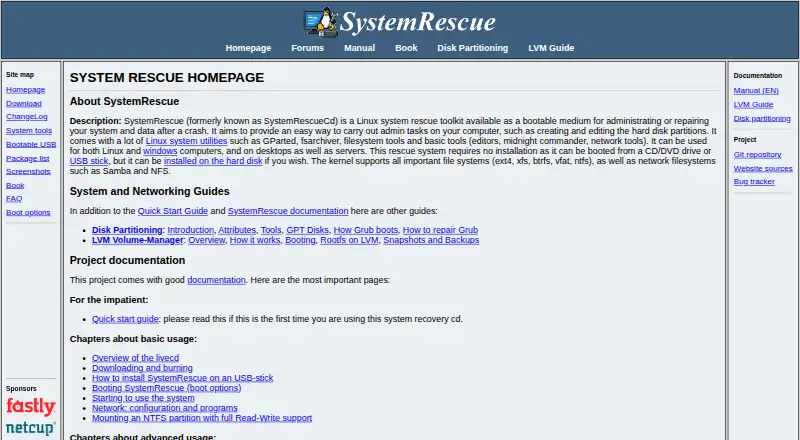
SystemRescue is a free, bootable Linux toolkit for repairing or administering systems and data after a crash. It can be used with Linux and Windows desktops or servers, starting from CD/DVD or USB without installation; it can also be installed on a hard disk. Its kernel supports ext4, xfs, btrfs, vfat, ntfs, Samba, and NFS filesystems. GParted and GNU Parted provide tools to create, resize, copy, move, format, and modify partitions. Testdisk can recover lost partitions and repair boot sectors, while photorec focuses on recovering lost files. GNU ddrescue copies block devices and is optimized for disks with bad blocks. Networking tools include OpenVPN, WireGuard, OpenConnect, SSH, rsync, and rclone. Users can customize the ISO, add packages, create modules, configure YAML files, and run scripts at startup. SystemRescue does not automatically mount filesystems, to avoid interference with block-level copying and potential corruption. ZFS is not included, though the project provides a script to build a module with ZFS tools. The current download page offers version 13.02 for amd64; 32-bit releases appear only among previous versions.
Good
- Boots from CD/DVD or USB without installation
- Includes partition, file, and disk recovery tools
- Works with Linux and Windows computers
- ISO can be customized with packages and modules
Watch out
- ZFS is not included in the toolkit
- Current download is for amd64; 32-bit releases are older
- At least 2 GB of memory is recommended for default boot
Who it suits
SystemRescue may suit Linux users who need bootable tools for repairing Windows or Linux computers, recovering files, or working with partitions and disks. It is also relevant to administrators who want to customize a rescue environment.
Verdict
SystemRescue offers a broad set of recovery and administration tools in a free bootable environment. Check its architecture and memory requirements, and note the ZFS limitation, before preparing it for a recovery task.
Plans and prices
From SystemRescue's own pricing page, checked 8 Oct 2026.
| Plan | Price | What it gives you |
|---|---|---|
| SystemRescue | Free | Free Linux rescue toolkit · download is an ISO image |
The facts
Each one read from SystemRescue's own pages, with the date it was checked.
What it does
- Architecture limitation
- The current download page offers SystemRescue 13.02 for amd64; 32-bit releases are available only among previous versions.checked 8 Oct 2026
- Automatic mounting
- SystemRescue does not automatically mount filesystems because that could interfere with block-level disk copying and risk corruption.checked 8 Oct 2026
- Boot media
- It can boot from CD/DVD or USB without installation, and can optionally be installed on a hard disk.checked 8 Oct 2026
- Customization
- Users can customize the ISO, add packages, configure YAML files, create modules, and run scripts at startup.checked 8 Oct 2026
- Disk imaging
- GNU ddrescue is included to copy block devices and is optimized for disks with bad blocks.checked 8 Oct 2026
- Filesystems
- Its kernel supports ext4, xfs, btrfs, vfat, ntfs, Samba, and NFS filesystems.checked 8 Oct 2026
- License and support
- The project source code is licensed under GPLv3, and the site links to project documentation, forums, and a bug tracker.checked 8 Oct 2026
- Memory requirement
- The download page recommends at least 2 GB of memory for default boot options or 4 GB when caching the system into RAM.checked 8 Oct 2026
- Networking
- Included network capabilities include OpenVPN, WireGuard, OpenConnect, SSH, and file transfer tools such as rsync and rclone.checked 8 Oct 2026
- Partition tools
- Included tools such as GParted and GNU Parted can create, resize, copy, move, format, and modify partitions.checked 8 Oct 2026
- Purpose
- SystemRescue is a bootable Linux rescue toolkit for administering or repairing systems and data after a crash.checked 8 Oct 2026
- Recovery tools
- The included testdisk can recover lost partitions and repair boot sectors, while photorec focuses on recovering lost files.checked 8 Oct 2026
- Security
- The download page provides SHA256 and SHA512 checksums and a GnuPG signature that users can verify.checked 8 Oct 2026
- Supported systems
- It can be used to rescue Linux and Windows computers, including desktops and servers.checked 8 Oct 2026
- ZFS limitation
- ZFS is not included due to licensing concerns, but the project provides a script to build a module containing ZFS tools and a kernel module.checked 8 Oct 2026
Alternatives to SystemRescue
- 1
EaseUS Data Recovery Wizard
Free planAndroidiOSmacOSWindows9.0Free plan - 2

Disk Drill
Free planmacOSWindows8.4From $89 a year - 3
MiniTool Power Data Recovery
Free planmacOSWindows8.3From $89 a year - 4
DiskGenius
Free planWindows8.1From $99.90 a year - 5
Lazesoft Recovery Suite
Free planLinuxWindows7.6$27.95 one-time - 6

Ontrack EasyRecovery
Free planmacOSWindows7.4Free plan