Superpaper
Superpaper is a free, open-source wallpaper manager for multi-monitor computers, supporting Linux and Windows with partial macOS support.
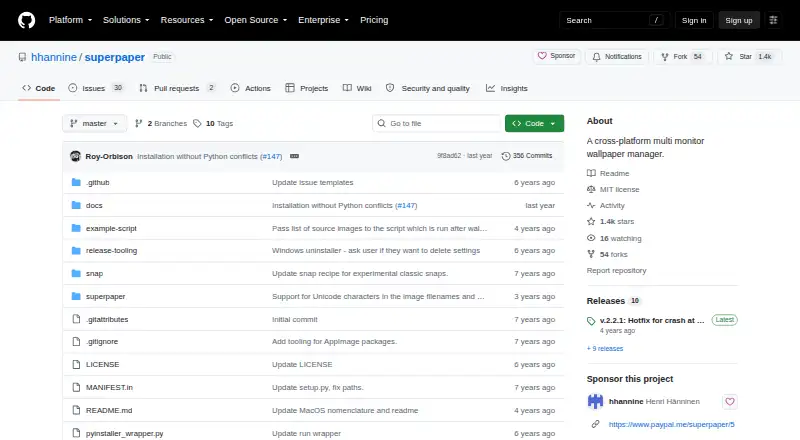
What Superpaper is
Superpaper is a free, open-source wallpaper manager for multi-monitor computers, supporting Linux and Windows with partial macOS support. It can place one image across every display, assign separate images to individual screens, or span images across selected groups. Spanning controls include pixel-density, bezel, and perspective corrections, plus manual pixel offsets. Slideshows use local sources, configurable file order, and a tray applet for control. A command-line interface can automate changes, and a script can run after a wallpaper update. Linux support lists KDE, XFCE, GNOME, Cinnamon, LXDE/LXQt, MATE, Budgie, Pantheon, i3, and BSPWM. Linux downloads include an AppImage, with PyPI installation documented for Python 3.6 or later. Windows 10 and 11 users can use an installer or portable package. macOS requires dependency setup and running the project, has no hotkeys, and remains partial. The command line cannot configure perspective settings. Adding wallpapers by folder excludes subfolders. Superpaper is released under the MIT License.
Good
- Free and open source
- Multiple multi-monitor layout modes
- Perspective, bezel, and density corrections
- Local-source slideshows
- Command-line and post-change scripting
Watch out
- macOS support is partial
- No macOS hotkeys
- CLI cannot configure perspective settings
- Folder imports exclude subfolders
Who it suits
Superpaper suits multi-monitor users on Linux or Windows who want configurable layouts, slideshows, and automation. macOS users may find its partial support and installation requirements restrictive.
Verdict
Superpaper provides extensive multi-display layout and automation controls without a license cost. Linux and Windows users get the broadest support, while macOS limitations and a few workflow restrictions matter for platform choice.
The facts
Each one read from Superpaper's own pages, with the date it was checked.
What it does
- Advanced spanning
- Advanced span mode includes pixel-density, bezel, and perspective correction, plus manual pixel offsets.checked 11 Oct 2026
- Automation
- It offers a command-line interface and can run a script after a wallpaper change.checked 4 Oct 2026
- CLI limit
- Perspective settings cannot currently be configured or used through the command-line interface.checked 4 Oct 2026
- CLI limitation
- Perspective settings cannot currently be configured or used through the command-line interface.checked 11 Oct 2026
- Custom commands
- Users can supply a custom command to set the wallpaper when their system is not built in.checked 11 Oct 2026
- Display layouts
- It can set one image across all displays, different images per display, or span images across groups of displays.checked 4 Oct 2026
- Downloads
- The project provides a Linux AppImage and Windows installer and portable package; macOS requires installing dependencies and running the project.checked 11 Oct 2026
- Known limitation
- The README says macOS support is partial and hotkeys are unavailable on macOS.checked 11 Oct 2026
- License
- The repository publishes Superpaper under the MIT License, which permits use, copying, modification, distribution, sublicensing, and sale subject to its terms.checked 11 Oct 2026
- Purpose
- Superpaper is a cross-platform multi-monitor wallpaper manager.checked 11 Oct 2026
- Slideshow
- It supports slideshows with configurable file order from local sources and offers a tray applet for slideshow control.checked 11 Oct 2026
- Support
- The project README asks users who find Superpaper useful to consider supporting development through PayPal or GitHub Sponsors.checked 11 Oct 2026
- Troubleshooting
- The README directs users to enable logging or run Superpaper with --debug, then check the logs and create an issue if problems occur.checked 11 Oct 2026
- Wallpaper folder limit
- When adding wallpapers by folder, the project says subfolders are not included.checked 4 Oct 2026
- Wallpaper layouts
- It can set one image across all displays, use a different image on each display, or span images across groups of displays.checked 11 Oct 2026
Where it runs
- Linux environments
- Listed supported Linux desktop environments and window managers include KDE, XFCE, GNOME, Cinnamon, LXDE/LXQt, MATE, Budgie, Pantheon, i3, and BSPWM.checked 4 Oct 2026
- Linux installation
- Linux users can install Superpaper from PyPI, which requires Python 3.6 or later, or use the AppImage package.checked 11 Oct 2026
- Linux support
- The project lists support for desktop environments and window managers including KDE, GNOME, XFCE, Cinnamon, i3, and BSPWM.checked 11 Oct 2026
- macOS limit
- The project says macOS support is partial, with no hotkeys, and that installation requires setting up dependencies and running the project.checked 4 Oct 2026
- Windows installation
- A Windows installer and portable package are available for Windows 10 and 11.checked 4 Oct 2026
Alternatives to Superpaper
- 1

Backdrops
Free planAndroidiOSWebmacOS8.0$1.99 one-time - 2

Vivid Walls
Free planWebmacOSWindows7.5$9.99 one-time - 3

DesktopHut
Free planAndroidWebExtensionmacOS7.3Free plan - 4
Hydra
Free planOpen sourceWebAPILinuxSelf-hosted7.3Free plan - 5
EarthDesk
iOSmacOSWindows7.2From $14.99 a year - 6
Day & Night
Free planmacOS7.1$0.99 one-time