
SuperDuper!
SuperDuper! is a macOS application for copying drives, folders, and files for backup and recovery.
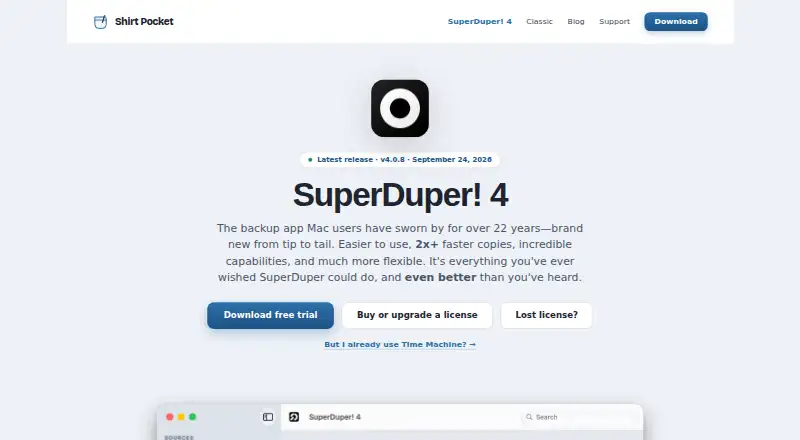
What SuperDuper! is
SuperDuper! is a macOS application for copying drives, folders, and files for backup and recovery. It supports mixed backup and restore modes and can create bootable copies on supported configurations, although a backup does not need to boot to be restorable. Copy jobs are described through plain-English sentences. Smart Update copies new or changed files and removes items no longer present on the source, matching the destination to it. Scheduled copies can run while the app is closed or while nobody is logged in. Destinations include SMB, AFP, and NFS network shares, and the app can connect to a share when copying starts. It can run a macOS Shortcut before or after a copy, or after a failure. SuperDuper! 4 requires macOS 14 or later on Apple silicon or Intel and is not an iPhone or iPad app. Unregistered use has no time limit and supports Erase-then-copy backups; Smart Update, scheduling, and network destinations require registration. The license costs $43.95 a month as listed, despite being marked not a subscription.
Good
- Creates bootable copies on supported configurations
- Smart Update synchronizes changed and removed files
- Schedules copies while closed or logged out
- Supports SMB, AFP, and NFS shares
- Can trigger macOS Shortcuts around copies
Watch out
- Requires macOS 14 or later
- Not available as an iPhone or iPad app
- Full copies require Full Disk Access
- Smart Update and scheduling require registration
Who it suits
SuperDuper! suits Mac users who need drive, folder, or file backups and recovery copies. It is for macOS 14 or later on Apple silicon or Intel, not iPhone or iPad.
Verdict
SuperDuper! combines straightforward copy descriptions with scheduling, network destinations, and recovery-focused options. Unregistered use covers basic Erase-then-copy backups, while registration is needed for its more advanced workflows.
Plans and prices
From SuperDuper!'s own pricing page, checked 23 Sep 2026.
| Plan | Price | What it gives you |
|---|---|---|
| Unregistered | — | Erase-then-copy copies only |
| SuperDuper! 4 license | $43.95, paid once | Unlimited scheduled & Smart Update copies · use on all your personal Macs · not a subscription · per user |
The facts
Each one read from SuperDuper!'s own pages, with the date it was checked.
What it does
- Backup scope
- mixedchecked 23 Sep 2026
- Bootable copies
- It can make bootable copies on supported configurations, and a backup does not have to be bootable to be restorable.checked 7 Oct 2026
- Computer backup
- Yeschecked 23 Sep 2026
- Copy setup
- Copy jobs are configured through plain-English sentences that describe what the job will do.checked 7 Oct 2026
- Destinations
- The app supports network shares using SMB, AFP, or NFS, and can connect to a share when a copy runs.checked 7 Oct 2026
- Mobile backup
- Nochecked 23 Sep 2026
- Permissions
- A complete copy requires Full Disk Access, which the app guides users to enable during setup.checked 7 Oct 2026
- Purpose
- SuperDuper! makes copies of Mac drives, folders, and files for backup and recovery.checked 7 Oct 2026
- Restore modes
- mixedchecked 23 Sep 2026
- Scheduling
- Scheduled copies can run when the app is closed and even when the user is not logged in.checked 7 Oct 2026
- Shortcuts
- SuperDuper can run a macOS Shortcut before and after a copy or when it fails.checked 7 Oct 2026
- Smart Update
- Smart Update copies new or changed files and removes files no longer on the source to make the destination match it.checked 7 Oct 2026
- Support
- The maker says most support cases receive a first response within one business day and that support diagnostics do not upload personal files.checked 7 Oct 2026
Money
- Free plan
- Yeschecked 23 Sep 2026
- Free use limits
- Unregistered use has no time limit and supports full Erase, then copy backups, while Smart Update, scheduling, and network destinations require registration.checked 7 Oct 2026
The company
- Maker
- Shirt Pocket was founded by David Nanian in late 2000.checked 7 Oct 2026
Where it runs
- On-device processing
- The optional Apple Intelligence summaries run on the Mac, and the guide says nothing is uploaded to the cloud for those summaries.checked 7 Oct 2026
- Platform requirement
- SuperDuper! 4 is a native Mac app requiring macOS 14 or later on Apple silicon or Intel, and it is not an iPhone or iPad app.checked 7 Oct 2026
- Supported platforms
- macOSchecked 23 Sep 2026
Alternatives to SuperDuper!
- 1

FOG Project
Free planOpen sourceWebAPILinuxmacOS7.7Free plan - 2
Lazesoft Recovery Suite
Free planLinuxWindows7.0$27.95 one-time - 3

Clonezilla
Free planLinuxmacOSSelf-hostedWindows6.7Free plan - 4

HDClone
Free planLinuxSelf-hostedWindows6.7€19.90 one-time - 5
Lazesoft Disk Image & Clone
Free planWindows6.6$17.95 one-time - 6
OpenSuperClone
Free planLinux6.5Free plan