SSuite Gif Animator
SSuite Gif Animator is a free Windows and web tool for turning images into animated GIFs, movies, and slideshows.
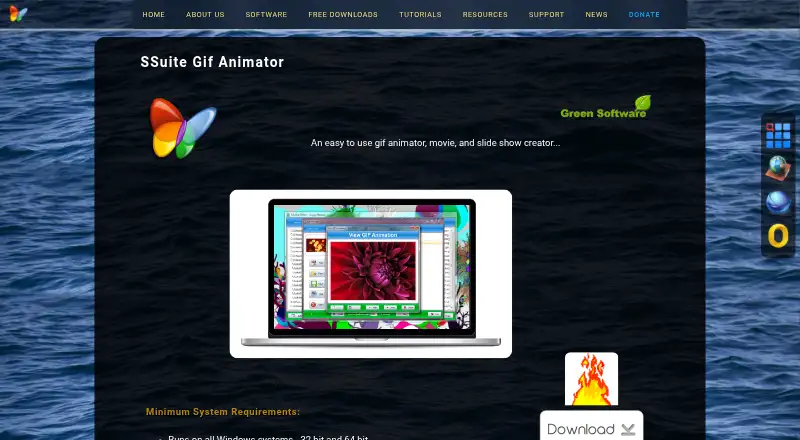
What SSuite Gif Animator is
SSuite Gif Animator is a free Windows and web tool for turning images into animated GIFs, movies, and slideshows. In the desktop application, users add images to a list and press Create to build an animation. It supports JPG, JPEG, PNG, and BMP files. Timing can be set from milliseconds to minutes, with a separate interval available for each image, and the program can resize images to a shared size. The maker says GIFs made with the application can be viewed in current web browsers. The product page lists a portable Windows edition, which can run from a USB or other memory device, and a desktop edition that uses an InstallShield installation process. The maker lists support for 32-bit and 64-bit Windows and instructs users to run the executable as administrator on Vista, 7, 8, 10, 11, and beyond. Its online edition is linked from the product page, but that site returned a 403 error when opened. The maker describes the downloads as proprietary freeware for private and commercial use, not open source.
Good
- Freeware for private and commercial use
- Supports JPG, JPEG, PNG, and BMP
- Individual image intervals can be set
- Portable edition can run from USB
Watch out
- Online edition returned a 403 error
- Windows users are instructed to run as administrator
- Desktop edition requires InstallShield installation
Who it suits
It suits Windows users who want to assemble image-based animations and adjust timing or size. The portable edition may suit users who want to run it from a USB or other memory device.
Verdict
SSuite Gif Animator offers image-based animation creation without a listed charge, with adjustable timing and resizing. Windows users can choose between a portable edition and an installer-based desktop edition; the linked online edition was unavailable when opened.
Plans and prices
From SSuite Gif Animator's own pricing page, checked 4 Oct 2026.
| Plan | Price | What it gives you |
|---|---|---|
| SSuite Gif Animator | Free | Freeware · Windows 32-bit and 64-bit |
The facts
Each one read from SSuite Gif Animator's own pages, with the date it was checked.
Where it runs
- Browser compatibility
- The maker says GIFs created with the application are compatible with current web browsers for viewing.checked 4 Oct 2026
The company
- Company and audience
- SSuite says brothers Henk and Marius van Loo created the software for users ranging from novices to experienced computer users.checked 4 Oct 2026
What it does
- Desktop editions
- The product page lists a portable version and a PC desktop edition that requires an InstallShield installation process.checked 4 Oct 2026
- Distribution
- The maker says its software has no third-party add-ons, toolbars, installers, or software distributions.checked 4 Oct 2026
- How it works
- Users load images into a list and press Create to make an animation.checked 4 Oct 2026
- Image formats
- The desktop product supports JPG, JPEG, PNG, and BMP images.checked 4 Oct 2026
- Image resizing
- The product can resize images and set them all to one size.checked 4 Oct 2026
- License
- The maker describes its downloads as proprietary freeware for private and commercial use, not open-source software.checked 4 Oct 2026
- Online edition
- The maker links to an online GIF maker edition; that site returned a 403 error when opened.checked 4 Oct 2026
- Privacy
- Van Loo Software says it does not rent, sell, collect, or share personal information except to provide requested free software or services.checked 4 Oct 2026
- Purpose
- SSuite Gif Animator creates animated GIFs, movies, and slideshows from images.checked 4 Oct 2026
- Run requirements
- The maker instructs Windows users to run the executable as administrator on Vista, 7, 8, 10, 11, and beyond.checked 4 Oct 2026
- System support
- The maker lists support for all 32-bit and 64-bit Windows systems and says the portable edition can run from USB or another memory device.checked 4 Oct 2026
- Timing
- Image intervals can be set from milliseconds to minutes, including individual intervals for each image.checked 4 Oct 2026
The full review of SSuite Gif Animator
SSuite Gif Animator turns prepared images into animated GIFs, movies, and slideshows. It is best suited to Windows users making straightforward image-based animations who need control over frame timing and image dimensions. Its focused workflow is practical for simple projects, but it is not the right fit for users seeking a broader animation editor or dependable browser-based access.
Overview
Users load images into a list and press Create. The short path from image selection to output suits uncomplicated projects, while the image-list approach limits its appeal for work that calls for capabilities beyond assembling stills. Desktop editions accept JPG, JPEG, PNG, and BMP images.
Timing can be set from milliseconds to minutes, either across the animation or separately for each image. That individual control is useful when frames need different hold times. Resizing can bring images to a common size, which helps keep a sequence consistent. The maker says GIFs created with the application can be viewed in current web browsers.
Key features
- Image-based creation: Make GIFs, movies, or slideshows from a list of still images. This is a good match for prepared artwork and image sequences, not a reason to expect tools beyond the described workflow.
- Per-image timing: Set intervals from milliseconds to minutes, including different durations for individual frames. This offers useful pacing control for a basic animation.
- Image resizing: Standardize dimensions across images before creating an animation, reducing inconsistency between frames.
- Portable edition: Run the portable version from a USB drive or other memory device, avoiding the InstallShield process required by the PC desktop edition.
Pricing
SSuite Gif Animator is freeware at free. The free plan includes the Windows 32-bit and 64-bit software; there is no paid tier or trial to weigh against it. The maker describes the license as proprietary freeware for private and commercial use, not open-source software.
The free price makes it an accessible option for occasional image-based animation, though it does not change the product's narrow workflow or resolve access to the online edition. The maker says its software contains no third-party add-ons, toolbars, installers, or software distributions, and says it does not rent, sell, collect, or share personal information except to provide requested free software or services.
Platforms
The desktop editions support 32-bit and 64-bit Windows systems. The portable edition can run from removable storage; the PC desktop edition uses an InstallShield installation process. The maker instructs users on Vista, 7, 8, 10, 11, and later to run the executable as administrator.
A web edition is linked by the maker, but its site returned a 403 error when opened. That makes the desktop versions the practical choice for users who need access now; browser-only users should look elsewhere.
Who it's for
This is a sensible choice for Windows users who already have images ready and want to assemble them into a GIF, movie, or slideshow with adjustable frame timing and consistent dimensions. Its portable edition also suits people who prefer to run a small utility from removable storage. Users who need a web-based workflow, a different platform, or capabilities beyond the described image-list process should consider another tool.
Pros and cons
- Pros: Freeware for private and commercial use; per-image timing from milliseconds to minutes; image resizing; portable Windows edition.
- Cons: The workflow centers on assembling still images; the linked web edition returned a 403 error; Windows users are instructed to run the executable as administrator.
Alternatives
GIF Maker Software is the broader category directory for comparing GIF tools.
- FlexClip is worth considering when you want a cross-platform web or mobile option with a free tier that includes 12 online projects and videos up to 10 minutes.
- Brush Ninja is a better fit for core animation tools across more platforms, including Linux and macOS, with no account required for its free plan.
- GIPHY Create is a free alternative for users who want a web or mobile option.
- Gifox is a macOS alternative with a free basic plan for 10-second screen recordings.
- MakeAGIF offers a web-based free account for creating GIFs.
- Terminalizer is a free, open-source option for Linux, macOS, and Windows users.
- LICEcap is a free alternative for macOS and Windows.
- Piskel is a free option for Linux, macOS, web, and Windows.
Verdict
Choose SSuite Gif Animator if you want free Windows software for turning prepared images into GIFs, movies, or slideshows, especially when per-frame timing and resizing matter. Its portable edition adds flexibility without a charge. Look elsewhere if you need a reliable browser-based editor or a workflow that extends beyond assembling still images.
Alternatives to SSuite Gif Animator
- 1

Brush Ninja
Free planAndroidiOSWebLinux8.2From $48 a year - 2
FlexClip
Free planAndroidiOSWebWindows8.1From $143.88 a year - 3

GIPHY Create
Free planAndroidiOSWeb7.0Free plan - 4
MakeAGIF
Free planWebAPIExtension6.9Free plan - 5

Gifox
Free planmacOS6.8$14.99 one-time - 6

ImgPlay
Free planAndroidiOS6.8From $29.99 a year