
Sparkbooth
Sparkbooth turns a Windows or Mac computer with a webcam or compatible camera into a photo booth for capturing, printing, and sharing images.
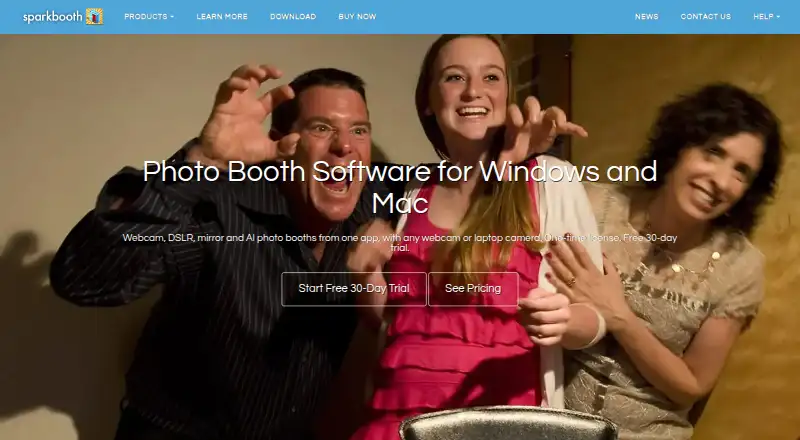
What Sparkbooth is
Sparkbooth turns a Windows or Mac computer with a webcam or compatible camera into a photo booth for capturing, printing, and sharing images. Guests can receive photos by email, text, or QR code, while automatic printing is supported. The app covers webcam, DSLR, mirror, GIF, boomerang, AI photo, and kiosk setups. A drag-and-drop editor, drawing tools, stickers, green-screen or AI background removal, and AI transformations support customization. Webcams up to 4K are supported, and the DSLR edition works with compatible Canon, Nikon, and Sony cameras. Capture and printing work offline, with uploads queued for later. The 30-day trial is fully functional, needs no credit card, and watermarks trial photos. Premium costs $149, paid once; DSLR costs $189, paid once. Both include commercial use, lifetime licensing, three activations, and no per-event fee.
Good
- Email, text, and QR photo delivery
- Automatic printing and offline capture
- Supports webcams up to 4K
- Multiple booth and animation modes
- Commercial use without per-event fees
Watch out
- No free plan
- Trial photos carry a watermark
- AI Photos and QR services need subscriptions
- Windows 10+ or macOS 13.7+
Who it suits
It suits weddings, parties, business events, and photo-booth rental businesses needing capture, printing, and delivery options. Choose DSLR for compatible Canon, Nikon, or Sony camera support.
Verdict
Sparkbooth covers capture, customization, delivery, and printing for event photo booths, including offline operation. Its one-time licenses and camera-specific editions make the Premium-versus-DSLR choice clear.
Plans and prices
From Sparkbooth's own pricing page, checked 9 Oct 2026.
| Plan | Price | What it gives you |
|---|---|---|
| Premium | $149, paid once | Webcams, including 4K · Lifetime license, 3 activations · Commercial and business use · Free updates within version 7 · Windows and macOS · one-time purchase |
| DSLR | $189, paid once | Everything in Premium · Canon, Nikon and Sony cameras · Lifetime license, 3 activations · Commercial and business use · Windows and macOS · one-time purchase |
The facts
Each one read from Sparkbooth's own pages, with the date it was checked.
What it does
- Booth modes
- The same app supports webcam, DSLR, mirror, GIF and boomerang, AI photo, and photo kiosk use cases.checked 9 Oct 2026
- Camera compatibility
- The product supports webcams up to 4K, while the DSLR edition supports compatible Canon, Nikon and Sony cameras.checked 9 Oct 2026
- Commercial use
- Commercial and business use is included, and the maker says there is no per-event fee.checked 9 Oct 2026
- Integrations
- The privacy documentation lists optional integrations including Twilio, Mailgun, SendGrid, Dropbox, Google Drive, Mailchimp and several photo sharing services.checked 9 Oct 2026
- Intended users
- The maker identifies weddings, birthday parties, business events and photo booth rental businesses as use cases.checked 9 Oct 2026
- Offline use
- Users can capture and print offline, with uploads queued until later.checked 9 Oct 2026
- Optional cloud services
- Optional AI Photos and QR Code Photos services are off by default, require separate subscriptions, and may transmit or host guest photos when enabled.checked 9 Oct 2026
- Photo customization
- Features include a drag-and-drop layout editor, green-screen or AI background removal, drawing, stickers, and AI photo transformations.checked 9 Oct 2026
- Photo delivery
- Guests can receive photos by email, text or QR code, and the software supports automatic printing.checked 9 Oct 2026
- Privacy and local processing
- Photo capture, effects, layout rendering and printing happen locally, and the software says it has no analytics, telemetry or crash reporting.checked 9 Oct 2026
- Security and compliance
- The maker says network communication uses HTTPS/TLS and service credentials are stored in a password-protected local database; it states that it holds no certifications and offers no standalone DPA.checked 9 Oct 2026
- Support
- Customers can email [email protected] for support, sales or general inquiries.checked 9 Oct 2026
- System requirements
- The current download page specifies Windows 10 or later or macOS 13.7 or later, at least 4 GB RAM, and recommends an i3-class processor for Premium or i5-class processor for DSLR.checked 9 Oct 2026
- What it does
- Sparkbooth turns a Windows or Mac computer with a webcam or compatible camera into a photo booth for capturing, printing and sharing photos.checked 9 Oct 2026
The company
- Founded
- 2009checked 28 Sep 2026
- Headquarters
- 400 Spear, San Francisco, CA 94105, United Stateschecked 28 Sep 2026
Money
- Trial
- The free 30-day trial is fully functional, requires no credit card, and watermarks trial photos.checked 9 Oct 2026
Alternatives to Sparkbooth
- 1
RevoSpin 360
Free planAndroidiOSWeb7.6$49.99 one-time - 2
Touchpix
AndroidiOSWebAPI7.6From $36.66 a month - 3
FreeBooth
Free planOpen sourceWebLinuxmacOSWindows7.5Free plan - 4
FotoBox
Free planOpen sourceLinuxmacOSSelf-hosted7.1Free plan - 5

LumaBooth
AndroidiOSWebmacOS7.0From $7.99 a month - 6

AI Photo Booth Pro
AndroidiOSmacOSWindows6.8From $49 a month