Sourcebot
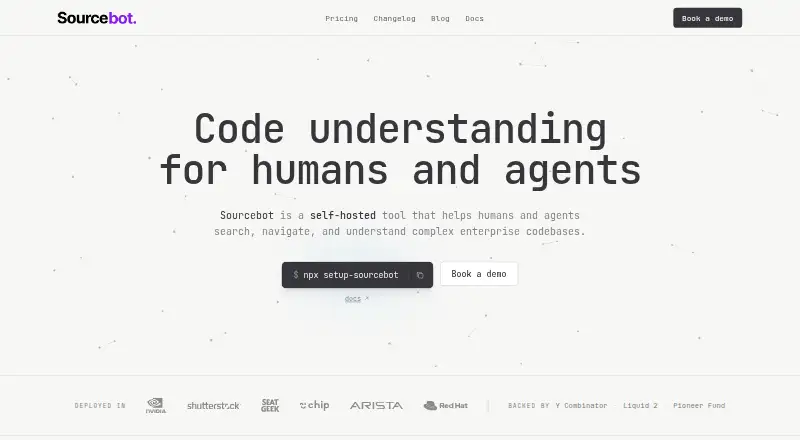
Sourcebot is a self-hosted tool for searching, navigating, and understanding enterprise codebases.
What Sourcebot is
Sourcebot is a self-hosted tool for searching, navigating, and understanding enterprise codebases. Search spans repositories and branches and supports regular expressions, filters, boolean logic, and suggestions. Symbol navigation includes go to definition and find references. Its MCP server gives coding agents tools to search code, read files, and resolve symbols across an organization. Supported code hosts include GitHub, GitLab, Bitbucket, Azure DevOps, Gerrit, and Gitea, whether cloud-hosted or self-managed. Ask Sourcebot connectors communicate over MCP and observe the connected user's permission boundaries; documented examples include Linear and Jira. Ask Sourcebot requires at least one configured language model provider, with documented options including OpenAI, Anthropic, Bedrock, Vertex, and Mistral. The software is deployed on customer infrastructure as a single Docker container, on-premises or in the cloud. The company says code, indexes, queries, and AI inputs and outputs stay in the customer's environment. Basic is free; Pro costs $20 a month billed per user and includes a 14-day free trial.
Good
- Searches across repositories and branches.
- Supports multiple cloud and self-managed code hosts.
- Provides symbol navigation and agent tools.
- Deploys as a single Docker container.
- Pro includes a 14-day free trial.
Watch out
- Designed for self-hosted deployment on customer infrastructure.
- Ask Sourcebot requires a configured language model provider.
- Pro costs $20 a month per user.
Who it suits
Sourcebot may suit organizations that need to search and navigate code across repositories, including teams using coding agents. Its self-hosted deployment and permission syncing may fit teams that need code context to remain within their environment.
Verdict
Sourcebot combines cross-repository code search with symbol navigation and tools for coding agents. Teams considering Ask Sourcebot need to configure a language model provider, and Pro is priced per user.
Plans and prices
From Sourcebot's own pricing page, checked 30 Sep 2026.
| Plan | Price | What it gives you |
|---|---|---|
| Basic | Free | Code search · Regex, symbol, and filtered search · Git history and blame · File explorer and code viewer · Self-hosted single Docker image · Community support |
| Pro | $20 a month | Everything in Basic · Ask Sourcebot · Agent code context · Code navigation · SSO, audit logs, permission syncing, and organization management · Onboarding support · per user / month |
| Enterprise | Priced on request | Everything in Pro · Dedicated Slack support channel · Dedicated support engineer and SLAs · Custom MSA · Offline license · Custom |
The facts
Each one read from Sourcebot's own pages, with the date it was checked.
What it does
- Agent context
- Its MCP server gives coding agents tools to search code, read files, and resolve symbols across repositories in an organization.checked 30 Sep 2026
- Code hosts
- Supported code hosts include GitHub, GitLab, Bitbucket, Azure DevOps, Gerrit, and Gitea, both cloud and self-managed.checked 30 Sep 2026
- Code navigation
- Sourcebot supports symbol-level code navigation, including go to definition and find references.checked 30 Sep 2026
- Code search
- Code search spans repositories and branches and supports regular expressions, filters, boolean logic, and search suggestions.checked 30 Sep 2026
- Connectors
- Ask Sourcebot connectors communicate over MCP and use the connected user's permission boundaries; documented examples include Linear and Jira.checked 30 Sep 2026
- Data handling
- The company says code, indexes, search queries, and AI inputs and outputs stay within the customer's environment.checked 30 Sep 2026
- Deployment
- Sourcebot is designed to be self-hosted and ships as a single Docker container for deployment on a user's infrastructure, on-premises or in the cloud.checked 30 Sep 2026
- Model providers
- Ask Sourcebot requires at least one configured language model provider, and Sourcebot documents providers including OpenAI, Anthropic, Bedrock, Vertex, and Mistral.checked 30 Sep 2026
- Notable requirement
- Ask Sourcebot requires at least one language model provider to be defined in the Sourcebot configuration.checked 30 Sep 2026
- Permission syncing
- With permission syncing configured, code context requests respect repository permissions from code host platforms.checked 30 Sep 2026
- Purpose
- Sourcebot is a self-hosted tool that helps humans and agents search, navigate, and understand complex enterprise codebases.checked 30 Sep 2026
- Support
- Basic includes community support, Pro includes onboarding support, and Enterprise includes a dedicated support engineer and SLAs.checked 30 Sep 2026
The company
- Founded
- 2024checked 23 Sep 2026
- Headquarters
- San Francisco, California, United Stateschecked 23 Sep 2026
- Maker
- The site identifies Taqla Inc. as the provider and says Sourcebot is made in San Francisco.checked 30 Sep 2026
Money
- Trial
- The Pro plan offers a 14-day free trial.checked 30 Sep 2026
The full review of Sourcebot
Sourcebot brings code search, navigation and agent context into a self-hosted tool for organizations working across repositories. It suits teams that need code workflows to stay on their own infrastructure. Basic handles search and browsing; agent features and organization controls start with Pro at $20 a month per user.
Overview
Sourcebot searches across repositories and branches and supports GitHub, GitLab, Bitbucket, Azure DevOps, Gerrit and Gitea, including cloud and self-managed installations. That breadth is useful to organizations with varied code-hosting setups. Its single Docker container runs on customer infrastructure, on-premises or in the cloud, so it is a poor fit for teams seeking a hosted service that requires no deployment work.
The company says code, indexes, search queries, and AI inputs and outputs stay within the customer’s environment. With permission syncing configured, code context requests respect repository permissions from connected code hosts. Those controls are meaningful for teams managing sensitive code, but permission syncing and infrastructure setup are part of the operational burden.
Key features
Search and navigation
Search spans repositories and branches, with regular expressions, filters, boolean logic and suggestions. Basic also includes Git history and blame, a file explorer and a code viewer. That makes the free plan useful for cross-repository discovery, not merely a limited preview. Symbol navigation, including go to definition and find references, is reserved for Pro, so teams that depend on those workflows should account for the per-user cost.
Agent context
The MCP server lets coding agents search code, read files and resolve symbols across an organization’s repositories. Ask Sourcebot connectors also use MCP and follow the connected user’s permission boundaries; documented examples include Linear and Jira. Ask Sourcebot requires at least one language model provider in the configuration, with documented options including OpenAI, Anthropic, Bedrock, Vertex and Mistral. This gives teams a route to agent-assisted code context, but it is not a model-free feature that can simply be switched on without setup.
Pricing
Basic costs nothing. It includes code search, regex, symbol and filtered search, Git history and blame, file exploration and viewing, a single Docker image, and community support. It is a credible option for teams focused on search and browsing; it gives up Ask Sourcebot, agent code context, code navigation, SSO, audit logs, permission syncing and organization management.
Pro costs $20 a month, billed per user / month, and includes everything in Basic plus Ask Sourcebot, agent code context, code navigation, SSO, audit logs, permission syncing, organization management and onboarding support. A 14-day free trial lets a team evaluate those paid workflows, but the ongoing per-user price makes team size central to the decision.
Enterprise has custom pricing and includes everything in Pro, a dedicated Slack support channel, a dedicated support engineer and SLAs, a custom MSA and an offline license. It is aimed at organizations that need those support and licensing terms rather than a published flat rate. Basic includes community support; Pro adds onboarding support.
Platforms
Sourcebot is available as a web and API product and is self-hosted. Its deployment is a single Docker container on infrastructure the customer controls, in a cloud environment or on-premises. This suits teams able to operate their own deployment, but not those looking for a conventional desktop app or vendor-hosted setup.
Who it's for
Sourcebot is strongest for organizations with complex, multi-repository codebases that want cross-host search and agent context within their own environment. Basic fits teams that need repository search and browsing without agent features. Pro makes more sense when symbol navigation, coding-agent access and organization controls justify a per-user subscription. Teams that do not want to configure and maintain a self-hosted deployment, or configure a model provider for Ask Sourcebot, should look elsewhere.
Pros and cons
- Broad code-host coverage: supports six named code hosts, including self-managed installations, which helps organizations with mixed hosting.
- Useful free search tier: Basic includes cross-repository search, history, blame and browsing without a subscription.
- Customer-controlled data: the company says code and AI-related data stay within the customer’s environment; permission syncing can honor code-host repository access.
- Agent and navigation work costs more: Ask Sourcebot, agent context and code navigation require Pro at $20 a month per user.
- Setup is a prerequisite: teams must deploy the container themselves, and Ask Sourcebot needs a configured language model provider.
Alternatives
Code Search Tools is a useful starting point for comparing products in the category. Choose Code Search instead if an unlimited-user community plan with full-text search, repository-wide find and replace, CLI and MCP, and SCIP code intelligence better fits the need. sqry is the free, locally running, MIT-licensed option for readers who want an open-source tool on Linux, macOS or Windows.
searchcode offers a free beta plan for public GitHub repositories. ast-grep is a free option for readers seeking an API, extension, web or desktop-platform choice. LeIndex is another free option, including self-hosted and web availability. Shebe is worth considering for free local code search under an Apache-2.0 license.
Understand is a freemium alternative with a free plan and trial; its annual subscription is $100,120 a year, with a 12-month minimum term. Sourcegraph Code Search is a paid alternative with a minimum annual contract starting at $16,000 a year, scaling with team size and including AI feature credits.
Verdict
Choose Sourcebot if your organization needs repository-wide search and agent context while keeping code workflows on infrastructure it controls. Its free Basic plan makes search accessible, and Pro combines agent tools, navigation and organization controls in one per-user tier. Look elsewhere if self-hosting and model-provider configuration are unwanted responsibilities, or if Pro’s per-user cost does not fit the team.
Alternatives to Sourcebot
- 1
Avidemux
Free planOpen sourceWebLinuxmacOSWindows7.3Free plan - 2

Understand
APIExtensionLinuxmacOS7.2From $100 a month - 3

ast-grep
Free planWebAPIExtensionLinux7.0Free plan - 4

Chromium
Open sourceAndroidiOSExtensionLinux6.9 - 5
Semantic Designs Source Code Search Engine
Free planAPILinuxSelf-hostedWindows6.7Free plan - 6

Code Fundi
Free planWebAPIExtension6.6From $21 a month