SotF
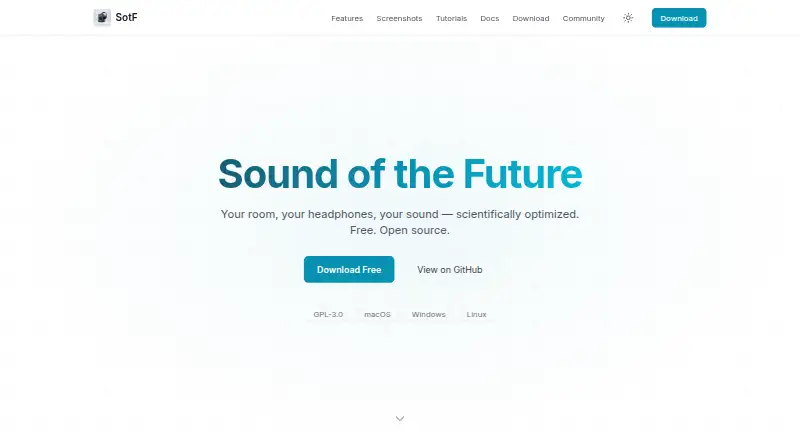
SotF is a free, open-source audio player and optimizer for Linux, macOS, and Windows.
What SotF is
SotF is a free, open-source audio player and optimizer for Linux, macOS, and Windows. It plays FLAC, MP3, AAC, ALAC, and Vorbis files, and offers more than 40 audio plugins, including equalization, compression, limiting, upmixing, binaural processing, convolution, and denoising. For room correction, it measures and analyzes room response to calculate filters for a plugin chain; this setup requires a measurement microphone, its calibration file, and connected speakers. Headphone EQ generates parametric filters aimed at the Harman curve for hundreds of measured headphone models. Spinorama EQ provides speaker correction for thousands of models without a microphone. SotF can export settings for CamillaDSP, Equalizer APO, EasyEffects, Wavelet, PipeWire, and Roon. On macOS, a virtual CoreAudio HAL device can route audio from other apps through a configured plugin chain. The application runs locally and says it collects no user data or listening history. Speaker EQ does query the public Spinorama API for the chosen model. SotF is GPL-3.0 licensed, with a price of no cost and no subscription.
Good
- Plays FLAC, MP3, AAC, ALAC, and Vorbis files
- Offers more than 40 audio plugins
- Headphone EQ covers hundreds of measured models
- Exports settings for six named audio tools
- Runs locally and says it collects no user data
Watch out
- Room correction requires a measurement microphone and calibration file
- Speaker EQ queries the public Spinorama API
- Desktop releases are for Linux, macOS, and Windows
Who it suits
SotF suits listeners who want local music playback and audio correction for rooms, headphones, or speakers. Room correction requires measurement equipment; speaker correction does not require a microphone.
Verdict
SotF combines music playback with room, headphone, and speaker correction across three desktop operating systems. Its room-measurement workflow requires extra equipment, while its speaker correction can work without a microphone.
Plans and prices
From SotF's own pricing page, checked 30 Sep 2026.
| Plan | Price | What it gives you |
|---|---|---|
| Free | Free | Free · open source (GPL-3.0) · no subscription |
The facts
Each one read from SotF's own pages, with the date it was checked.
What it does
- Audio export
- SotF lists export support for CamillaDSP, Equalizer APO, EasyEffects, Wavelet, PipeWire, and Roon.checked 30 Sep 2026
- Audio plugins
- The product page lists more than 40 audio plugins, including EQ, compression, limiting, upmixing, binaural processing, convolution, and denoising.checked 30 Sep 2026
- Downloads
- The download page lists macOS, Windows, and Linux releases, with stable desktop releases through platform stores and beta or command-line builds through GitHub Releases.checked 30 Sep 2026
- Headphone EQ
- Headphone EQ calculates parametric filters targeting the Harman curve and supports hundreds of measured headphone models.checked 30 Sep 2026
- Local processing
- The application runs on the user's machine and does not upload music or listening history; speaker EQ queries the public Spinorama API for the searched speaker model.checked 30 Sep 2026
- Music playback
- Its music player supports FLAC, MP3, AAC, ALAC, and Vorbis files.checked 30 Sep 2026
- Privacy
- SotF says it collects no user data and uses no analytics, telemetry, cookies, or tracking.checked 30 Sep 2026
- Product
- SotF is a free, open-source audio player and optimizer for sound in rooms and headphones.checked 30 Sep 2026
- Room correction
- Room EQ measures and analyzes room response, then calculates correction filters to apply in a plugin chain.checked 30 Sep 2026
- Room EQ equipment
- Room correction requires a measurement microphone and its calibration file, in addition to SotF and connected speakers.checked 30 Sep 2026
- Speaker EQ
- Spinorama EQ provides correction for thousands of speakers from spinorama.org without requiring a microphone.checked 30 Sep 2026
- Support
- Users can submit feedback or bug reports through GitHub and join the AudioScienceReview discussion linked from the product page.checked 30 Sep 2026
- System audio
- On macOS, a CoreAudio HAL virtual device can route audio from all apps through a configured SotF plugin chain.checked 30 Sep 2026
The company
- Maker
- The site credits SotF to Pierre F. Aubert.checked 30 Sep 2026
The full review of SotF
Overview
SotF is a free, open-source audio player and optimizer for people who want to shape sound on Linux, macOS, or Windows. Its strongest fit is a listener willing to configure audio correction rather than simply install a basic equalizer; the trade-off is that room correction needs measurement gear, while speaker EQ does not.
It plays FLAC, MP3, AAC, ALAC, and Vorbis files, and offers a broad set of processing tools. The project is credited to Pierre F. Aubert. For more options in the category, see Audio Equalizer Software.
SotF says it collects no user data and uses no analytics, telemetry, cookies, or tracking. Processing stays on the user's machine without uploading music or listening history. Speaker EQ does query the public Spinorama API for a searched speaker model.
Key features
Room correction
Room EQ measures and analyzes a room's response, then calculates correction filters for a plugin chain. This gives listeners a route to room-specific correction, but requires connected speakers, a measurement microphone, and its calibration file as well as SotF.
Headphone and speaker EQ
Headphone EQ calculates parametric filters aimed at the Harman curve and supports hundreds of measured headphone models. Spinorama EQ draws on thousands of speaker models from spinorama.org and can provide correction without a microphone. The latter is the more practical starting point for speaker owners who lack measurement equipment.
Plugins, routing, and export
The product lists more than 40 plugins, spanning EQ, compression, limiting, upmixing, binaural processing, convolution, and denoising. That range makes SotF more than a playback app, though users seeking only a simple playback experience may not need its extensive processing choices.
On macOS, a CoreAudio HAL virtual device can route audio from all apps through a configured SotF plugin chain. SotF also supports exporting to CamillaDSP, Equalizer APO, EasyEffects, Wavelet, PipeWire, and Roon, giving users ways to carry correction into other audio setups.
Pricing
SotF's Free plan costs nothing. It is open source under GPL-3.0, has no subscription, and includes the application without a paid tier or trial to weigh against it. That makes it a straightforward fit for listeners who want local playback and correction without a recurring charge.
Downloads include macOS, Windows, and Linux releases. Stable desktop builds are offered through platform stores, while beta and command-line builds are distributed through GitHub Releases. Users can send feedback or bug reports through GitHub and join the AudioScienceReview discussion linked from the product page.
Platforms
SotF runs on Linux, macOS, and Windows, making it a broader desktop option than the alternatives here limited to macOS or Windows. Its system-wide audio routing is specifically available on macOS through a CoreAudio HAL virtual device; room correction has the separate equipment requirement of a measurement microphone and calibration file.
Who it's for
SotF suits desktop listeners who want a free, open-source player alongside headphone or speaker correction, especially those interested in using measured headphone models or Spinorama speaker data. It also fits users who want to configure plugin chains or export settings to supported audio software. It is a poorer match for someone expecting room correction without measurement gear, or a minimal player with no appetite for setup.
Pros and cons
- Pro: Playback covers five common lossless and lossy formats, so SotF can serve as a music player as well as a correction tool.
- Pro: Headphone EQ and microphone-free Spinorama speaker EQ offer correction paths that do not require buying measurement equipment.
- Pro: More than 40 listed plugins and six export targets support varied processing workflows.
- Pro: Local processing and the stated absence of analytics or tracking will appeal to privacy-conscious listeners.
- Con: Room EQ depends on a measurement microphone and its calibration file, adding cost and setup before room-specific filters can be calculated.
- Con: System-wide routing through a virtual device is documented for macOS, so users on other desktop systems should not expect that particular workflow.
Alternatives
- DeskFX Audio Enhancer is worth considering for users who prefer a freemium option available on macOS and Windows.
- CamillaDSP is a free alternative for readers looking across Linux, macOS, Windows, web, API, and self-hosted platforms.
- Equaliser is a free macOS alternative.
- Nahimic is a free option spanning desktop and mobile platforms; its download page lists compatible computers and versions, and an audio driver update is required first.
- EqLume is a free Mac app, with a separate Mac App Store plan for macOS 26.0+ on Apple silicon Mac.
- eqMac offers a free tier without its Pro features.
- Equalizer APO is a free Windows alternative.
- EQBase is a free macOS alternative.
Verdict
Choose SotF if you want a no-subscription desktop player with substantial correction options, particularly headphone EQ or speaker correction that can start without a microphone. Its combination of local processing, plugin flexibility, and broad operating-system support is compelling for technically engaged listeners. Look elsewhere if room correction without extra measurement equipment is essential, or if you want a simpler equalizer-focused tool.
Alternatives to SotF
- 1
EQBase
Free planAPImacOS7.2From $39.99 a year - 2
Nahimic
Free planAndroidiOSmacOSWindows7.2Free plan - 3
FxSound
Free planOpen sourceWindows7.1Free plan - 4
PC Equalizer
Free planWindows7.1$20 one-time - 5
DeskFX Audio Enhancer
Free planmacOSWindows6.6From $34.99 a year - 6
JamesDSP
Free planAndroidAPILinux6.4Free plan