Social Booth
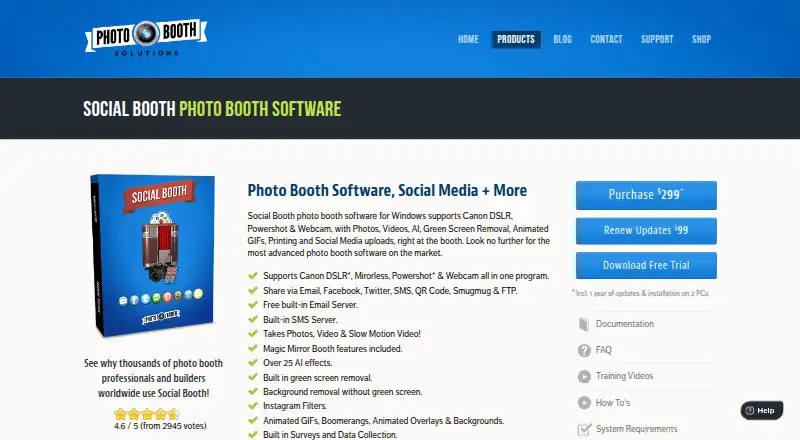
The facts below are what the maker publishes about Social Booth, checked and dated. Our editors have not written about it yet.
Plans and prices
From Social Booth's own pricing page, checked 9 Oct 2026.
| Plan | Price | What it gives you |
|---|---|---|
| Renew Updates | $99 a year | Updates · Renewal for updates |
| Social Booth | $299, paid once | Windows software · installation on 2 PCs · Includes 1 year of updates; installs on 2 PCs |
The facts
Each one read from Social Booth's own pages, with the date it was checked.
What it does
- AI effects
- The product page states that Social Booth includes over 25 AI effects.checked 9 Oct 2026
- Built-in messaging
- The product includes a free built-in email service and SMS messaging, which the maker says do not require SendGrid or Twilio.checked 9 Oct 2026
- Camera support
- The product page lists support for Canon DSLR, mirrorless, Powershot, and webcam cameras.checked 9 Oct 2026
- Cloud integration
- Photo Booth Cloud can connect to a website through a widget for photo sharing and reprint purchases.checked 9 Oct 2026
- Customization and surveys
- Users can customize screens, templates, backgrounds, buttons, and audio prompts, and create surveys that export data to a spreadsheet or CMS.checked 9 Oct 2026
- Intended users
- The maker says the product is used by photo booth professionals and builders and describes it for occasions including parties, business events, and weddings.checked 9 Oct 2026
- License terms
- The license agreement describes the software license as personal, non-sublicensable, and nonexclusive, for specifically authorized machines.checked 9 Oct 2026
- Payment hardware
- The maker says Social Booth can integrate with bill validators, coin acceptors, and credit card swipes to collect payments.checked 9 Oct 2026
- Photo and video features
- Features include slow motion video, animated GIFs, Boomerangs, green screen removal, and background removal without a green screen.checked 9 Oct 2026
- Purpose
- Social Booth is photo booth software for Windows that captures photos and videos, supports printing, and uploads media to social platforms.checked 9 Oct 2026
- Sharing
- The product supports sharing through email, Facebook, Twitter, SMS, QR codes, SmugMug, and FTP.checked 9 Oct 2026
- Support
- The maker provides documentation, FAQs, training videos, how-to articles, and a support contact address.checked 9 Oct 2026
- System requirements
- The support article recommends Windows 7, 8, 10, or 11, an i3 or i5 processor with at least 4 GB RAM, and a 1920×1080 screen; video or advanced filters require an i5 or i7.checked 9 Oct 2026
Where it runs
- Kiosk integration
- Social Booth integrates with Photo Booth Connected for social media kiosks, including setups using Windows tablets, iPads, and Android tablets.checked 9 Oct 2026
Alternatives to Social Booth
- 1
RevoSpin 360
Free planAndroidiOSWeb7.6$49.99 one-time - 2
Touchpix
AndroidiOSWebAPI7.6From $36.66 a month - 3
FreeBooth
Free planOpen sourceWebLinuxmacOSWindows7.5Free plan - 4
FotoBox
Free planOpen sourceLinuxmacOSSelf-hosted7.1Free plan - 5

LumaBooth
AndroidiOSWebmacOS7.0From $7.99 a month - 6

AI Photo Booth Pro
AndroidiOSmacOSWindows6.8From $49 a month