Snippet Box
Snippet Box is a self-hosted app for building and managing a library of code snippets in different languages.
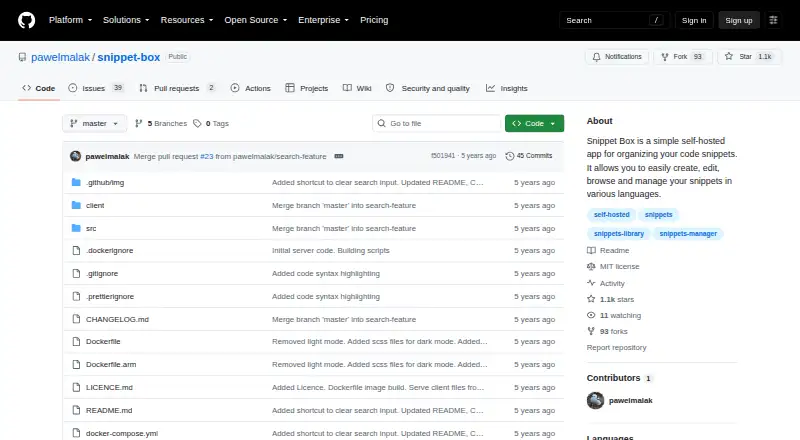
What Snippet Box is
Snippet Box is a self-hosted app for building and managing a library of code snippets in different languages. Its built-in editor handles creation and editing, while snippet views include syntax highlighting and details. Markdown support lets users attach notes or simple documentation to code. Tags help organize the library, and important entries can be pinned to the home screen. Search covers snippet titles and descriptions, with filters for languages and tags that can be combined in one query. The project documents deployment through Docker or by running the built server with Node.js without Docker. Its listed backend uses Node.js, TypeScript, Express.js, Sequelize, and SQLite; the frontend uses React, TypeScript, and Bootstrap. A Docker example mounts a host data directory at /app/data, and build instructions include Linux and ARM targets such as arm/v7 and arm64. The public GitHub repository identifies the project as MIT licensed. The listed plan is free. Because it is self-hosted, deployment is part of using the app rather than a hosted service option described in the facts.
Good
- Supports snippets in different languages.
- Search filters can combine tags and languages.
- Markdown adds notes or documentation.
- Can pin important snippets to the home screen.
- MIT-licensed and listed as free.
Watch out
- Self-hosted deployment is required.
- Deployment options described use Docker or Node.js.
Who it suits
It suits developers who want to organize code snippets in a self-hosted library, add Markdown notes, and search with language or tag filters. The documented Docker and Node.js deployment paths may suit users comfortable with those approaches.
Verdict
Snippet Box focuses on searchable, tagged code snippets with notes and syntax highlighting. Its self-hosted deployment options are worth weighing if you want to avoid managing the app yourself.
Plans and prices
From Snippet Box's own pricing page, checked 7 Oct 2026.
| Plan | Price | What it gives you |
|---|---|---|
| Snippet Box | Free | Self-hosted app · MIT license |
The facts
Each one read from Snippet Box's own pages, with the date it was checked.
What it does
- Architecture
- The README lists Node.js, TypeScript, Express.js, Sequelize, and SQLite for the backend and React, TypeScript, and Bootstrap for the frontend.checked 7 Oct 2026
- Code display
- The README lists built-in syntax highlighting and snippet details and documentation among the snippet view features.checked 7 Oct 2026
- Data storage
- The listed backend uses Sequelize ORM with SQLite, and the Docker example mounts a host data directory at /app/data.checked 7 Oct 2026
- Deployment
- The project documents Docker deployment and an installation path without Docker that runs the built server with Node.js.checked 7 Oct 2026
- Deployment targets
- The README includes Docker build instructions for Linux and ARM platforms, including arm/v7 and arm64.checked 7 Oct 2026
- Editing
- A built-in editor is used to create and edit snippets.checked 7 Oct 2026
- License
- The public GitHub repository identifies the project license as MIT.checked 7 Oct 2026
- Markdown
- Built-in Markdown support lets users add notes or simple documentation to code snippets.checked 7 Oct 2026
- Pinned snippets
- Users can pin favorite or important snippets to the home screen for quick access.checked 7 Oct 2026
- Purpose
- Snippet Box is a self-hosted app for creating, editing, browsing, and managing code snippets in different languages.checked 7 Oct 2026
- Search
- Search supports terms in snippet titles or descriptions and filters for languages and tags, including multiple filters in one query.checked 7 Oct 2026
- Snippet library
- The snippet library lets users filter and access their code using tags.checked 7 Oct 2026
Alternatives to Snippet Box
- 1

Bitbucket
Free planAndroidiOSWebAPI8.3From $3.65 a month - 2

GitHub CodeQL
Free planWebExtensionLinuxmacOS7.5From $30 a month - 3

Snipline
WebLinuxmacOSWindows7.4From $9 a year - 4

massCode
Free planOpen sourceAPIExtensionLinuxmacOS7.3Free plan - 5
Cacher
Free planWebExtensionLinuxmacOS7.2From $9.99 a month - 6
SafeScript
Free planLinuxmacOS6.6$7.99 one-time