
Snaproom
Snaproom is a web-based tool for turning clothing photos into model images, product photo sets, ghost mannequin images, and videos for ecommerce and marketing.
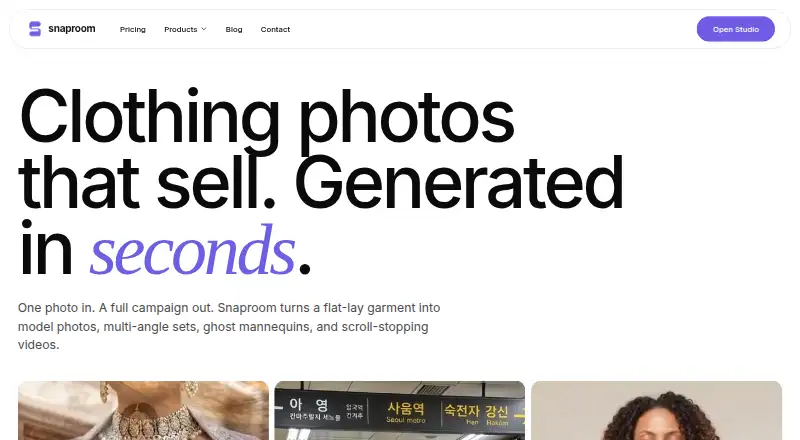
What Snaproom is
Snaproom is a web-based tool for turning clothing photos into model images, product photo sets, ghost mannequin images, and videos for ecommerce and marketing. Its listed tools include AI Fashion Photoshoot, Ghost Mannequin, Smart Retouch, AI Image to Video, Chat to Edit, Multi-Angle Photography, Background Remover, and Virtual Try-On. Virtual Try-On creates model-worn fashion images from clothing photos and says it preserves garment color, prints, logos, drape, and fit. Chat to Edit takes plain-language instructions to refine product and model images. AI Image to Video makes five-second product videos for TikTok, Reels, and Shopee. Snaproom names Shopify, WooCommerce, Squarespace, TikTok Shop, Instagram, Meta Ads, Amazon, Shopee, Lazada, and eBay among the storefronts, ad channels, and marketplaces it serves. Generated images and videos can be used commercially. The free plan has 150 one-time credits; Starter costs $10 a month for 1,000 credits monthly. Standard-quality images use 20 credits, while videos use 75; failed generations are refunded.
Good
- Includes virtual try-on and ghost mannequin tools.
- Chat to Edit accepts plain-language instructions.
- Generated images and videos can be used commercially.
- Failed generations are refunded.
Watch out
- Free plan has 150 one-time credits.
- Five-second videos cost 75 credits each.
- Upload limits differ: 10 MB on home page, 25 MB on Ghost Mannequin.
Who it suits
Snaproom suits ecommerce and marketing users who want to create fashion product imagery or short videos from clothing photos. It may also fit sellers using the named storefronts and marketplaces.
Verdict
Snaproom brings fashion imagery, editing, and short video creation into a browser-based studio. Review credit use and the differing upload limits before choosing how to use it.
Plans and prices
From Snaproom's own pricing page, checked 15 Oct 2026.
| Plan | Price | What it gives you |
|---|---|---|
| Free | Free | 100 credits · ~10 standard photos · ~5 seconds product video · all 8 tools · up to 4K · commercial rights · one-time |
| One-time pack | $10, paid once | 1,000 credits · ~100 model photos · ~65 seconds product video · ~100 retouched photos · one-time |
| Starter | $15 a month | 1,500 credits/month · ~150 photos · ~100 seconds video · ~150 retouched photos · priority queue · up to 4K · monthly |
| Pro | $30 a month | 5,000 credits/month · ~500 photos · ~330 seconds video · ~500 retouched photos · priority queue · early tool access · up to 4K · monthly |
The facts
Each one read from Snaproom's own pages, with the date it was checked.
What it does
- AI disclosure limit
- Snaproom's EU AI Act guidance says generated model and scene images will generally require visible disclosure for EU-facing use, while ghost-mannequin and background-removal edits are less likely to qualify as deepfakes.checked 15 Oct 2026
- AI fashion photoshoot
- AI Fashion Photoshoot can create up to seven pose images from one garment upload, with selectable scenes, aspect ratios and resolutions up to 4K.checked 15 Oct 2026
- Background remover
- Background Remover is presented as a one-click tool for producing clean product images.checked 15 Oct 2026
- Cancellation
- Subscriptions can be cancelled through the billing portal without contracts, lock-ins or cancellation fees; remaining credits stay active through the billing period.checked 15 Oct 2026
- Chat to Edit
- Chat to Edit lets users request plain-language changes such as background, lighting and detail edits.checked 15 Oct 2026
- Commercial-rights caveat
- Snaproom's commercial-rights article explains that commercial permission does not itself guarantee copyright, exclusivity or likeness rights for uploaded people and source images.checked 15 Oct 2026
- Commercial use
- Snaproom says generated images and videos can be used commercially on marketplaces, websites, ads, and social media.checked 30 Sep 2026
- Complex garments
- Snaproom says shoes, bags and structured tailoring work best when source photos are well lit and taken against a clean background.checked 15 Oct 2026
- Credit accounting
- Credits are deducted only after successful generations, and failed generations are automatically refunded.checked 15 Oct 2026
- Credit top-ups
- The pricing page offers a one-time top-up of 1,000 credits for $10.checked 30 Sep 2026
- Credit use
- The pricing page says standard-quality images cost 20 credits, 1K images 45, 2K images 60, 4K images 70, and videos 75 credits each; failed generations are refunded.checked 30 Sep 2026
- Documentation and API
- The official home and pricing pages document browser tools, credits and outputs but do not describe a public API, SDK, self-hosting option or developer documentation.checked 15 Oct 2026
- Garment try-on
- Virtual Try-On generates model-worn fashion images from a clothing photo and says it preserves garment color, prints, logos, drape, and fit.checked 30 Sep 2026
- Generation speed
- Snaproom advertises an average of 15 seconds from upload to finished model photo and generally describes results in under 60 seconds.checked 15 Oct 2026
- Ghost mannequin
- Ghost Mannequin creates hollow-mannequin product images from front-only or front-and-back clothing photos and accepts uploads up to 25 MB.checked 15 Oct 2026
- Image editing
- Chat to Edit accepts plain-language instructions to refine product and model images.checked 30 Sep 2026
- Image to Video
- Image to Video turns a still product image into a short MP4 with motion presets such as model movement, dolly, zoom, fabric flow and 360 spin.checked 15 Oct 2026
- Input limits
- The home page upload control accepts JPG, PNG, and WebP files up to 10 MB, while the Ghost Mannequin page states a 25 MB maximum.checked 30 Sep 2026
- Integrations and channels
- Snaproom names Shopify, WooCommerce, Squarespace, TikTok Shop, Instagram, Meta Ads, Amazon, Shopee, Lazada, and eBay as storefronts, ad channels, or marketplaces it serves.checked 30 Sep 2026
- Limit: independent evidence
- PeerPush has no user reviews or comments for Snaproom, so that directory provides no independent praise or complaint narratives.checked 15 Oct 2026
- Model library
- All plans include access to Snaproom's model library, and Virtual Try-On also allows uploading a user's own model image.checked 15 Oct 2026
Where it runs
- Browser access
- The Ghost Mannequin page says the tool works in a browser and requires no installation.checked 30 Sep 2026
The company
- Company identity
- The public pages reviewed identify the product brand as Snaproom but do not state a legal company name, headquarters or founding year.checked 15 Oct 2026
Money
- Credit costs
- Standard image generations start at 10 credits, multi-angle and chat edits start at 20 credits, background removal costs 5 credits and a five-second video costs 75 credits.checked 15 Oct 2026
The full review of Snaproom
Snaproom is a browser-based studio for turning clothing photos into model imagery, product-photo variations and short marketing videos. Its broad set of tools and free credits make it worth considering for sellers who want to create several kinds of fashion assets in one place.
Overview
Snaproom covers more than virtual try-on: its tools include AI fashion photoshoots, ghost mannequin images, retouching, background removal, multi-angle photography and chat-based editing. It also generates five-second videos from product photos. That breadth is useful for small ecommerce teams producing assets for multiple channels, though the credit system means the cost of a finished set depends on the output types and resolutions chosen.
Snaproom names Shopify, WooCommerce and Squarespace, along with TikTok Shop, Instagram, Meta Ads, Amazon, Shopee, Lazada and eBay, among the storefronts, channels and marketplaces it serves. It says generated images and videos can be used commercially across marketplaces, websites, ads and social media.
Key features
Fashion imagery and editing
Virtual Try-On creates model-worn images from a clothing photo, with Snaproom saying it preserves garment color, prints, logos, drape and fit. Chat to Edit accepts plain-language instructions for refining product and model images, which offers a direct route to revisions without limiting the workflow to try-on alone.
Ghost Mannequin, Smart Retouch, Background Remover and Multi-Angle Photography round out the product-image tools. Together with AI Fashion Photoshoot, they make Snaproom a stronger fit for sellers assembling a varied catalog than for someone seeking only a single-purpose try-on feature.
Short video
AI Image to Video turns a product photo into a five-second video intended for TikTok, Reels and Shopee. This adds a social-ready format to the same studio, but videos consume 75 credits apiece, so frequent video production can use a plan’s allocation faster than standard-quality images.
Pricing
Snaproom is freemium, with no free trial. The Free plan costs nothing and grants 150 credits one-time, with no credit card required. Snaproom estimates that as about seven standard-quality photos or two five-second product videos. It includes all seven tools, output up to 4K and the full model library, but the one-time credit grant makes it a limited way to evaluate ongoing production.
Starter costs $10 a month and provides 1,000 credits each month, estimated at about 100 standard-quality photos or 13 five-second videos. It includes all tools, output up to 4K and priority generation. Pro costs $30 a month, with 3,500 monthly credits—about 350 standard-quality photos or 46 five-second videos—plus the same tools, resolution ceiling and priority queue, as well as early access to new tools. Starter suits lighter recurring production; Pro is the clearer fit for teams making assets regularly across multiple products or formats.
The One-time pack costs $10, paid once for 1,000 credits, estimated at about 100 model photos, 13 five-second videos or 100 retouched product photos. It is a sensible alternative to a monthly commitment for occasional batches, but it does not provide a recurring monthly allocation. Subscribers can cancel through the billing portal at any time; credits stay active through the end of the current billing period.
Credit costs vary by output: standard-quality images use 20 credits, 1K images 45, 2K images 60, 4K images 70, and videos 75. Failed generations are refunded. A one-time 1,000-credit top-up is also available for $10. Higher-resolution stills and videos therefore draw down credits more quickly than standard images, a material consideration when estimating monthly volume.
Platforms
Snaproom runs on the web. Its Ghost Mannequin tool works in a browser and requires no installation. Upload limits differ by page: the home page accepts JPG, PNG and WebP files up to 10 MB, while the Ghost Mannequin page states a 25 MB maximum. Check the relevant tool’s limit when preparing larger source images.
Who it's for
Snaproom is best suited to ecommerce sellers and marketing teams that need model imagery, product-image editing and short video in a browser-based workflow. The free allocation is useful for a small initial batch, while Starter and Pro offer recurring credits for ongoing production. It is less compelling for someone who needs only occasional assets beyond the free grant unless a one-time pack fits that workload.
Pros and cons
- Pro: One studio spans model imagery, product-image cleanup, retouching and five-second video, reducing the need to divide these tasks among separate tools.
- Pro: Free includes all seven tools, up to 4K output and the full model library, so users can explore the workflow before paying.
- Pro: Commercial use is permitted across marketplaces, websites, ads and social media.
- Con: Free credits are a one-time 150-credit grant, not a monthly allowance, limiting its usefulness for ongoing production.
- Con: Videos and high-resolution images cost substantially more credits than standard-quality images, so the headline photo estimates may not match a high-resolution workflow.
- Con: Upload limits vary between the home page and Ghost Mannequin page, so source-file size requirements are not uniform across the studio.
Alternatives
Browse AI Fashion Model Generators for a wider category comparison.
- Bandy AI is another web-based freemium option with a free plan and free trial; its Free plan specifies one parallel task and 100k+ templates.
- FASHN AI is a better fit if Android, iOS or API access matters; it also has a $19 a month Basic plan with 200 monthly credits and 720p AI video.
- Modelia is worth comparing for API access and a monthly free allowance: its Starter plan includes 20 credits per month, up to 2K, one seat and a watermark.
- On-Model is another freemium option with API and web platforms.
- Fit It On is the more focused choice if Shopify try-ons are the priority: its Shopify Free plan includes 30 try-ons per month and a try-on button on products.
- No Shoots is another web-based freemium studio.
- Flair.ai is another freemium web and API option, with a Free plan that includes one custom model, five generated images and one video generation.
- Amplyar is another freemium web option.
Verdict
Choose Snaproom if you want one browser-based studio for fashion model imagery, product-image editing and short videos, with commercial-use permission and a free batch to start. Its main advantage is the range of tools under one credit system; its main drawback is that ongoing volume, especially video or high-resolution output, depends on buying enough credits. For sellers who need recurring production, Starter is the entry point; occasional users may prefer the one-time pack.