SimpleDesktopFence
SimpleDesktopFence is a free Windows desktop app that displays folder contents in floating, customizable panels.
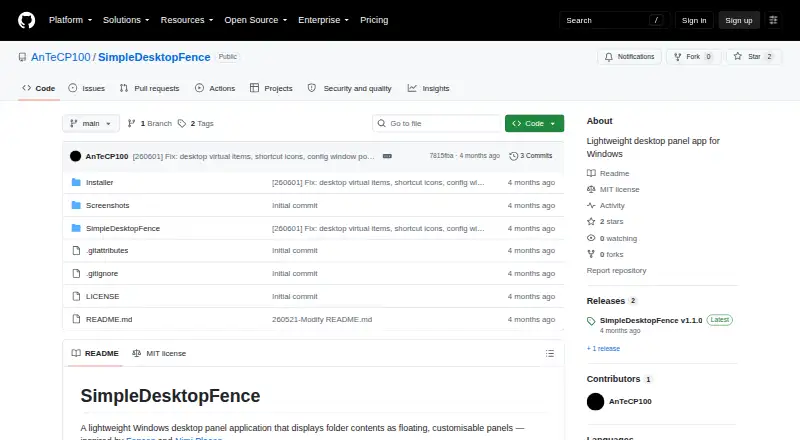
What SimpleDesktopFence is
SimpleDesktopFence is a free Windows desktop app that displays folder contents in floating, customizable panels. Each panel shows a detailed file list with sortable columns, lets you open files and folders, and provides the native Windows context menu. Panels refresh automatically when files are added, removed, or renamed. Per-panel settings control background color, opacity from 25% to 100%, font size from 8 pt to 22 pt, visible columns, and file-extension display. An auto-hiding toolbar offers three modes and can be moved or locked. The app includes session CPU and RAM graphs, an uptime counter, and a list of active panels. Panel settings, order, column widths, toolbar settings, and window positions and sizes persist across restarts. It requires 64-bit Windows 10 or 11 and is self-contained. The free plan allows up to 10 panels simultaneously.
Good
- Sortable file lists in floating panels
- Automatic refresh for folder changes
- Adjustable opacity and font size
- CPU, RAM, and uptime monitoring
- Settings persist across restarts
Watch out
- Windows 10/11 64-bit only
- Maximum of 10 simultaneous panels
- Multi-monitor support is not available
- Network-folder handling remains on roadmap
Who it suits
It suits Windows users who want persistent, glanceable folder panels with adjustable appearance and file-list controls. It is not intended for users needing multi-monitor support.
Verdict
SimpleDesktopFence keeps folder contents visible while adding panel customization and lightweight resource monitoring. It is a focused Windows-only utility with a ten-panel limit and no current multi-monitor support.
Plans and prices
From SimpleDesktopFence's own pricing page, checked 8 Oct 2026.
| Plan | Price | What it gives you |
|---|---|---|
| SimpleDesktopFence | Free | Windows 10/11 (64-bit) · Up to 10 panels open simultaneously |
The facts
Each one read from SimpleDesktopFence's own pages, with the date it was checked.
What it does
- Customization
- Per-panel settings include background color, opacity from 25% to 100%, font size from 8 pt to 22 pt, column visibility, and file extension display.checked 8 Oct 2026
- File browsing
- Panels provide a detailed file list with sortable columns, file and folder opening, and the native Windows context menu.checked 8 Oct 2026
- Installation
- The README directs users to download the setup executable from the GitHub Releases page.checked 8 Oct 2026
- Open source license
- The project is released under the MIT License, which permits use, modification, and distribution subject to its conditions.checked 8 Oct 2026
- Persistence
- Panel and toolbar settings, panel order, column widths, and window positions and sizes are saved across restarts.checked 8 Oct 2026
- Purpose
- SimpleDesktopFence is a lightweight Windows desktop app that displays folder contents in floating, customizable panels.checked 8 Oct 2026
- Refresh
- Panels automatically refresh when files are added, removed, or renamed.checked 8 Oct 2026
- Resource monitor
- The app includes session CPU and RAM usage graphs, an uptime counter, and a list of active panels.checked 8 Oct 2026
- Roadmap limits
- The README lists multi-monitor support, custom panels, and network-folder disconnect handling as roadmap items.checked 8 Oct 2026
- Support and security
- The opened project pages do not state a support policy or security/compliance certifications.checked 8 Oct 2026
- Toolbar
- An auto-hiding toolbar has three modes and can be repositioned and locked.checked 8 Oct 2026
Where it runs
- Platform requirement
- The project requires Windows 10 or 11, 64-bit; its latest release states that no additional runtime is required because it is self-contained.checked 8 Oct 2026
Alternatives to SimpleDesktopFence
- 1
BitDock
Free planWindows7.2Free plan - 2

DeskBox
Free planOpen sourceWindows7.0Free plan - 3
iTop Easy Desktop
Free planWindows6.6From $11.99 a year - 4
Tabbles
Free planAPIExtensionWindows6.6From €3 a year - 5

AutoShelf
Free planmacOS6.5$19.99 one-time - 6
Right Click Enhancer
Free planWindows6.5$9.99 one-time