Review Assistant
Review Assistant is a code review plug-in for Visual Studio that lets developers create review requests and respond to feedback from the IDE.
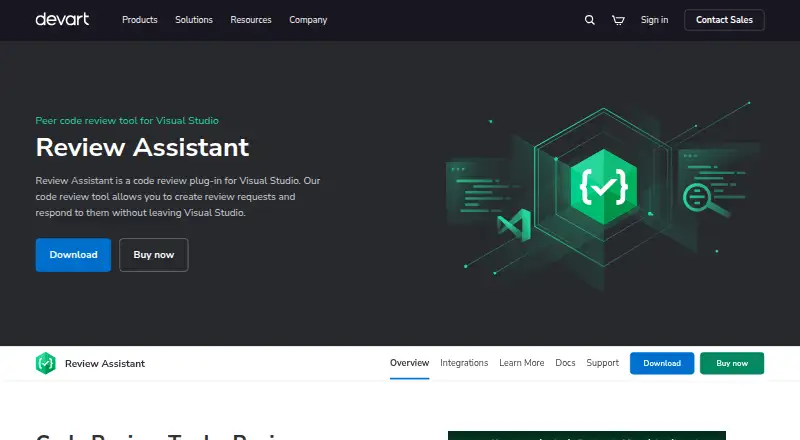
What Review Assistant is
Review Assistant is a code review plug-in for Visual Studio that lets developers create review requests and respond to feedback from the IDE. Teams can choose simple or strict review workflows, or run post-commit reviews on selected revisions. Comments can attach to source lines, code blocks, files, or a complete review, and can be flagged as defects. Reviews may cycle through feedback, fixes, and verification, with reviewers able to see changes made in response. Supported version-control integrations include Azure DevOps Server TFVC, Azure DevOps Git, Git, Subversion, Mercurial, and Perforce. Build integrations include Jenkins, CruiseControl.NET, and MSBuild. Team Foundation Server features include project and user imports, pre-commit reviews using shelvesets, and a check-in policy that can block check-ins without a review. Reports cover review status, code coverage, printable details, and author and reviewer statistics. The server can send email notices, while the Visual Studio client shows pop-up notifications. The free version is limited to 3 users and 1 project after a 30-day trial for unlimited users and projects.
Good
- Supports six version-control integrations
- Comments can be attached to lines, files, or reviews
- Offers review status and code coverage reports
- Can be installed without Visual Studio
Watch out
- Free version is limited to 3 users and 1 project
- Paid 10-user license costs $349.95, paid once
- Free plan follows a 30-day trial
Who it suits
Review Assistant suits development teams using Visual Studio that need review requests, threaded feedback, and review reporting. Its free version is described for small development teams.
Verdict
Review Assistant combines IDE-based review requests, feedback cycles, integrations, and reporting. Teams should account for the free tier's user and project limits when choosing a license.
Plans and prices
From Review Assistant's own pricing page, checked 11 Oct 2026.
| Plan | Price | What it gives you |
|---|---|---|
| Free (3 users) | Free | 3 users · 1 project |
| 10 Users | $349.95, paid once | 10 users |
| 25 Users | $699.95, paid once | 25 users |
| 50 Users | $1,049.95, paid once | 50 users |
| 100 Users | $1,579.95, paid once | 100 users |
| Unlimited | $3,149.95, paid once | Unlimited users |
The facts
Each one read from Review Assistant's own pages, with the date it was checked.
What it does
- Build integrations
- The integrations page describes integrations with Jenkins, CruiseControl.NET, and MSBuild for controlling reviews or preventing unreviewed code from entering builds.checked 11 Oct 2026
- Discussions
- Review Assistant supports threaded comments on source lines, code blocks, files, or an entire review, and comments can be flagged as defects.checked 11 Oct 2026
- Download
- The download page lists Review Assistant version 4.3.11, released 06-Mar-2026.checked 11 Oct 2026
- Installation
- Review Assistant can be installed without Visual Studio.checked 11 Oct 2026
- Intended audience
- Devart describes the free version as a code review tool for small development teams.checked 11 Oct 2026
- Iterative reviews
- A review can go through multiple comment, fix, and verification cycles, with reviewers able to see changes made in response to comments.checked 11 Oct 2026
- Notifications
- The server can send email notifications about review events, while the client provides pop-up notifications within Visual Studio.checked 11 Oct 2026
- Purpose
- Review Assistant is a code review plug-in for Visual Studio that lets developers create review requests and respond to them without leaving the IDE.checked 11 Oct 2026
- Reports
- The product provides review status, code coverage, detailed printable review, and author and reviewer statistics reports.checked 11 Oct 2026
- TFS features
- TFS integration includes importing projects and users, pre-commit reviews using shelvesets, and a check-in policy that can prevent check-ins without a review.checked 11 Oct 2026
- Version control
- The product supports Azure DevOps Server TFVC, Azure DevOps Git, Git, Subversion, Mercurial, and Perforce integrations.checked 11 Oct 2026
- Workflows
- Teams can choose a simple or strict review workflow, and developers can start post-commit reviews on selected revisions.checked 11 Oct 2026
The company
- Company
- Devart says it was founded in 1997.checked 11 Oct 2026
- Founded
- 1997checked 28 Sep 2026
- Headquarters
- Prague, Czech Republicchecked 28 Sep 2026
Money
- Free tier limit
- After the 30-day trial for unlimited users and projects expires, the free version is limited to 3 users and 1 project.checked 11 Oct 2026
Alternatives to Review Assistant
- 1

RhodeCode Enterprise
Free planOpen sourceWebAPILinuxSelf-hosted8.3From $75 a year - 2

Cubic
Free planWebAPILinuxmacOS7.9From $30 a month - 3

Sourcery
Free planWebAPIExtensionLinux7.9From $12 a month - 4

Ellipsis
Free planWebAPILinuxmacOS7.8Free plan - 5

Gerrit Code Review
Free planOpen sourceWebAPILinuxmacOS7.7Free plan - 6

Greptile
Free planWebAPIExtensionLinux7.7From $30 a month