
ReSharper
ReSharper is a coding assistant and code-quality toolkit for .NET development.
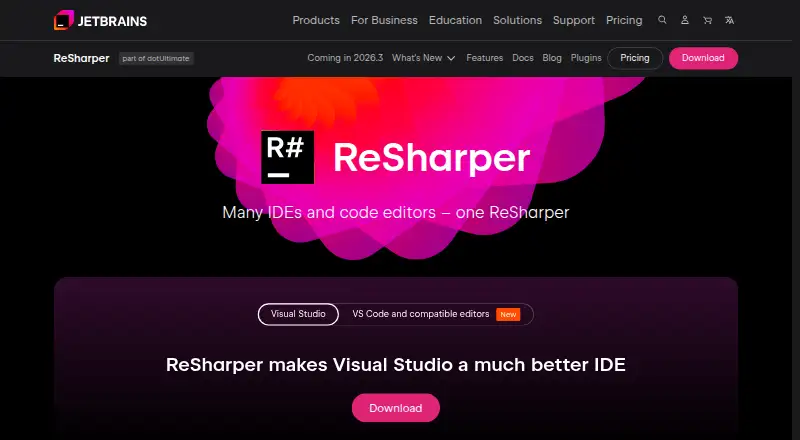
What ReSharper is
ReSharper is a coding assistant and code-quality toolkit for .NET development. Its analysis checks C#, VB.NET, XAML, ASP.NET, HTML, and XML as you work. Editing tools provide extended IntelliSense, namespace imports, code rearrangement, transformations, and documentation display. It can generate properties, overloads, implementations, and comparers, and apply refactorings across a solution or to smaller sections. Navigation can take you to files, types, and members, or follow symbols to usages, related base and derived symbols, and implementations. Other tools cover unit testing, code templates, debugging assistance, project dependencies, and internationalization. The VS Code edition also supports Cursor, Antigravity IDE, Devin Desktop, Kiro IDE, and other compatible editors. It runs on Windows, macOS, and Linux with x64 or ARM64, including Apple silicon, and requires .NET SDK 6.0 or later on PATH. After a 30-day trial, use requires a commercial license or a free non-commercial license. The commercial plan is $389 a year, billed per user.
Good
- Analyzes C#, VB.NET, XAML, ASP.NET, HTML, and XML.
- Offers solution-wide refactoring and smaller transformations.
- Includes code generation and symbol navigation.
- Works across Windows, macOS, and Linux.
Watch out
- Requires .NET SDK 6.0 or later for its VS Code edition.
- Commercial use requires a license after the 30-day trial.
- Non-commercial free use is limited to C# support in VS Code and compatible editors.
Who it suits
It suits .NET developers who want code analysis, editing, navigation, generation, and refactoring tools. Non-commercial users seeking C# support in VS Code or compatible editors can use the free license.
Verdict
ReSharper brings analysis, editing, refactoring, and navigation tools together for .NET development. Check the edition, runtime requirement, and license terms that fit your editor and use.
Plans and prices
From ReSharper's own pricing page, checked 30 Sep 2026.
| Plan | Price | What it gives you |
|---|---|---|
| ReSharper Non-Commercial | Free | Free non-commercial use · C# support in VS Code and compatible editors |
| ReSharper | $389 a year | Extensions for Microsoft Visual Studio, Cursor, Google Antigravity, VS Code, and compatible editors · per user, per year |
The facts
Each one read from ReSharper's own pages, with the date it was checked.
What it does
- Additional tools
- Other features include a unit test runner, code templates, debugging assistance, project dependency viewing, and internationalization assistance.checked 30 Sep 2026
- Analysis
- It provides on-the-fly code quality analysis for C#, VB.NET, XAML, ASP.NET, HTML, and XML.checked 30 Sep 2026
- Code generation
- Code generation actions create properties, overloads, implementations, and comparers.checked 30 Sep 2026
- Connectivity limit
- After downloading its backend on first solution open, the VS Code edition can work without a network connection except for product registration and NuGet package restore.checked 30 Sep 2026
- Editing
- Editing helpers include extended IntelliSense, code transformations, namespace imports, code rearrangement, and documentation display.checked 30 Sep 2026
- Editors
- The VS Code edition works in Visual Studio Code, Cursor, Antigravity IDE, Devin Desktop, Kiro IDE, and other compatible editors.checked 30 Sep 2026
- Navigation
- Navigation features jump to files, types, and members and navigate from symbols to usages, base and derived symbols, or implementations.checked 30 Sep 2026
- Operating systems
- The VS Code edition runs on Windows, macOS, and Linux on x64 and ARM64, including Apple silicon on macOS.checked 30 Sep 2026
- Purpose
- ReSharper provides coding assistance and code quality tools for .NET development.checked 30 Sep 2026
- Refactoring
- ReSharper supports solution-wide refactorings and smaller code transformations.checked 30 Sep 2026
- Runtime requirement
- The VS Code edition requires a .NET SDK version 6.0 or later available on PATH.checked 30 Sep 2026
- Security
- JetBrains says it encrypts data in transit using TLS and at rest using algorithms such as AES-256 where technically feasible.checked 30 Sep 2026
- Support
- JetBrains directs users to the ReSharper Knowledge Base and community forum for questions and technical difficulties.checked 30 Sep 2026
The company
- Founded
- 2000checked 28 Sep 2026
- Headquarters
- Amsterdam, Netherlandschecked 28 Sep 2026
Money
- Trial and license
- A free 30-day trial starts after installation, after which the product requires a commercial license or a free license for non-commercial use.checked 30 Sep 2026
The full review of ReSharper
ReSharper is a .NET development extension that combines code analysis, editing assistance, refactoring, and navigation. It is best suited to developers working in C# and related languages who want these tools inside their editor. Its breadth is compelling, but commercial use carries a substantial annual per-user price.
Overview
ReSharper supports a wide range of languages, from C#, Visual Basic, and C++ to web and project formats such as JavaScript, TypeScript, XAML, MSBuild, JSON, and Protobuf. That reach can help teams working across a mixed .NET codebase, although the free non-commercial plan is limited to C# in VS Code and compatible editors.
The VS Code edition also works in Cursor, Antigravity IDE, Devin Desktop, Kiro IDE, and other compatible editors. It runs on Windows, macOS, and Linux for x64 and ARM64, including Apple silicon. It requires .NET SDK 6.0 or later on PATH. After the backend downloads when a solution is first opened, it can work offline except for registration and NuGet package restore.
Key features
On-the-fly analysis covers C#, VB.NET, XAML, ASP.NET, HTML, and XML, giving developers feedback while they work rather than only at a later review stage. Editing tools include extended IntelliSense, namespace imports, code rearrangement, documentation display, and code transformations. Generation actions create properties, overloads, implementations, and comparers, which can reduce repetitive typing in routine .NET work.
Refactoring spans small transformations and solution-wide changes, with batch refactoring available. Navigation jumps to files, types, and members, and follows symbols to usages, base or derived symbols, and implementations. This combination is useful in larger projects where tracing relationships and applying consistent changes can take time.
A unit test runner, debugging assistance, code templates, project dependency viewing, internationalization assistance, and AI assistance round out the toolkit. The range is a strength for developers who want several kinds of help in one extension; those seeking only a focused analyzer may find the wider package and its price unnecessary. JetBrains directs users with questions or technical difficulties to its Knowledge Base and community forum.
Pricing
The ReSharper Non-Commercial plan costs free and provides non-commercial use with C# support in VS Code and compatible editors. It is a practical option for eligible personal or other non-commercial C# work, but it does not provide the broader language coverage and editor extensions described for the paid plan.
ReSharper costs $389 a year, billed per user per year. It includes extensions for Microsoft Visual Studio, Cursor, Google Antigravity, VS Code, and compatible editors. That makes it the relevant plan for commercial developers who need the broader editor support; the per-user annual term is a meaningful commitment for individuals or teams.
A free 30-day trial starts after installation. When it ends, use requires a commercial license or a free license for non-commercial use.
Platforms
ReSharper is offered as an extension and supports Windows, macOS, and Linux. Its VS Code edition supports x64 and ARM64, including Apple silicon on macOS, and requires a .NET SDK version 6.0 or later available on PATH. The offline capability is useful for disconnected work after the initial backend download, with registration and NuGet package restore remaining exceptions.
Who it's for
ReSharper is a strong fit for .NET developers who regularly analyze, navigate, generate, and refactor code, especially in projects spanning multiple supported languages. Commercial users should expect to justify an annual license per user. Non-commercial C# developers using VS Code or a compatible editor can start with the free plan; developers who need only a narrow slice of the toolkit may prefer a more focused alternative.
Pros and cons
- Pro: Analysis, editing, navigation, and solution-wide refactoring are gathered in one extension, reducing the need to assemble separate tools for those tasks.
- Pro: The VS Code edition supports Windows, macOS, and Linux across x64 and ARM64, and can work offline after its initial backend download, apart from registration and NuGet restore.
- Pro: Non-commercial C# users have a free option, with a 30-day trial for evaluating the product before choosing a license.
- Con: The free plan is restricted to non-commercial use and C# in VS Code and compatible editors, so it is not a substitute for the broader commercial offering.
- Con: The commercial plan is $389 per user per year, which may be hard to justify for developers who need only basic or occasional code assistance.
- Con: VS Code users must have .NET SDK 6.0 or later on PATH, an added requirement to account for when setting up an editor.
Alternatives
For a focused comparison across products, browse Code Refactoring Tools or Code Quality Management Software.
- ast-grep is a free option with API, extension, Linux, macOS, web, and Windows platforms.
- CodeRush is worth considering for its free commercial use and the same features and updates across free and paid subscriptions.
- Roslynator offers its tools and extensions free of charge, with donations welcome.
- OpenRewrite is a free, self-hosted core framework with Apache-licensed recipes that runs one repository at a time.
- Coccinelle is a free alternative for Linux and macOS.
- Sourcery has a free Open Source plan for public repositories, with AI reviews, PR summaries and diagrams, one-click fixes, and custom review rules.
- Spoon is free and open source, with no paid plans or usage limits stated.
- Moderne is a paid alternative with a fully managed service plan.
Verdict
Choose ReSharper if .NET work demands frequent analysis, refactoring, and code navigation across a broad set of languages and editor environments. Its main advantage is the breadth of assistance in one extension; its main reason to look elsewhere is the 389.00 USD annual per-user license when a free or narrower tool would cover the job.
Getting started
- Open the ReSharper website.
- Install the product or its VS Code edition.
- Ensure .NET SDK 6.0 or later is available on PATH for the VS Code edition.
- Start the free 30-day trial after installation.
- Choose a commercial license or the free non-commercial license after the trial.
- Use the supported editor on Windows, macOS, or Linux.
Limits worth knowing
The free non-commercial plan is restricted to non-commercial use and C# support in VS Code and compatible editors. The 30-day trial ends after installation, after which a commercial or qualifying free license is required.
Questions
Is ReSharper free?
A free non-commercial plan provides C# support in VS Code and compatible editors. Commercial use is covered by the ReSharper plan at $389 per user per year.
How long is the trial?
A free 30-day trial starts after installation.
Which systems does the VS Code edition support?
It runs on Windows, macOS, and Linux on x64 and ARM64, including Apple silicon on macOS.
What editors can the VS Code edition use?
It works in Visual Studio Code, Cursor, Antigravity IDE, Devin Desktop, Kiro IDE, and other compatible editors.
Does it work offline?
After its backend downloads when the first solution opens, it can work without network access except for product registration and NuGet package restore.
Who makes ReSharper?
JetBrains makes ReSharper; the company was founded in 2000 and is headquartered in Amsterdam, Netherlands.
Alternatives to ReSharper
- 1

Sourcery
Free planWebAPIExtensionLinux7.9From $12 a month - 2

Moderne
WebAPILinuxmacOS7.3From $2,000 a month - 3

ast-grep
Free planWebAPIExtensionLinux7.0Free plan - 4
jSparrow
LinuxmacOSWindows6.4From $1,325 a year - 5

CodeRush
Free planExtensionLinuxmacOSWindows6.3Free plan - 6
OpenRewrite
Free planLinuxSelf-hosted6.3Free plan