RenameRegex
RenameRegex is a free Windows command-line utility for bulk renaming files and directories with matching and replacement rules.
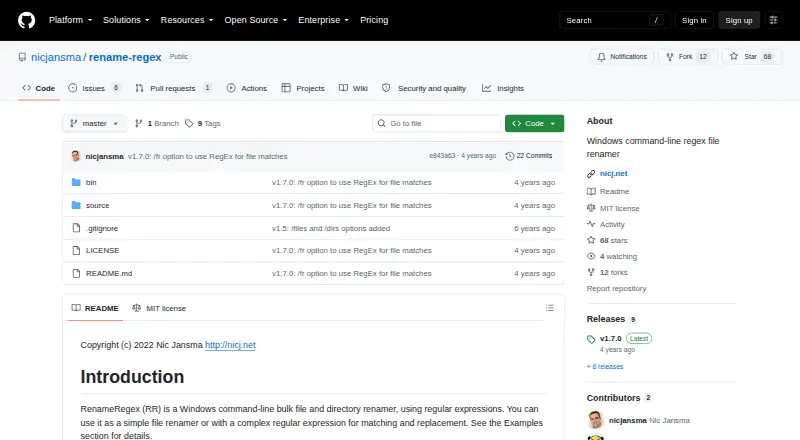
What RenameRegex is
RenameRegex is a free Windows command-line utility for bulk renaming files and directories with matching and replacement rules. It runs as RR.exe and accepts command-line arguments. Windows glob matching is available, and an option enables regular-expression matching for filenames. Search and replacement strings use .NET regular expressions, including capture-group substitutions. The /p option previews proposed renames without applying them, while /r processes subdirectories recursively. By default, the tool selects files; /files and /dirs choose files or directories. Additional options provide case-insensitive matching, overwriting existing names, and preserving extensions. The repository credits Nic Jansma and lists version 1.7.0 as the latest release; the README dates version 1.7 to 2022-02-01 and notes regex-based file matching. RenameRegex uses the MIT License, permitting use, copying, modification, distribution, sublicensing, and sale under its conditions. The license provides the software without warranty.
Good
- Free Windows tool
- Renames files and directories in batches
- Regular-expression matching and replacements
- Preview mode avoids immediate changes
- Recursive processing is available
Watch out
- Windows only
- Command-line interface
- MIT license provides no warranty
Who it suits
It suits Windows users comfortable with command-line arguments who need repeatable bulk renaming for files, folders, or recursive directory trees. Regular-expression support helps when simple substitutions are not enough.
Verdict
RenameRegex offers focused, scriptable renaming through RR.exe, with previews and regex controls. Its Windows-only, command-line design is best for users who prefer terminal workflows.
The facts
Each one read from RenameRegex's own pages, with the date it was checked.
What it does
- Batch options
- Options include recursive processing, case-insensitive matching, overwrite, and preserving file extensions.checked 10 Oct 2026
- File and directory selection
- It can target files, directories, or both; by default, it includes files only.checked 10 Oct 2026
- Intended users
- The command-line interface and bulk file and directory operations suit users who want to rename items with simple substitutions or regex rules.checked 9 Oct 2026
- Interface
- The documented interface runs as RR.exe with command-line arguments.checked 10 Oct 2026
- License
- The project uses the MIT License, which grants permission to use, copy, modify, distribute, sublicense, and sell copies subject to its conditions.checked 10 Oct 2026
- Matching
- It supports Windows glob matching and an option to use a regular expression for matching file names.checked 10 Oct 2026
- Notable limitation
- The project describes itself as a Windows tool and documents no other operating system platform.checked 10 Oct 2026
- Other options
- Options include case-insensitive matching, overwriting existing files, and preserving file extensions.checked 9 Oct 2026
- Preview
- The /p option shows what would be renamed without applying the changes.checked 10 Oct 2026
- Purpose
- RenameRegex is a Windows command-line tool for bulk renaming files and directories using regular expressions.checked 10 Oct 2026
- Recursive mode
- The /r option enables recursive processing, including subdirectories.checked 9 Oct 2026
- Release
- The repository lists v1.7.0 as its latest release, adding regex matching for file matches instead of Windows glob matching.checked 9 Oct 2026
- Release history
- The README lists version 1.7 dated 2022-02-01 as adding regex-based file matching.checked 10 Oct 2026
- Replacement
- Search and replacement strings use .NET regular expressions, including capture-group substitutions such as $1.checked 10 Oct 2026
- Warranty
- The MIT license provides the software without warranty, including implied warranties of merchantability and fitness for a particular purpose.checked 9 Oct 2026
The company
- Maker
- The repository credits Nic Jansma as the author and copyright holder.checked 9 Oct 2026
Alternatives to RenameRegex
- 1
Renamer.ai
Free planWebAPImacOSWindows7.6From $9.95 a month - 2
Avidemux
Free planOpen sourceWebLinuxmacOSWindows7.3Free plan - 3
Easy File Renamer
WebmacOSWindows7.2 - 4

Batch File Renamer
Free planOpen sourceWebSelf-hosted7.0Free plan - 5

Bulk Rename Utility
Free planWindows6.9Free plan - 6

Advanced Renamer
Free planAPImacOSWindows6.8Free plan