
Remind
Remind is a communication platform for educators reaching students and parents through class, group, or individual messages.
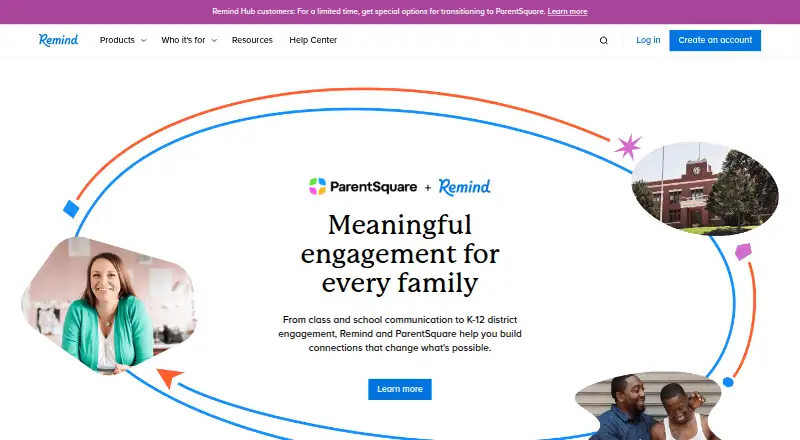
What Remind is
Remind is a communication platform for educators reaching students and parents through class, group, or individual messages. Teachers can send messages in real time, schedule announcements, and attach photos or files. Messages can be translated into more than 90 languages, and Remind uses its own numbers and email addresses so participants’ personal contact details stay private. Message history can be downloaded and emailed, but messages cannot be edited or deleted.
Remind Chat is intended for individual K–12 teachers. Its free plan costs nothing and allows 10 classes per account, up to 150 participants per class, two-way text messaging, and app integrations. Remind Hub serves learning and community groups, including youth organizations, nonprofits, sports programs, and camps; its plan includes administrator oversight, engagement statistics, urgent messaging, surveys, and voice calls as an add-on. Hub may offer LMS and video integrations. Remind is available on Android, iOS, and the web, as well as by text message and email. It says it has no ads and does not share information with advertisers or marketers.
Good
- Translate messages into more than 90 languages.
- Schedule announcements and attach photos or files.
- Keep personal contact details private using Remind numbers and email addresses.
- Download and email message history.
- Free Chat supports 10 classes and 150 participants per class.
Watch out
- Messages cannot be edited or deleted.
- Free Chat is limited to 10 classes per account.
- Hub voice calls are available as an add-on.
Who it suits
Remind Chat suits individual K–12 teachers who need to contact students and families by class, group, or individual message. Remind Hub is aimed at learning and community groups such as youth organizations, nonprofits, sports programs, and camps.
Verdict
Choose Remind Chat if you are an individual K–12 teacher looking for class communications with a free plan and translation support. Groups needing Hub features such as administrator oversight or urgent messaging should consider that plan; voice calls are an add-on.
Plans and prices
From Remind's own pricing page, checked 14 Oct 2026.
| Plan | Price | What it gives you |
|---|---|---|
| Remind Chat | Free | 10 classes per account · 150 participants per class · 140-character announcements · 300-character chats |
| Remind Hub | Priced on request | 100 classes per account · 5,000 participants per class · up to 10,000-character messages · voice calls available as add-on |
The facts
Each one read from Remind's own pages, with the date it was checked.
What it does
- Advertising
- Remind says it has no ads and does not share information with advertisers or marketers.checked 1 Oct 2026
- Audience
- Remind Chat is for individual K-12 teachers, while Remind Hub serves learning and community groups such as youth organizations, nonprofits, sports programs, and camps.checked 1 Oct 2026
- Chat messaging
- Remind Chat supports one-way announcements, two-way conversations, scheduled messages and office hours for teachers, teams and clubs.checked 14 Oct 2026
- Developer integration
- The Share on Remind button uses a documented URL interface and does not require a developer account or SDK.checked 14 Oct 2026
- Funding and acquisition
- Crunchbase records seven funding rounds, 18 investors and acquisition by ParentSquare; it identifies Remind101, Inc. as the legal name.checked 14 Oct 2026
- Hub administration
- Remind Hub adds organization-wide messaging, administrator oversight, activity statistics, permissions and message history.checked 14 Oct 2026
- Hub integrations
- Remind Hub may provide LMS and video integrations including Canvas, Schoology, Google Meet, Microsoft Teams, and Zoom.checked 1 Oct 2026
- Integrations
- Supported connected services include Box, Google Classroom, Google Drive, Microsoft OneDrive, SignUp, SignUp Genius, Smore and SurveyMonkey.checked 14 Oct 2026
- International delivery
- SMS delivery is limited to U.S. and Canadian phone numbers, with app or email recommended for international users.checked 14 Oct 2026
- Limit: conversation management
- Google Play reviewers complain that old conversations cannot be deleted, archived or hidden.checked 14 Oct 2026
- Limit: joining classes
- Some GetApp and Capterra reviewers say joining classes or courses can be difficult.checked 14 Oct 2026
- Limit: message length
- Reviewers complain that character limits make longer announcements difficult and require splitting messages.checked 14 Oct 2026
- Limit: reliability
- Independent reviews report login problems, missing or delayed notifications, glitches and messages that do not always appear delivered.checked 14 Oct 2026
- Message records
- Messages cannot be edited or deleted, and users can download and email their message history.checked 1 Oct 2026
- Messaging
- Users can send real-time messages to entire classes, small groups, or individuals, schedule announcements, and attach photos and files.checked 1 Oct 2026
- Notable 2026 change
- A September 30, 2026 announcement says Remind Chat remains free for individual K-12 teachers, while new Hub customers are limited to organizations outside K-12 schools and districts.checked 14 Oct 2026
- Outages
- An independent status tracker records incidents including message-delivery failures, SMS delays, phone-call errors, translation problems and conversations not loading.checked 14 Oct 2026
The company
- Company founding
- Remind was founded in 2011 by brothers Brett Kopf and David Kopf.checked 14 Oct 2026
- Company headquarters
- LinkedIn lists Remind headquarters in San Francisco, California.checked 14 Oct 2026
- Company ownership
- Remind joined the ParentSquare family in 2023; ParentSquare now operates Remind Chat and Remind Hub.checked 14 Oct 2026
- Company size
- LinkedIn lists Remind as a privately held software-development company with 51–200 employees.checked 14 Oct 2026
- Founded
- 2011checked 28 Sep 2026
- Headquarters
- San Ramon, California, United Stateschecked 28 Sep 2026
Where it runs
- Limit: app failures
- Recent Google Play reviews describe errors that prevent messages or newly joined classes from loading.checked 14 Oct 2026
The full review of Remind
Remind is a messaging platform for educators and the families and students they need to reach. It is best suited to K–12 teachers who want class communications with translation and multiple delivery options. Its free Chat plan covers core classroom messaging, while broader group administration requires Hub.
Overview
Teachers can contact a whole class, a small group, or an individual in real time, schedule announcements, and attach photos or files. Recipients can access messages through the web, email, text messages, and iOS or Android apps, so families are not limited to using the app. Remind uses its own numbers and email addresses for messages, keeping users’ personal contact information private.
Remind supports two-way messaging, SMS notifications, and voice messaging. Translation into more than 90 languages is a practical help for multilingual school communities. The service says it has no ads and does not share information with advertisers or marketers; it lists FERPA, COPPA, TCPA, GDPR, the UK Age Appropriate Design Code, and ISO 27001 certification among its privacy and security standards.
Key features
Messaging and records
Scheduled announcements and attachments make Remind useful for routine classroom updates as well as time-sensitive messages. Messages cannot be edited or deleted, which keeps the record fixed but leaves no way to correct a sent message in place. Users can download and email their message history for reference outside the service.
Integrations and support
Composer integrations include Box, Google Classroom, Google Drive, Microsoft OneDrive, SignUp, SignUp Genius, Smore, and SurveyMonkey. Remind Hub may provide LMS and video integrations such as Canvas, Schoology, Google Meet, Microsoft Teams, and Zoom. Help Center and customer support are available from 6 am–5 pm Pacific Time, excluding regional holidays.
Pricing
Remind Chat
Remind Chat costs nothing. Each account can have 10 classes, with 150 participants per class, two-way text messaging, and app integrations. That is a substantial starting point for an individual teacher, but the class and participant caps may constrain larger programs, and the plan does not include Hub’s administrator oversight or urgent messaging.
Remind Hub
Remind Hub has custom pricing. It raises the limits to 100 classes per account and 5,000 participants per class, and adds administrator oversight, engagement statistics, urgent messaging, and surveys. Voice calls are available as an add-on, not part of the listed core plan. Hub is aimed at learning and community groups that need organization-wide tools, including youth organizations, nonprofits, sports programs, and camps; groups should weigh its custom pricing and add-on voice costs against that wider scope.
Platforms
Remind is available on Android, iOS, and the web, as well as through text messages and email. That range accommodates families who prefer not to install an app, while app access supports teachers, staff, students, and families.
Who it's for
Remind Chat is the clearest fit for an individual K–12 teacher who needs class messaging, translation, and a free plan. Remind Hub is the better match for larger learning or community groups that need administrator oversight, engagement statistics, surveys, or urgent messaging. Teachers who only need a modest class communication channel may not need Hub’s expanded capacity and controls.
Pros and cons
- Pros: The free Chat plan includes two-way messaging and app integrations, with room for 10 classes and 150 participants per class.
- Pros: Translation across more than 90 languages and delivery through app, web, SMS, and email give schools several ways to reach families.
- Pros: Private contact details, downloadable message history, and stated privacy and security standards support school communications.
- Cons: Chat’s caps and lack of Hub’s administrator tools make it a less complete fit for larger organizations.
- Cons: Hub has custom pricing, and voice calls require an add-on.
- Cons: Messages cannot be edited or deleted, so corrections must be handled outside the original message.
Alternatives
Compare school communication software if you want to weigh Remind against a broader category of options.
- School Stream suits families seeking free access, while schools can use its annually billed plan with one simple fee.
- Schoolvoice offers a Free Forever plan for every student with unlimited parent messaging; consider it if those terms fit better than Remind’s class-based caps.
- TalkingPoints is an alternative for individual teachers seeking free two-way translated family messaging.
- ClassDojo is worth considering for its free core experience combining teacher messaging, class points, and class story updates; it also offers a free trial.
- Skool Loop is a free-for-schools-and-parents option on its Australia parents page, with Android and iOS apps.
- Schoolzine SZapp is free for parents to download and use through participating schools, with Android and iOS apps.
- ParentCom is a paid alternative with a free trial and tools including a personal inbox, sickness and holiday requests, and class communications.
- SchoolPost is another paid alternative available on Android, iOS, and the web.
Verdict
Choose Remind Chat if you are an individual K–12 teacher who wants free two-way class messaging, translation, and ways to reach families beyond an app. Its main advantage is the combination of broad delivery options and a generous free class allowance; look elsewhere or consider Hub if you need administrator oversight, urgent messaging, larger limits, or voice calls.
Getting started
- Visit https://www.remind.com/.
- Choose Remind Chat or Remind Hub based on your audience and needs.
- Use the free Remind Chat plan, which costs nothing.
- Access Remind through Android, iOS, or the web, or use text messages and email.
Limits worth knowing
Remind Chat’s free plan supports 10 classes per account and 150 participants per class. Remind Hub voice calls are available as an add-on.
Questions
Is Remind free?
Yes. Remind Chat costs nothing and includes 10 classes per account and 150 participants per class.
Which platforms support Remind?
Remind is available on Android, iOS, and the web, and can also be accessed through text messages and email.
Who is Remind Chat for?
Remind Chat is for individual K–12 teachers. Remind Hub serves learning and community groups such as youth organizations, nonprofits, sports programs, and camps.
Can Remind translate messages?
Yes. Remind can translate messages into more than 90 languages.
What integrations does Remind offer?
Composer integrations include Box, Google Classroom, Google Drive, Microsoft OneDrive, SignUp, SignUp Genius, Smore, and SurveyMonkey. Remind Hub may provide LMS and video integrations including Canvas, Schoology, Google Meet, Microsoft Teams, and Zoom.
Can users edit or delete messages?
No. Messages cannot be edited or deleted, but users can download and email their message history.
Alternatives to Remind
- 1

ClassDojo
Free planAndroidiOSWebmacOS8.2From $69.99 a year - 2

Schoolzine SZapp
Free planAndroidiOS7.6From A$349 a year - 3

Foxbright Communications Platform
AndroidiOSWeb7.5From $1,200 a year - 4

TalkingPoints
Free planAndroidiOSWebAPI7.4Free plan - 5

School Stream
Free planAndroidiOSWeb7.3Free plan - 6

Schoolvoice
Free planAndroidiOSWeb7.1From $15 a year