
Raptor Write
Raptor Write is a free web writing workspace with tools for drafting, continuing, and revising text.
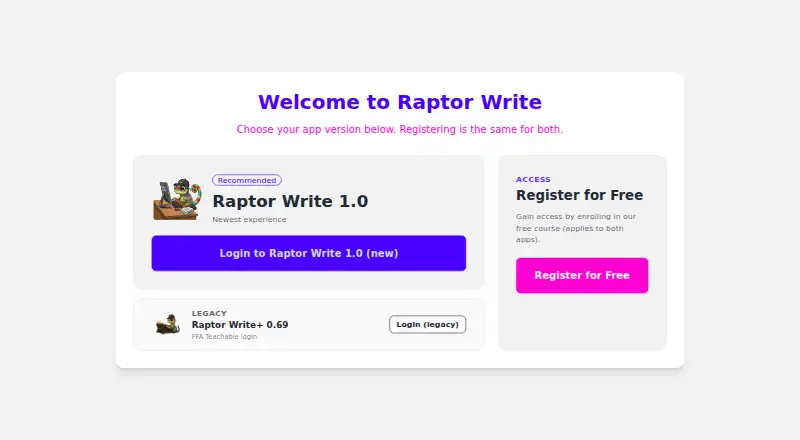
What Raptor Write is
Raptor Write is a free web writing workspace with tools for drafting, continuing, and revising text. It includes book outlining, a chapter workspace, continuity tools, rewrite controls, and exports to .md, .txt, and .doc formats. The editor supports Markdown, plain text, and MS Word documents. Its settings list model options from OpenRouter, OpenAI, Anthropic, Google, MistralAI, DeepSeek, Perplexity, Cohere, and XAI, with fields for entering provider API keys. Prompt tools let you save, export, load, and import prompts, while prompt sets can be saved to the cloud. Projects support folders, document ordering, and cloud loading. The app describes converting projects to FFA Nexus cloud storage and offers JSON project backups. Pomodoro and autocontinue controls set maximum continues and duration. Keyboard shortcuts are listed for Windows, Linux, and Mac, and a large high-contrast actions menu is available.
Good
- Free plan with full RaptorWrite 1.0 access
- Book outlining and chapter workspace
- Supports Markdown, plain text, and MS Word
- Prompt import, export, saving, and loading
- Folders and document ordering for projects
Watch out
- AI provider use may require API keys and charges
- Web platform only
- Cloud storage conversion uses FFA Nexus
Who it suits
It suits writers who want a browser workspace for outlining, drafting, revising, and organizing projects. It is also useful for users who want configurable AI providers and prompt management.
Verdict
Raptor Write combines project organization, writing controls, and configurable provider settings in a free web workspace. Check provider requirements before relying on AI features.
Plans and prices
From Raptor Write's own pricing page, checked 7 Oct 2026.
| Plan | Price | What it gives you |
|---|---|---|
| RaptorWrite 1.0 | Free | Full access to RaptorWrite 1.0; AI provider usage may require a separate API key and charges |
The facts
Each one read from Raptor Write's own pages, with the date it was checked.
What it does
- Accessibility
- A setting enables a large, high-contrast actions menu for projects.checked 7 Oct 2026
- Automation
- The app includes Pomodoro controls and autocontinue settings for maximum continues and duration.checked 7 Oct 2026
- Backup
- The app provides an option to upload a JSON project backup.checked 7 Oct 2026
- Bring API keys
- The settings page provides fields for users to enter provider API keys.checked 7 Oct 2026
- Cloud storage
- The app describes converting projects to FFA Nexus cloud storage.checked 7 Oct 2026
- Document formats
- The editor lists Markdown, plain text, and MS Word document formats.checked 7 Oct 2026
- Keyboard shortcuts
- The app lists prompt and document shortcuts for Windows, Linux, and Mac.checked 7 Oct 2026
- Model providers
- The app lists OpenRouter, OpenAI, Anthropic, Google, MistralAI, DeepSeek, Perplexity, Cohere, and XAI model settings.checked 7 Oct 2026
- Project organization
- Projects support folders, document ordering, and cloud project loading.checked 7 Oct 2026
- Prompt library
- Users can save, export, load, and import prompts, and save prompt sets to the cloud.checked 7 Oct 2026
- Purpose
- RaptorWrite is a writing workspace with AI features, including controls to continue or revise text.checked 7 Oct 2026
- Support
- The app links to help instructions through its question-mark help control.checked 7 Oct 2026
Alternatives to Raptor Write
- 1

Jenova Creative Fiction Writer
Free planAndroidiOSWebAPI7.9From $20 a month - 2

Pendraic
Free planWebAPImacOSWindows7.7From $14.99 a month - 3

Squibler
Free planWeb7.5From $29.99 a month - 4

Calliope
Free planWebAPI7.4From €99 a year - 5

Novelcrafter
AndroidiOSWeb7.4From $4 a month - 6

BookBud.ai
Free planWeb7.3From $190 a year