Raff Hosted Virtual Desktops
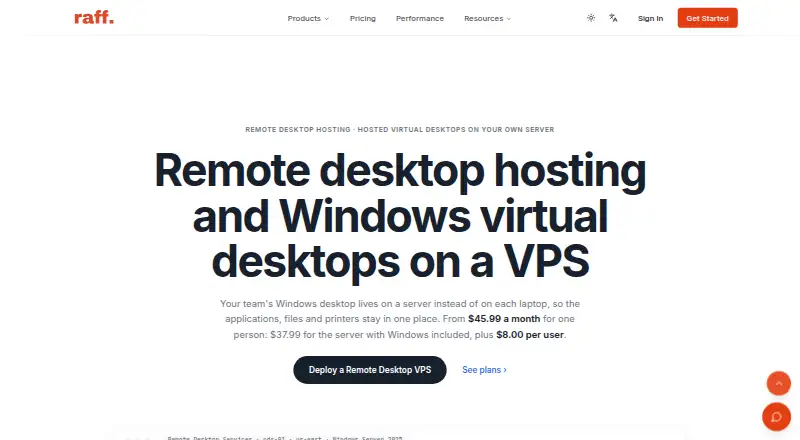
Raff Hosted Virtual Desktops places a team’s Windows desktop, applications, files, and printers on a hosted server.
What Raff Hosted Virtual Desktops is
Raff Hosted Virtual Desktops places a team’s Windows desktop, applications, files, and printers on a hosted server. Users connect through the web or Windows, with persistent sessions and Windows Server support. Session Hosts keep port 3389 closed to the internet and send sign-ins through an RD Gateway over HTTPS with multi-factor authentication. Cloud and Windows firewalls use default-deny settings; failed logins are logged, and host-level brute-force detection and lockout are included. Separate user profiles support printer, clipboard, and drive redirection. Supported Windows Server applications include Microsoft 365 Apps with shared computer activation, QuickBooks Desktop, Sage 50, and practice-management software. Raff recommends roughly 2 to 3 GB of RAM per person for light office work, while teams above 12 users or running heavy applications may need another host. A 14-day money-back guarantee and 99.9% uptime SLA are listed.
Good
- HTTPS gateway with multi-factor authentication
- Default-deny firewalls and brute-force lockout
- Separate profiles with peripheral redirection
- Supports Microsoft 365, QuickBooks, and Sage
- Free migration from listed hosting setups
Watch out
- No free plan
- Heavy 3D graphics may be unsupported
- Hardware dongles require confirmation
- Teams above 12 users may need another host
Who it suits
It suits teams needing hosted Windows applications and shared files through web or Windows access. It is aimed at businesses using supported office, accounting, trading, or practice-management software.
Verdict
Raff Hosted Virtual Desktops combines hosted Windows workspaces with per-user profiles, security controls, and support for familiar business applications. Check resource needs and peripheral exceptions before selecting a plan.
Plans and prices
From Raff Hosted Virtual Desktops's own pricing page, checked 3 Oct 2026.
| Plan | Price | What it gives you |
|---|---|---|
| Just me — 2 vCPU · 4 GB · 80 GB NVMe | $45.99 a month | Single user · 2 vCPU · 4 GB RAM · 80 GB NVMe · $37.99 server with Windows included + 1 × $8.00 user licence; billed monthly |
| 2 people — 4 vCPU · 8 GB · 120 GB NVMe | $71.99 a month | RDS Session Host · 2 users · 4 vCPU · 8 GB RAM · 120 GB NVMe · $55.99 server with Windows included + 2 × $8.00 user licences; billed monthly |
| 5 people — 8 vCPU · 16 GB · 180 GB NVMe | $131.99 a month | RDS Session Host · 5 users · 8 vCPU · 16 GB RAM · 180 GB NVMe · $91.99 server with Windows included + 5 × $8.00 user licences; billed monthly |
| 8 people — 8 vCPU · 32 GB · 240 GB NVMe | $216.99 a month | RDS Session Host · 8 users · 8 vCPU · 32 GB RAM · 240 GB NVMe · $152.99 server with Windows included + 8 × $8.00 user licences; billed monthly |
| 12 people — 16 vCPU · 32 GB · 360 GB NVMe | $285.99 a month | RDS Session Host · 12 users · 16 vCPU · 32 GB RAM · 360 GB NVMe · $189.99 server with Windows included + 12 × $8.00 user licences; billed monthly |
The facts
Each one read from Raff Hosted Virtual Desktops's own pages, with the date it was checked.
What it does
- Access security
- Session Hosts keep port 3389 closed to the internet and route sign-ins through an RD Gateway over HTTPS with MFA.checked 3 Oct 2026
- Firewalls and login protection
- The product page says cloud and Windows firewalls are default-deny, with failed logins logged and brute-force detection and lockout on the host.checked 3 Oct 2026
- Guarantee and SLA
- The page advertises a 14-day money-back guarantee and a 99.9% uptime SLA.checked 3 Oct 2026
- Limitations
- Raff identifies hardware dongles and heavy 3D graphics as exceptions and advises customers to ask before ordering.checked 3 Oct 2026
- Migration
- Raff offers free migration from on-premises terminal servers, Azure Virtual Desktop, AWS WorkSpaces, or another hosting provider, with the old server kept available until sign-off.checked 3 Oct 2026
- Security certification
- Raff says its us-east infrastructure is ISO 27001 certified.checked 3 Oct 2026
- Support
- Raff's contact page describes a 24/7 worldwide support team and says contact-form inquiries receive a response within 24 business hours.checked 3 Oct 2026
- User capacity
- The page recommends about 2 to 3 GB of RAM per person for light office work and says teams beyond 12 users or using heavy applications may need a second Session Host.checked 3 Oct 2026
- User profiles and peripherals
- RDS users get separate profiles, and printer, clipboard, and drive redirection are supported per user.checked 3 Oct 2026
- What it does
- The product hosts a team's Windows desktop and applications on a server, keeping applications, files, and printers in one place.checked 3 Oct 2026
The company
- Headquarters
- Sheridan, Wyoming, USAchecked 28 Sep 2026
- Maker and headquarters
- Raff identifies the company as Raff Technologies LLC and lists its US address in Sheridan, Wyoming.checked 3 Oct 2026
Where it runs
- Windows applications
- Raff says a Session Host can run Windows Server applications including Microsoft 365 Apps with shared computer activation, QuickBooks Desktop, Sage 50, and practice-management software.checked 3 Oct 2026
Alternatives to Raff Hosted Virtual Desktops
- 1

Amazon WorkSpaces
Free planAndroidiOSWebAPI8.2From $3.25 a month - 2

LoLa Cloud PCs
Free planAndroidiOSWebExtension8.0Free plan - 3

Oracle Cloud Compute
Free planAndroidiOSWebAPI7.6Free plan - 4

Ace Cloud Hosting Desktop as a Service
AndroidiOSWebLinux7.2From $352.19 a month - 5

V2 Cloud
AndroidiOSWebLinux7.2From $35 a month - 6
Shells
AndroidiOSWebLinux7.0From $14.95 a month