
Quizalize
Quizalize helps teachers create quiz games, run live polls, track student progress, and support classroom achievement.
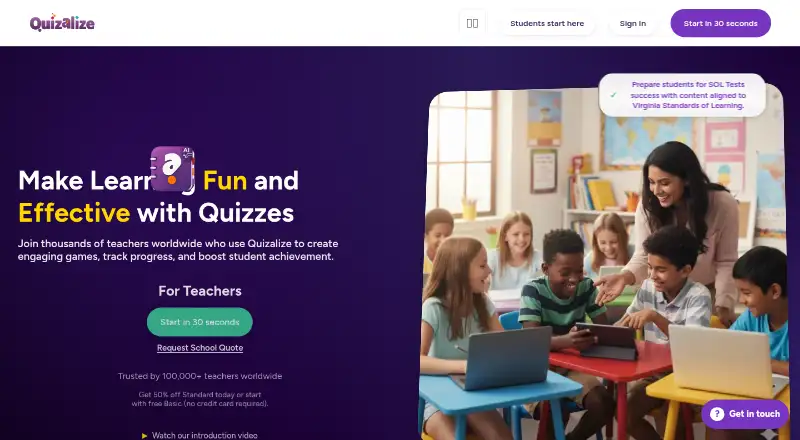
What Quizalize is
Quizalize helps teachers create quiz games, run live polls, track student progress, and support classroom achievement. Teachers can build quizzes from scratch, import existing material, or select ready-made quizzes. Quizalize Notebook turns teacher materials into quizzes, lessons, slides, worksheets, and other resources. Browser-based games such as Blockerzz, Goalzz, Hoopzz, and Battlerzz require no installation or extra hardware. Teachers can assign follow-up resources according to student scores, view individual progress, check mastery by learning objective, and access real-time performance analytics. Quizalize syncs with Google Classroom, Microsoft Teams, or an LMS, and quiz results automatically push to the grade book. It supports varied question types, quiz mode, and live polling, but responses are not anonymous. The Basic plan covers one class of up to 20 students, five saved quizzes, and three AI-generated quizzes monthly. Standard supports 200 students per class. Android and web platforms are listed, with a free plan and 30-day trial.
Good
- Create quizzes from scratch or imports
- Browser games need no installation
- Real-time progress and mastery analytics
- LMS and grade-book synchronization
- Free plan and 30-day trial
Watch out
- Anonymous responses are not supported
- Basic limits classes, quizzes, and AI generation
- Basic supports only 20 students per class
Who it suits
Quizalize is designed for teachers and students using classroom learning and assessment. It suits educators who need quiz creation, games, progress tracking, and LMS connections.
Verdict
Quizalize combines quiz authoring, classroom games, differentiated resources, and progress analytics. Compare the Basic and Standard class limits with your student groups before selecting a plan.
Plans and prices
From Quizalize's own pricing page, checked 8 Oct 2026.
| Plan | Price | What it gives you |
|---|---|---|
| Quizalize Basic | Free | 20 students per class · 1 class · 5 saved quizzes · multiple choice questions · leaderboard game mode · 3 AI-generated quizzes per month · Forever |
| Quizalize Standard | — | 200 students per class · unlimited classes · unlimited saved quizzes · 8 question types · team games · differentiated follow-on activities · unlimited AI quiz creation · AI-powered student reports · standards tagging · mastery dashboards · student report cards · per month (billed annually at ); 50% off today |
The facts
Each one read from Quizalize's own pages, with the date it was checked.
What it does
- AI data handling
- For AI features, the privacy policy says student names are replaced with codes and free text is scrubbed of roster names, email addresses, and long numbers before data is sent to Microsoft Azure OpenAI, and that data is not used to train models.checked 8 Oct 2026
- Anonymous responses
- Nochecked 20 Sep 2026
- Children’s privacy
- Quizalize’s COPPA policy says teachers create student accounts, schools act as agents for parents in providing consent, and parents can review and delete their child’s information.checked 8 Oct 2026
- Differentiation
- Teachers can assign different follow-up resources based on student scores to personalize learning.checked 8 Oct 2026
- Games
- Quizalize offers browser-based classroom games including Blockerzz, Goalzz, Hoopzz, and Battlerzz, with no installation or extra hardware required.checked 8 Oct 2026
- Integrations
- Quizalize says it syncs with Google Classroom, Microsoft Teams, or an LMS, and quiz results automatically push to the grade book.checked 8 Oct 2026
- Live polling
- Yeschecked 20 Sep 2026
- Notebook
- Quizalize Notebook lets teachers use their materials to create quizzes, lessons, slides, worksheets, and other classroom resources.checked 8 Oct 2026
- Privacy and security
- The privacy policy says Quizalize uses encryption in transit and at rest, regular security assessments, access controls, and authentication.checked 8 Oct 2026
- Progress tracking
- Teachers can track individual student progress, view mastery by learning objective, and get real-time performance analytics.checked 8 Oct 2026
- Purpose
- Quizalize helps teachers create engaging quiz games, track student progress, and support student achievement.checked 8 Oct 2026
- Quiz creation
- Teachers can build quizzes from scratch, import existing content, or choose from ready-made quizzes.checked 8 Oct 2026
- Quiz mode
- Yeschecked 20 Sep 2026
- Student data
- The privacy policy says teacher-created student accounts use minimal information and students do not need email addresses.checked 8 Oct 2026
- Support
- The contact page provides a contact form, and the privacy policy lists [email protected] for privacy questions.checked 8 Oct 2026
- Who it serves
- Quizalize describes its product as designed for teachers and students and says it is used for classroom learning and assessment.checked 8 Oct 2026
Money
- Free plan
- Yeschecked 20 Sep 2026
Alternatives to Quizalize
- 1

Particify
Free planOpen sourceAndroidiOSWebAPI9.2From €12 a month - 2

Poll Everywhere
Free planAndroidiOSWebmacOS9.1From $10 a month - 3

Hypersay
Free planAndroidiOSWebLinux8.9Free plan - 4

Votinova
Free planAndroidiOSWebAPI8.8From €9 a month - 5
iClicker
Free planAndroidiOSWebmacOS8.5$4.99 one-time - 6

AhaSlides
Free planWebmacOSWindows8.4Free plan