Quick View Plus
Quick View Plus Web 3.0 is an HTML5 document viewer for websites and web applications.
What Quick View Plus is
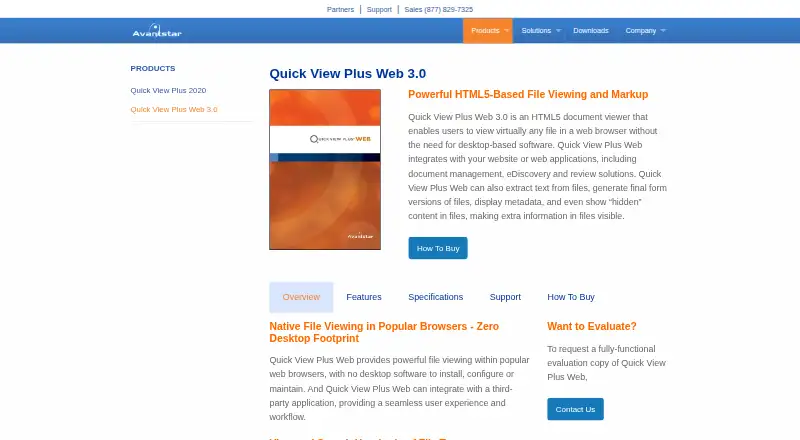
Quick View Plus Web 3.0 is an HTML5 document viewer for websites and web applications. It lets users view hundreds of file formats in a browser while retaining native formatting, without installing desktop software. The viewer can show metadata and hidden material, including presentation speaker notes, hidden spreadsheet rows and columns, and hidden Microsoft Word text. Users can add highlighted areas, highlighted text, and comments. Manual redaction and automatic pattern-based redaction are available, including for personally identifiable information; text removed by selection cannot be searched. Finished files can be produced as TIFF or PDF with annotations and redactions included. An API allows direct calls from web applications and control of initial settings. It integrates with document-management, eDiscovery, and review solutions. Supported client browsers include Internet Explorer 11, Chrome, Firefox, and Edge. Conversion runs on an installed server, so files must be accessible there.
Good
- Views hundreds of formats with native formatting
- Shows metadata and hidden document content
- Supports manual and pattern-based redaction
- Exports annotated files as TIFF or PDF
- Provides an API for web applications
Watch out
- Paid plans start at $99/yr
- No free plan, though a trial is available
- Server conversion requires files accessible on that server
- Local hard-drive viewing is not direct
Who it suits
It suits application and web developers adding document viewing to web applications, especially document-management, eDiscovery, and review products. Teams needing browser-based previews, annotation, and redaction can use it across API, web, and Windows environments.
Verdict
Quick View Plus combines broad browser file viewing with hidden-content inspection, annotations, redaction, and production exports. Its server-based deployment and paid pricing should be considered when adding these capabilities to an application.
Plans and prices
From Quick View Plus's own pricing page, checked 2 Oct 2026.
| Plan | Price | What it gives you |
|---|---|---|
| Quick View Plus Web 3.0 | Priced on request | Pricing by contact · fully-functional evaluation copy |
The facts
Each one read from Quick View Plus's own pages, with the date it was checked.
What it does
- Annotations
- Users can add highlighted areas, highlighted text and comments to documents.checked 2 Oct 2026
- API
- The product includes an API for direct calls from web applications and options to control initial settings.checked 2 Oct 2026
- Audience
- It is intended for application and web developers incorporating native document viewing into web applications.checked 2 Oct 2026
- Deployment limit
- Files must be accessible from the installed server because conversion occurs on the server and local hard-drive viewing is not direct.checked 2 Oct 2026
- File support
- It views hundreds of file formats while retaining native formatting.checked 2 Oct 2026
- Final production
- Files can be output as TIFF or PDF, with annotations and redactions included.checked 2 Oct 2026
- Integrations
- It integrates with websites and web applications, including document-management, eDiscovery and review solutions.checked 2 Oct 2026
- Metadata and hidden content
- It displays metadata and hidden content such as presentation speaker notes, spreadsheet hidden rows and columns, and hidden Microsoft Word text.checked 2 Oct 2026
- Redaction
- It supports manual redaction and automatic pattern-based redaction, including personally identifiable information.checked 2 Oct 2026
- Redaction behavior
- Text redacted by selection is removed from the document and cannot be searched.checked 2 Oct 2026
- Server requirements
- Server requirements include Windows Server 2019, 2016, 2012 R2 or 2008 R2, IIS 7 or later, ASP.NET 4.5 and .NET Framework 4.5.checked 2 Oct 2026
- Support
- Technical support is available at (877) 829-7325 from 8am to 5pm CST and at [email protected].checked 2 Oct 2026
Where it runs
- Browser support
- Supported client browsers include Internet Explorer 11, Google Chrome, Mozilla Firefox and Edge.checked 2 Oct 2026
- Browser viewer
- Quick View Plus Web 3.0 is an HTML5 document viewer for viewing files in a web browser without desktop software.checked 2 Oct 2026
The company
- Founded
- 2001checked 28 Sep 2026
- Headquarters
- Minnetonka, Minnesota, United Stateschecked 28 Sep 2026
- Maker history
- Avantstar says it has focused on digital-content viewing challenges since its founding in 2001.checked 2 Oct 2026
Alternatives to Quick View Plus
- 1
ViewAnyFile.app
Free planAndroidiOSWebLinux7.9From $9.99 a month - 2

Universal File Opener
Free planAndroidWebLinuxSelf-hosted7.8From $9.99 a year - 3

Okular
Free planLinuxmacOSWindows6.9Free plan - 4
FastStone Image Viewer
Free planWindows6.8Free plan - 5
IrfanView
Free planWindows6.8Free plan - 6
Evince
Free planLinux6.5Free plan