QuackStation
QuackStation is a free PlayStation 1 emulator with a Qt front end and a fullscreen, TV-oriented interface based on Dear ImGui.
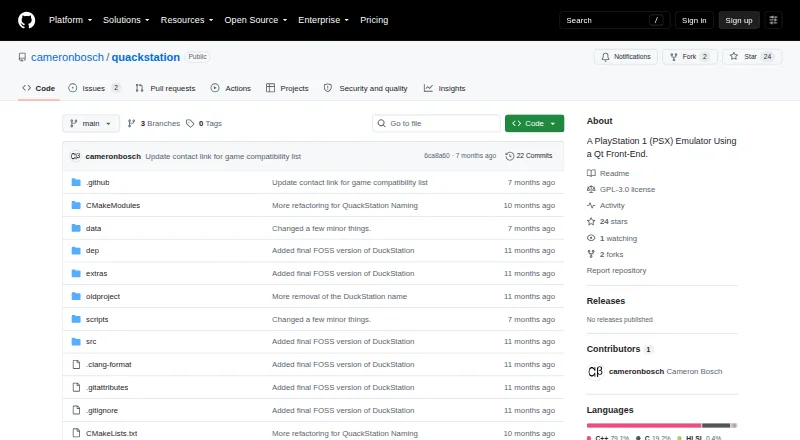
What QuackStation is
QuackStation is a free PlayStation 1 emulator with a Qt front end and a fullscreen, TV-oriented interface based on Dear ImGui. It is designed around playability, speed, and maintainability, with accuracy and performance goals that include low-end devices. It supports hardware rendering through D3D11, D3D12, OpenGL, Vulkan, and Metal, as well as software rendering. Hardware graphics options include upscaling, texture filtering, 24-bit true colour, and PGXP geometry precision and texture correction. Playback features include save states, runahead, rewind, fast boot, CPU overclocking, and time-stretched audio. It loads games from CDs and disc images including BIN/CUE, MAME CHD, ECM, MDS/MDF, and unencrypted PBP. Controller support includes digital and analog devices, lightguns simulated with a mouse, NeGcon, and multitap for up to eight devices. A PS1 or PS2 BIOS image is required and is not included; users must dump it from their own console. Android is currently unmaintained and unsupported.
Good
- Supports hardware and software rendering
- Includes save states, rewind, and runahead
- Reads several disc-image formats
- Supports multitap for up to eight devices
- Open-source under GNU GPLv3 or later
Watch out
- Requires a BIOS image not included
- Android app is unmaintained and unsupported
- Linux AppImage requires Ubuntu 22.04 equivalent or newer
- Windows requires version 1809 or newer
Who it suits
QuackStation suits players looking for a free PS1 emulator on Windows, Linux, or macOS, with varied rendering and controller options. Android users should note that the app is unmaintained and unsupported.
Verdict
QuackStation offers a broad range of rendering, playback, and input options for PS1 games. You will need to supply a BIOS image from your own console, and platform support varies.
The facts
Each one read from QuackStation's own pages, with the date it was checked.
Where it runs
- Android support
- The Android app is described as currently unmaintained and unsupported.checked 29 Sep 2026
- BIOS requirement
- A PS1 or PS2 BIOS ROM image is required, and the emulator does not include one; the maker says users should dump it from their own console.checked 30 Sep 2026
- Linux limit
- The README says the AppImage requires a distribution equivalent to Ubuntu 22.04 or newer and notes that the Flathub install command was not working as of 30 October 2025.checked 29 Sep 2026
- Linux support
- The maker says the AppImage and Flatpak builds on the releases page are the only supported Linux versions; the AppImage requires a distribution equivalent to Ubuntu 22.04 or newer.checked 30 Sep 2026
- Platform limits
- Windows 10 version 1809 or newer is required, macOS 11.0 or newer is required, and the Android app is currently unmaintained and unsupported.checked 30 Sep 2026
What it does
- Disc formats
- It supports CD playback and disc images including bin/cue, raw bin/img, MAME CHD, ECM, MDS/MDF, and unencrypted PBP.checked 29 Sep 2026
- Downloads
- The maker provides builds for Windows x64/ARM64, Linux x86_64 in AppImage and Flatpak formats, and universal macOS binaries through GitHub Releases.checked 30 Sep 2026
- Emulation features
- Features include save states, runahead, rewind, fast boot, and emulated CPU overclocking.checked 30 Sep 2026
- Graphics features
- Hardware renderers support upscaling, texture filtering, and 24-bit true colour; PGXP provides geometry precision, texture correction, and depth buffer emulation.checked 30 Sep 2026
- Input
- It supports digital and analog controllers, GunCon and Justifier lightguns simulated with a mouse, NeGcon, and multitap controllers for up to eight devices.checked 29 Sep 2026
- Integrations
- It supports RetroAchievements and Discord Rich Presence.checked 30 Sep 2026
- License
- The project states it is licensed under GNU GPLv3 or later, while noting that it is effectively GPLv3 only for now.checked 29 Sep 2026
- License and security
- QuackStation is licensed under GNU GPLv3 or later; the README provides no security certification or compliance claim.checked 30 Sep 2026
- Media support
- It can load games from CD and several image formats, including bin/cue, MAME CHD, ECM, MDS/MDF, and unencrypted PBP.checked 30 Sep 2026
- Product
- QuackStation is a PlayStation 1 emulator with a Qt front end and a fullscreen/TV interface based on Dear ImGui.checked 29 Sep 2026
- Project origin
- The project is a hard fork of the final GPLv3 version of DuckStation.checked 30 Sep 2026
- Purpose
- QuackStation is a PlayStation 1 emulator with a Qt front end and a fullscreen/TV interface based on Dear ImGui.checked 30 Sep 2026
- Rendering
- It supports hardware rendering with D3D11, D3D12, OpenGL, Vulkan, and Metal, as well as software rendering.checked 30 Sep 2026
- Save and playback
- Features include save states, runahead, rewind, fast boot, and time-stretched audio.checked 29 Sep 2026
- Support
- The README says packages from sources other than GitHub Releases may be out of date and are not supported by the developer.checked 29 Sep 2026
- Support and community
- The README says the Discord server does not currently exist and warns that builds or packages from other sources are not supported by the developer.checked 30 Sep 2026
- System requirements
- The listed CPU architectures are x86_64 with SSE4.1, ARMv7, ARM64, or RISC-V/RV64; hardware rendering requires a GPU supporting OpenGL 3.1, OpenGL ES 3.1, Direct3D 11 Feature Level 10.0, or Vulkan 1.0.checked 30 Sep 2026
- Video capture
- Video capture uses Media Foundation on Windows and FFmpeg on all platforms.checked 30 Sep 2026
The full review of QuackStation
Overview
QuackStation is a free, open-source PlayStation 1 emulator for people who want broad graphics, disc, and controller support, including options for TV-style navigation. Its range is a strength, but the required user-supplied BIOS and unsupported Android app make it a better fit for desktop users who can manage their own setup.
The project is a hard fork of the final GPLv3 version of DuckStation. It combines a Qt front end with a fullscreen interface built on Dear ImGui, and aims to balance playability, speed, accuracy, and maintainability. Its GNU GPLv3-or-later license is effectively GPLv3 only for now.
Key features
Graphics and playback controls
QuackStation supports D3D11, D3D12, OpenGL, Vulkan, and Metal hardware rendering, plus software rendering. Hardware modes add upscaling, texture filtering, 24-bit true colour, and PGXP geometry precision and texture correction. That gives users meaningful ways to tune visuals, though the enhanced graphics options depend on using a hardware renderer.
Save states, rewind, fast boot, time-stretched audio, and emulated CPU overclocking offer flexibility beyond standard play. Runahead is also included for players seeking reduced perceived input delay. These tools make the emulator adaptable to different preferences, but the feature list alone does not establish how well a particular game or device will run.
Disc and controller support
Games can be played from CD or supported images: BIN/CUE, raw BIN/IMG, MAME CHD, single-track ECM, MDS/MDF, and unencrypted PBP. Digital and analog controllers, NeGcon, and multitaps for up to eight devices are supported. GunCon and Justifier lightguns are simulated with a mouse, a practical option when original lightgun hardware is not available, though it is not the same input method.
QuackStation also includes RetroAchievements, Discord Rich Presence, game title and hash data from redump.org, and cheat support. Video capture uses Media Foundation on Windows and FFmpeg on all platforms. The project’s README says its Discord server does not currently exist, so Discord Rich Presence should not be mistaken for an active community channel.
Pricing
QuackStation is free, with a free plan and no paid tiers described. The main cost is setup: users must supply a PS1 or PS2 BIOS ROM image, which the emulator does not include. The project instructs users to dump the image from their own console.
Platforms
QuackStation supports Windows, Linux, macOS, and Android, but the practical experience differs by platform. Windows downloads are available for x64 and ARM64; Windows 10 version 1809 or newer is required. macOS has universal builds and requires version 11.0 or newer.
On Linux, the supported builds are the AppImage and Flatpak from the releases page. The AppImage requires a distribution equivalent to Ubuntu 22.04 or newer, and the Flathub install command was reported as not working as of 30 October 2025. Packages from other sources may be out of date and are not supported by the developer.
Android support is currently unmaintained and unsupported, making QuackStation a poor choice for someone who needs a dependable Android emulator. The stated CPU architectures are x86_64 with SSE4.1, ARMv7, ARM64, and RISC-V/RV64. Hardware rendering requires a GPU supporting OpenGL 3.1, OpenGL ES 3.1, Direct3D 11 Feature Level 10.0, or Vulkan 1.0.
Who it's for
QuackStation suits desktop players who want a free emulator with multiple renderer choices, broad disc-image support, flexible playback tools, and specialist controller options. Its software rendering mode and stated focus on lower-end performance may appeal to users with modest hardware, while actual compatibility and performance can vary by system and game.
Look elsewhere if you need an actively supported Android app, want an emulator that includes a BIOS, or rely on a Linux package outside the developer-supported releases. Users who need formal security assurances should also note that the project makes no security certification or compliance claim.
Pros and cons
- Pros: Multiple hardware renderers plus software rendering give desktop users flexibility across graphics setups.
- Pros: Save states, rewind, runahead, fast boot, time-stretched audio, and CPU overclocking support different play styles.
- Pros: Disc support spans CD and several image formats, while controller options include lightgun simulation and multitaps for up to eight devices.
- Cons: A user-provided PS1 or PS2 BIOS is required, so the emulator is not ready to use without a separate console-derived image.
- Cons: Android is unmaintained and unsupported, and Linux users are limited to the release-page AppImage or Flatpak for developer support.
- Cons: The Discord server does not currently exist, despite the inclusion of Discord Rich Presence.
Alternatives
HopStation is another free option for Windows, Linux, and macOS if you want to compare desktop-only choices. ScePSX is free and spans Android, Linux, macOS, and Windows, making it worth considering when Android availability matters.
Avocado is free at no cost and is in early development; it requires a PlayStation BIOS and game compatibility varies. DuckStation offers a free Android app and supports Linux, macOS, and Windows; its stated terms require a user-provided BIOS image and legally purchased, dumped games.
PCSX-Redux is a free GPL-2.0-licensed option with Windows, Linux, and macOS downloads. psxe is another free choice for Linux, macOS, and Windows. Gamma targets iOS and macOS; its free version may display ads. StarPSX is another free option for Linux, macOS, and Windows.
For a wider category comparison, browse PlayStation Emulators.
Verdict
Choose QuackStation if you want a free desktop PS1 emulator with a wide mix of rendering, playback, disc, and controller options and are prepared to provide your own BIOS. Its broad feature set is the main reason to pick it; the unsupported Android app, uneven Linux install situation, and BIOS setup are clear reasons to look elsewhere.