Proctor360
Proctor360 provides remote oversight for organizations holding online, paper, and hybrid exams.
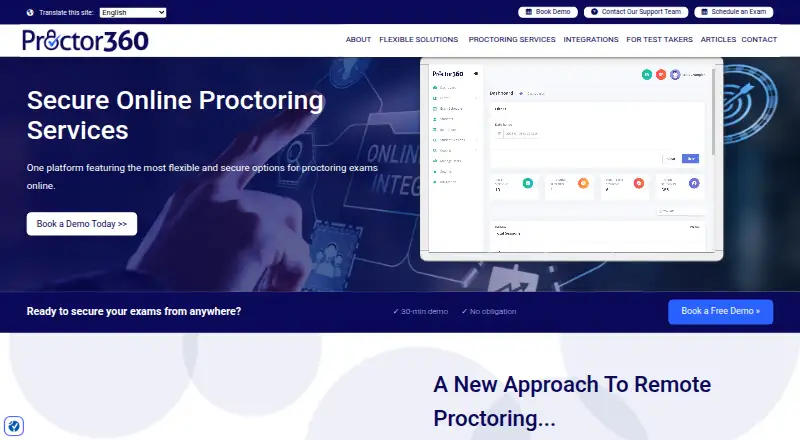
What Proctor360 is
Proctor360 provides remote oversight for organizations holding online, paper, and hybrid exams. Its options include live 360 Total View, multi-webcam and single-webcam proctoring, AI auto-proctoring, and institutional SaaS proctoring. The AI service automates scheduling, check-in, and monitoring, then logs potential incidents for review without interrupting candidates. Reviewers can use session recordings, incident logs, screenshots, timestamps, and flags in a web dashboard. Optional secure browsing can block and log external-site access and attempts to copy or paste exam information. Institutions can use their own staff as remote proctors, with sessions archived for later review. The 360 Total View headset uses a 360-degree camera to capture the testing room. Listed integrations include Canvas, Moodle, Blackboard, Brightspace, NEO LMS, Populi, Assess.ai, and Prolydian. The maker says its AI engine does not save candidates’ biometric data. Pricing starts from $15; the remote proctoring services plan has no listed price and directs buyers to contact sales or book a demo.
Good
- Supports online, paper, and hybrid exams
- Offers live, AI, and institutional proctoring options
- Provides recordings, incident logs, and review flags
- Lists integrations with Canvas, Moodle, and Blackboard
- AI engine does not save biometric data
Watch out
- The remote proctoring plan has no listed price
- Recording retention depends on institutional policies
Who it suits
It suits schools, online academies, corporate training departments, certification programs, and government agencies that need oversight for exams. Institutions that want their own staff to proctor remotely can use its cloud-based platform.
Verdict
Proctor360 offers several oversight formats and review tools for organizations with different exam setups. Buyers should note that recording retention follows the organization’s policy and the named remote proctoring plan requires a sales inquiry.
Plans and prices
From Proctor360's own pricing page, checked 4 Oct 2026.
| Plan | Price | What it gives you |
|---|---|---|
| Proctor360 remote proctoring services | Priced on request | Pricing not listed; contact sales or book a demo |
The facts
Each one read from Proctor360's own pages, with the date it was checked.
What it does
- 360 Total View
- The 360 Total View headset uses a 360-degree camera to capture the candidate’s testing room throughout a session.checked 4 Oct 2026
- AI monitoring
- AI auto-proctoring automates scheduling, check-in, and monitoring, then logs potential incidents for review without interrupting the candidate.checked 4 Oct 2026
- Biometric data
- The company says its AI engine does not save candidates’ biometric data.checked 4 Oct 2026
- Data retention
- Recording retention periods depend on the institution or testing organization’s policies.checked 4 Oct 2026
- In-house proctoring
- Institutions can use their own staff as remote proctors through the cloud-based platform, which archives exam sessions for later review.checked 4 Oct 2026
- Integrations
- The integrations page lists Canvas, Moodle, Blackboard, Brightspace, NEO LMS, Populi, Assess.ai, Prolydian, and other services.checked 4 Oct 2026
- Proctoring options
- Its listed options include 360 Total View live, multi-webcam live, single-webcam live, AI auto-proctoring, and institutional SaaS proctoring.checked 4 Oct 2026
- Review tools
- The AI service provides session recordings, incident logs, screenshots, timestamps, and flags in a web-based review dashboard.checked 4 Oct 2026
- Secure browsing
- Optional secure browsing can block and log access to external sites and attempts to copy or paste exam information.checked 4 Oct 2026
- Security and compliance
- The maker’s GDPR page states that it uses encryption in transit and at rest, access controls, monitoring, security assessments, and audit logging, and describes Proctor360 as SOC 2 compliant.checked 4 Oct 2026
- Support
- Test takers can contact support through the support portal or help-desk email, and can use live on-screen chat during an active exam.checked 4 Oct 2026
- Supported setup
- The FAQ says Proctor360 primarily works through a browser extension for Chrome or Edge and supports Windows and macOS; it also lists Firefox as a supported browser.checked 4 Oct 2026
- What it does
- Proctor360 provides remote exam proctoring for organizations, with configurable oversight for online, paper, and hybrid exams.checked 4 Oct 2026
- Who it serves
- The maker describes its audience as including schools, online academies, corporate training departments, certification programs, and government agencies.checked 4 Oct 2026
The company
- Headquarters
- United Stateschecked 28 Sep 2026
Alternatives to Proctor360
- 1
Respondus Monitor
Free planAndroidiOSWebExtension8.1From $15 a year - 2
SMOWL
AndroidiOSWebAPI7.7From $7,500 a year - 3

Proctorio
Free planAndroidiOSWebAPI7.6Free plan - 4
ThinkExam
Free planAndroidiOSWeb7.5From $3,125 a month - 5
Talview
AndroidiOSWebAPI7.2 - 6
YouTestMe Proctoring
iOSWebAPILinux6.9$100 usage-based