Polychromatic
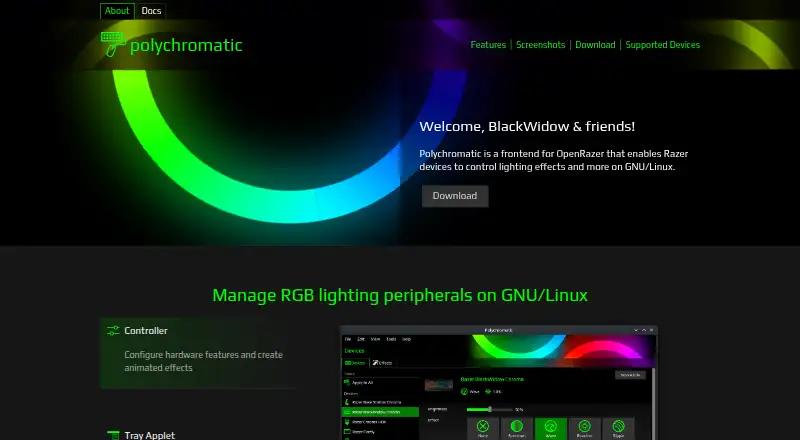
Polychromatic is a free, open-source GNU/Linux frontend for OpenRazer that controls lighting and other settings on supported Razer peripherals.
What Polychromatic is
Polychromatic is a free, open-source GNU/Linux frontend for OpenRazer that controls lighting and other settings on supported Razer peripherals. Its home page lists more than 210 supported OpenRazer devices, including keyboards, mice, mouse mats, and headsets. Users can adjust built-in effects, brightness, DPI, and polling interval, or create static and animated lighting mappings from pixels and frames for games, applications, or ambience. The app can display firmware versions and serial numbers and test individually addressable LEDs. A tray applet provides access to lighting and device settings when the desktop environment supports a system tray or indicators. Polychromatic also includes a troubleshooter for issues such as OpenRazer not working or devices not being found. It runs locally without cloud services or a login, and is licensed under GPLv3. Its focus is OpenRazer: support for other brands is not available, and the maker gives no ETA for it. Key remapping is not supported. The maker describes polychromatic-cli as deprecated and planned for removal in the next major version. Polychromatic and OpenRazer are not affiliated with Razer.
Good
- Supports more than 210 OpenRazer devices.
- Creates static or animated lighting mappings.
- Adjusts brightness, DPI, and polling interval.
- Runs locally without cloud services or login.
- Free and open source under GPLv3.
Watch out
- GNU/Linux only; Windows and macOS are unsupported.
- Other peripheral brands are not supported.
- Key remapping is not available.
- The command-line tool is deprecated.
Who it suits
Polychromatic suits GNU/Linux users with supported OpenRazer peripherals who want to configure lighting and device settings locally. It is especially relevant for users focused on RGB effects rather than key remapping.
Verdict
Polychromatic offers local lighting and device controls for GNU/Linux users with OpenRazer-compatible peripherals. Its scope excludes other brands and key remapping, so check that those limits fit your needs.
Plans and prices
From Polychromatic's own pricing page, checked 4 Oct 2026.
| Plan | Price | What it gives you |
|---|---|---|
| Polychromatic | Free | Free and open source · GNU/Linux only · OpenRazer devices |
The facts
Each one read from Polychromatic's own pages, with the date it was checked.
What it does
- CLI status
- The maker says polychromatic-cli is deprecated and will be removed in the next major version.checked 4 Oct 2026
- Custom effects
- Users can create static or animated lighting mappings from pixels and frames for games, applications, or ambience.checked 4 Oct 2026
- Feature limit
- Key remapping is not supported, and the maker says the application's main strength is RGB lighting effects.checked 4 Oct 2026
- Hardware settings
- The application provides controls for built-in effects, brightness, DPI, and polling interval.checked 4 Oct 2026
- Integration
- Polychromatic currently supports OpenRazer; the maker says support for other brands is not available now and has no ETA.checked 4 Oct 2026
- License
- Polychromatic is free and open source under the GPLv3 license.checked 4 Oct 2026
- Local operation
- The software runs locally on the computer and does not require cloud services or a login.checked 4 Oct 2026
- Operating system limit
- Polychromatic only runs on GNU/Linux; Windows and macOS are not currently supported.checked 4 Oct 2026
- Project independence
- The maker states that Polychromatic and OpenRazer are not affiliated with Razer.checked 4 Oct 2026
- Troubleshooting
- The application includes a troubleshooter for issues such as OpenRazer not working or devices not being found.checked 4 Oct 2026
- What it does
- Polychromatic is a frontend for OpenRazer that lets users control Razer device lighting effects and other features on GNU/Linux.checked 4 Oct 2026
Where it runs
- Device information
- Users can inspect firmware version and serial number and test individually addressable LEDs.checked 4 Oct 2026
- Supported devices
- The home page says it supports over 210 OpenRazer devices, including keyboards, mice, mouse mats, and headsets.checked 4 Oct 2026
- Tray applet
- The tray applet can change device settings and lighting when the desktop environment supports a system tray or indicators.checked 4 Oct 2026
Alternatives to Polychromatic
- 1
SteelSeries GG
Free planAndroidiOSWebAPI7.5Free plan - 2

OpenRGB
Free planOpen sourceAPILinuxmacOSSelf-hosted7.2Free plan - 3

Nexus
Free planAndroidiOSWebLinux6.9Free plan - 4

GALAX Xtreme Tuner Plus
Free planAndroidiOSWindows6.7Free plan - 5

Razer Chroma App
Free planmacOSWindows6.5Free plan - 6

G.SKILL Trident Z Lighting Control
Free planWindows6.4Free plan