OpenRGB
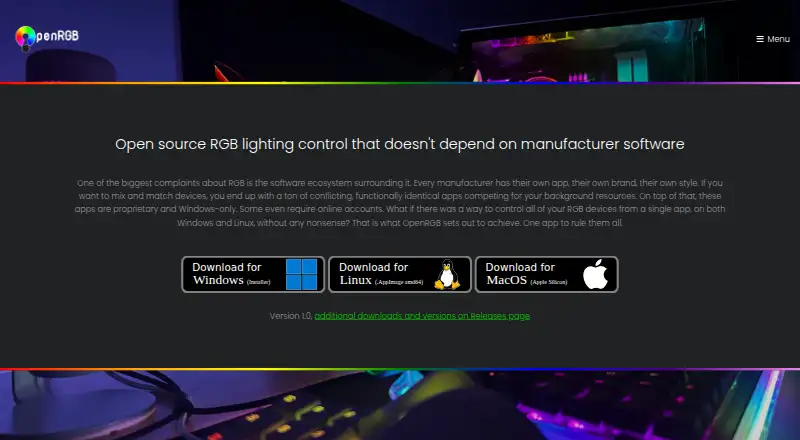
OpenRGB controls RGB devices from multiple manufacturers through one app, without relying on each maker’s software.
What OpenRGB is
OpenRGB controls RGB devices from multiple manufacturers through one app, without relying on each maker’s software. It is free and open source under the GNU General Public License version 2, with a lightweight interface designed to use little RAM and CPU. OpenRGB runs on Windows, Linux, and macOS, and has been tested on x86, x86_64, ARM32, and ARM64 processors. Device support varies: listings identify features as fully supported, problematic, partial, unsupported, or not applicable. Its network-based SDK lets third-party software control supported devices and synchronize OpenRGB instances across multiple PCs; bindings include C++, Python, C#, and Java. Plugins can add lighting effects, hardware-status indicators, integrations, and scheduled profile changes. The Effects Plugin includes options such as Rainbow, audio visualizations, Ambilight, GIF playback, and shader rendering. The HTTP Hook plugin can trigger basic actions such as switching profiles. Standalone Linux use may require udev rules for hardware access. Pipeline builds are unreleased development versions and may be unstable.
Good
- Free and open source under GPL version 2
- Runs on Windows, Linux, and macOS
- SDK can synchronize instances across multiple PCs
- Plugins can add effects and scheduled profile changes
Watch out
- Device support varies by feature
- Standalone Linux use may require udev rules
- Pipeline builds may be unstable
Who it suits
OpenRGB suits people who want to manage RGB devices from multiple manufacturers in one application, or connect supported lighting to third-party software. It also offers plugins and profiles for people who want to customize lighting behavior.
Verdict
OpenRGB combines cross-platform device control with an SDK and plugin system. Check the support listing for the devices and features you plan to use, and note that standalone Linux use may involve extra permission setup.
Plans and prices
From OpenRGB's own pricing page, checked 15 Oct 2026.
| Plan | Price | What it gives you |
|---|---|---|
| OpenRGB | Free | RGB control for supported devices · Windows, Linux and macOS · Free and open source |
The facts
Each one read from OpenRGB's own pages, with the date it was checked.
What it does
- Architecture coverage
- Release downloads include x86_64, ARM64, i386 and ARMHF builds for Linux and 32-bit and 64-bit Windows portable packages.checked 15 Oct 2026
- Artemis integration
- Artemis is an open-source lighting application that controls OpenRGB devices on Windows and Linux.checked 15 Oct 2026
- Aurora integration
- Project Aurora can unify devices from different brands and control OpenRGB hardware on Windows.checked 15 Oct 2026
- Download formats
- The 1.0 release provides Windows MSI and portable packages, Linux AppImages and Flatpaks, Debian and Fedora packages, and Intel and Apple Silicon macOS builds.checked 15 Oct 2026
- E1.31 integration
- The E1.31 Receiver Plugin allows sequencing software such as Vixen Lights and xLights to control OpenRGB devices.checked 15 Oct 2026
- Effects
- The Effects Plugin includes effects such as Rainbow, Visor, Breathing, audio visualizations, Ambilight, GIF playback, and GLSL shader rendering.checked 30 Sep 2026
- Effects plugin
- The Effects Plugin adds patterns such as rainbow, visor, breathing, audio visualizations, Ambilight, GIF playback and GLSL shader rendering.checked 15 Oct 2026
- Experimental builds
- Pipeline builds are unreleased development versions that may have better device compatibility but may be unstable.checked 30 Sep 2026
- Experimental channel
- Pipeline builds are automatically generated from the latest GitLab changes and may provide better compatibility while being less stable.checked 15 Oct 2026
- Game and media integrations
- The SDK is intended for game integrations, music visualization, ambient lighting and smart-home control.checked 15 Oct 2026
- Hardware Sync plugin
- The Hardware Sync Plugin can change RGB colors based on CPU, GPU temperatures and other system measurements.checked 15 Oct 2026
- Home Assistant integration
- The OpenRGB-HA integration can be installed through HACS to control devices from Home Assistant.checked 15 Oct 2026
- HTTP control
- The HTTP Hook Plugin exposes basic actions such as profile switching through HTTP endpoints.checked 15 Oct 2026
- Independent download facts
- TechSpot lists OpenRGB 1.0 as freeware for Windows, macOS and Linux, with a 9-vote user-rating count and an 11.3 MB file size.checked 15 Oct 2026
- Independent praise: lightweight and extensible
- AlternativeTo reviewers repeatedly praise OpenRGB as lightweight, free, less bloated than vendor suites and extensible through plugins.checked 15 Oct 2026
- Independent release coverage
- Hardware Busters reports that 1.0 introduced unique controller IDs, JSON profiles, Qt 6 builds and cleaner background-service operation.checked 15 Oct 2026
- Integrations
- The site describes integrations including Artemis, Project Aurora, Home Assistant, and Keyboard Visualizer.checked 30 Sep 2026
- Keyboard Visualizer integration
- Keyboard Visualizer uses audio input to create lighting effects and supports OpenRGB on Windows, Linux and macOS.checked 15 Oct 2026
- License
- OpenRGB is licensed under the GNU General Public License version 2 or later.checked 15 Oct 2026
- Lightweight interface
- The project describes its interface as lightweight and designed to use little RAM and CPU.checked 15 Oct 2026
Where it runs
- Cross-platform
- Official builds support Windows, Linux and macOS and have been tested on x86, x86_64, ARM32 and ARM64 processors.checked 15 Oct 2026
- Device support
- Supported-device entries distinguish fully supported, problematic, partial, unsupported, and not-applicable features.checked 30 Sep 2026
- Independent praise: Linux support
- An AlternativeTo reviewer reports that OpenRGB works simply and flawlessly for their Linux use.checked 15 Oct 2026
The company
- Founded
- 2019checked 23 Sep 2026
The full review of OpenRGB
OpenRGB is free, open-source software for controlling RGB devices from multiple manufacturers without their separate apps. It suits people who want one cross-platform controller or want other software to coordinate their lighting. Its breadth is compelling, but check support for your particular devices and features before choosing it.
Overview
OpenRGB brings supported RGB hardware from multiple manufacturers under one interface, avoiding the need to rely on each maker’s software. Its interface is designed to use little RAM and CPU, a practical advantage on systems where a lighting utility should stay in the background.
Device support is not uniform: entries distinguish fully supported, problematic, partial, unsupported, and not-applicable features. That makes compatibility a device-by-device decision, rather than a reason to assume every control works across your setup.
Key features
OpenRGB supports addressable RGB control, lighting profiles, game lighting effects, and cross-device synchronization. Its network-based SDK can let third-party software control supported devices and synchronize OpenRGB instances across multiple PCs. Bindings are available for C++, Python, C#, and Java, making it relevant to users building their own integrations as well as people who simply want a unified controller.
Plugins broaden the scope: they can add synchronized effects, hardware-stat indicators, third-party lighting integrations, and scheduled profile changes. The Effects Plugin includes options such as audio visualizations, Ambilight, GIF playback, and GLSL shader rendering, alongside familiar effects like Rainbow, Visor, and Breathing. The HTTP Hook plugin can trigger basic actions, such as switching profiles, through an HTTP endpoint. These extensions are useful for tailored setups, though the range of options matters most to users willing to configure integrations and effects.
Integrations include Artemis, Project Aurora, Home Assistant, and Keyboard Visualizer. OpenRGB also has community channels on Discord, Lemmy, and Mastodon. Pipeline builds may improve device compatibility, but they are unreleased development versions and may be unstable; they are a trade-off for users who need newer support, not the safest default.
Pricing
OpenRGB is free and open source under the GNU General Public License version 2. The OpenRGB plan costs nothing and includes the software’s supported device control, profiles, synchronization, and game lighting effects. There is no paid tier or trial to weigh against it.
Platforms
OpenRGB runs on Windows, Linux, and macOS and is tested on x86, x86_64, ARM32, and ARM64 processors. It also supports API use and self-hosted setups. On Linux, standalone use may require installing udev rules to give the user access to hardware interfaces used for RGB control, an extra setup step that may make other platforms more straightforward.
Who it's for
OpenRGB is a strong fit for people with supported RGB devices from multiple manufacturers, especially those who want to avoid manufacturer-specific software or coordinate lighting across PCs. Its SDK and plugins also make it a better fit than a basic controller for technically inclined users who want integrations, custom effects, or automated profile changes. If your priority is assured control of a specific device without Linux permission setup or plugin configuration, verify its support status first.
Pros and cons
- Pros: One free, open-source app can control supported devices across manufacturers and operating systems, reducing dependence on separate vendor utilities.
- Pros: The SDK, language bindings, and plugins support synchronization and integrations beyond the desktop app.
- Pros: The interface is designed to use little RAM and CPU, and the included effects cover visual, audio, and shader-based lighting.
- Cons: Support varies by device and feature, from full to problematic or unsupported, so a broad device list does not guarantee every function will work.
- Cons: Standalone Linux use may require udev-rule setup, while experimental pipeline builds may be unstable.
Alternatives
For a broader comparison, browse RGB Lighting Software.
- Nexus is another free option with Android, iOS, Linux, macOS, web, and Windows platforms; choose it if that platform range better matches your devices.
- Logitech G HUB is free on macOS and Windows and includes LIGHTSYNC RGB customization, device configuration and presets, and game profiles; consider it when those capabilities are the priority.
- NZXT CAM is a free Windows option that needs no account, with system monitoring that works without NZXT hardware; choose it if that combination matters more than cross-platform RGB control.
- SignalRGB has a free tier with a standard content library, basic cooling and monitoring, and two macros, plus a Pro tier; consider it if those listed capabilities suit your needs.
- SteelSeries Moments is another Windows option.
- Aurora RGB is a free, open-source Windows option with all features free; consider it if Windows support is sufficient.
- Razer Synapse is another free option, with macOS, web, and Windows platforms.
- ASUS Armoury Crate is a free Windows option.
Verdict
Choose OpenRGB if you want free, open-source control for supported RGB devices across manufacturers, particularly if you value its SDK, plugins, or cross-PC synchronization. Its main advantage is combining broad device control with extensibility; look elsewhere if your particular hardware or desired features are not fully supported, or if Linux permission setup is a drawback.
Getting started
- Visit the OpenRGB website
- Install OpenRGB on Windows, Linux, or macOS
- Check your devices’ listed support levels
- Create lighting profiles or select available effects
- Add plugins or SDK integrations when needed
- On Linux, install udev rules if standalone hardware access requires them
Limits worth knowing
OpenRGB has no paid tier; the free plan is the software itself. Device compatibility and available features vary by hardware, and Linux standalone use may require additional udev permissions.
Questions
How much does OpenRGB cost?
OpenRGB is listed as free. It is free and open source under the GNU General Public License version 2.
Which operating systems does OpenRGB support?
OpenRGB runs on Windows, Linux, and macOS. It is tested on x86, x86_64, ARM32, and ARM64 processors.
Can OpenRGB synchronize multiple computers?
Yes. Its network-based SDK can synchronize OpenRGB instances across multiple PCs.
What integrations are listed?
Listed integrations include Artemis, Project Aurora, Home Assistant, and Keyboard Visualizer.
Does OpenRGB support plugins?
Yes. Plugins can add synchronized effects, hardware indicators, third-party lighting integrations, and scheduled profile changes.
Is there a free trial?
No separate free trial is listed because OpenRGB itself is free software.
Alternatives to OpenRGB
- 1
SteelSeries GG
Free planAndroidiOSWebAPI7.5Free plan - 2

Nexus
Free planAndroidiOSWebLinux6.9Free plan - 3

GALAX Xtreme Tuner Plus
Free planAndroidiOSWindows6.7Free plan - 4

Razer Chroma App
Free planmacOSWindows6.5Free plan - 5

G.SKILL Trident Z Lighting Control
Free planWindows6.4Free plan - 6

Logitech G HUB
Free planmacOSWindows6.4Free plan