PMWall
PMWall turns live event photos into physical mosaics, combining individual images into a larger image or logo in real time.
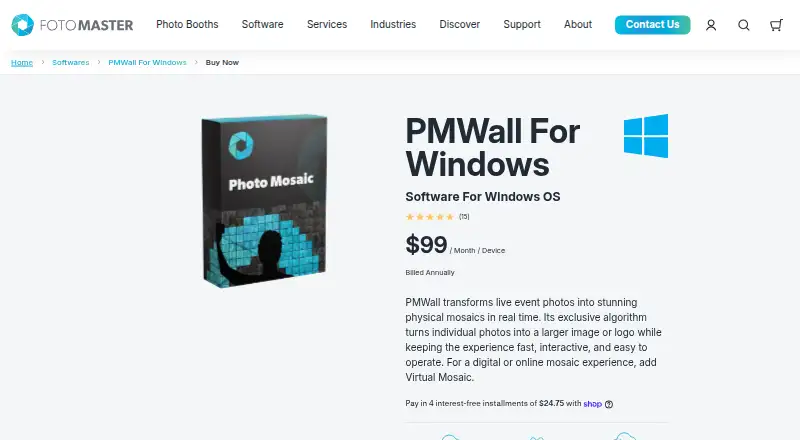
What PMWall is
PMWall turns live event photos into physical mosaics, combining individual images into a larger image or logo in real time. The Windows desktop software offers smart cropping, intelligent photo placement, custom mosaic artwork, flexible sizes, and controls for photo sources. Images can come from DSLR cameras, photo booths, social media uploads, or MMS. Projects can use up to 40,000 tiles, and the software supports high-resolution mosaic exports. PMWall integrates with Foto Master products such as the Mirror Photo Booth, and photos in Foto Master Cloud can sync automatically for mosaic creation. A required Foto Master Cloud plan can feed AI-enhanced images into PMWall, including images processed with background removal, AI Modify, and other Cloud AI effects. Virtual Mosaic is an optional online add-on with multiple views, animations, tile effects, guest interaction, and Cloud controls. PMWall for Windows is $99/month per device, billed annually, and requires a Foto Master Cloud subscription. Digital Mosaic is legacy local software and is not included with current PMWall. The maker lists photo booth owners, event rentals, DJs, photographers, and venues among its intended industries.
Good
- Creates physical mosaics in real time
- Accepts photos from cameras, booths, social uploads, and MMS
- Supports projects up to 40,000 tiles
- Offers high-resolution mosaic export
Watch out
- Windows platform only
- Foto Master Cloud subscription required
- Digital Mosaic is not included with current PMWall
- Virtual Mosaic events become inaccessible if the add-on stops
Who it suits
PMWall suits live-event operators who want to turn guest photos into physical mosaics. Its stated audiences include photo booth owners, event rental businesses, DJs, photographers, and venues.
Verdict
PMWall focuses on physical mosaics for live events and supports several photo sources and optional online experiences. Buyers should account for the required Foto Master Cloud subscription and per-device annual billing.
Plans and prices
From PMWall's own pricing page, checked 7 Oct 2026.
| Plan | Price | What it gives you |
|---|---|---|
| 24/7 Support (optional) | $27 a month | Includes a 1-hour online one-on-one training session · $27/month per license, billed annually |
| Foto Master Cloud Basic (required) | $39 a month | One account per company covers properly licensed devices · $39/month, billed annually |
| Virtual Mosaic (optional) | $49 a month | Optional account add-on for digital and online mosaic experiences · $49/month/account |
| Foto Master Cloud Pro (required) | $79 a month | One account per company · 10 GB storage · $79/month, billed annually |
| PMWall for Windows | $99 a month | Windows OS · per-device license · Foto Master Cloud subscription required · $99 / Month / Device, billed annually |
The facts
Each one read from PMWall's own pages, with the date it was checked.
What it does
- Cloud AI
- The required Foto Master Cloud plan includes AI Hot Folder, which can feed PMWall AI-enhanced images and apply background removal, AI Modify, and other Cloud AI effects before photos enter the mosaic.checked 7 Oct 2026
- Customization
- Users can set custom mosaic artwork, flexible mosaic sizes, and photo source controls.checked 7 Oct 2026
- Delivery
- After subscribing, the customer receives a PMWall download link, license key, and marketing materials within 24 hours.checked 7 Oct 2026
- Event access limit
- If Virtual Mosaic is stopped, past Virtual Mosaic events and creation or use of new ones become inaccessible until the add-on is reactivated, provided the content was not deleted.checked 7 Oct 2026
- Export
- PMWall supports high-resolution mosaic export.checked 7 Oct 2026
- Integrations
- PMWall integrates with Foto Master products such as the Mirror Photo Booth, and photos stored in Foto Master Cloud can sync automatically for mosaic creation.checked 7 Oct 2026
- Legacy feature limit
- Digital Mosaic is legacy local software and is not included with current PMWall.checked 7 Oct 2026
- Mosaic features
- The software provides physical mosaic mode, real-time creation, smart photo cropping, and intelligent photo placement.checked 7 Oct 2026
- Optional online experience
- Virtual Mosaic is an optional add-on with multiple views, animations, tile effects, guest interaction, and Foto Master Cloud controls.checked 7 Oct 2026
- Photo inputs
- The maker says PMWall can collect photos from DSLR cameras, photo booths, social media uploads, and MMS.checked 7 Oct 2026
- Purpose
- PMWall turns live event photos into physical mosaics in real time, combining individual photos into a larger image or logo.checked 7 Oct 2026
- Support
- Optional 24/7 Support includes a 1-hour online one-on-one training session; the product page lists phone, chat, and email support.checked 7 Oct 2026
- Target use
- The maker describes PMWall for live events and lists photo booth owners, event rentals, DJs, photographers, and venues among its industries.checked 7 Oct 2026
The company
- Founded
- 2011checked 28 Sep 2026
Alternatives to PMWall
- 1
phomo
Free planOpen sourceWebAPILinuxmacOS7.5Free plan - 2
EasyMoza
Free planWeb7.3Free plan - 3
Picture Mosaics Online Mosaic Tool
Free planiOSWebAPI7.2$29 one-time - 4
Photo Mosaica
Free planiOSmacOS6.7$0.99 one-time - 5

PicTiler
Free planWeb6.7Free plan - 6
Rapid-Mosaic
Free planWebWindows6.7£29 one-time