phomo
phomo is a free software tool for creating photographic mosaics.
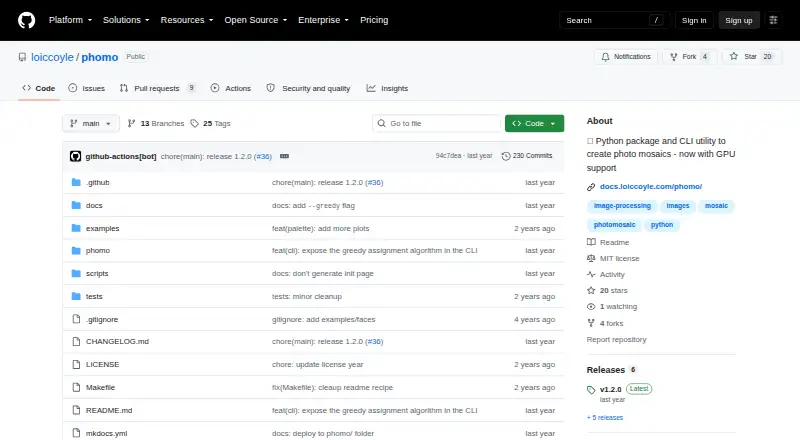
What phomo is
phomo is a free software tool for creating photographic mosaics. It arranges tile images to recreate a master image by comparing color distributions in tiles and regions, then assigning tiles to regions with a linear sum assignment algorithm. You can install it with pip as a Python package or use the `phomo` command with a master image and a directory of tiles. Its CLI offers cropping and resizing controls for master and tile images, black-and-white conversion, grid display, and a setting for how often tiles appear. Matching choices include greyscale, norm, and luv_approx distance metrics, color equalization, and color-distribution matching. A greedy assignment option can improve performance but trades away accuracy. CUDA acceleration is available through an extra and requires a compatible GPU and CUDA toolkit. The package requires Python 3.9 or later and below 3.13, runs on Linux, macOS, and Windows, and outputs PNG. It is published under the MIT License.
Good
- Free Python package and command-line utility
- Runs on Linux, macOS, and Windows
- Offers several color-matching options
- Tile appearance count can be controlled
- CUDA acceleration is available as an extra
Watch out
- Requires Python below version 3.13
- CUDA acceleration requires compatible hardware and toolkit
- Greedy assignment trades accuracy for performance
Who it suits
phomo suits people who want to create image mosaics from their own tile libraries and are comfortable using Python packages or command-line tools. CUDA acceleration is an option for users with a compatible GPU and toolkit.
Verdict
phomo provides both command-line and Python-package access to photographic mosaic creation, with controls for image preparation and tile matching. Its fit depends on comfort with Python or command-line use, and CUDA acceleration has additional requirements.
Plans and prices
From phomo's own pricing page, checked 15 Oct 2026.
| Plan | Price | What it gives you |
|---|---|---|
| Open-source package | Free | Python >=3.9 and <3.13 · local CLI/Python use · optional CUDA extra |
| phomo | Free | Python package and CLI utility · CUDA acceleration requires a compatible GPU and CUDA toolkit |
The facts
Each one read from phomo's own pages, with the date it was checked.
What it does
- Assignment algorithm
- The default builder solves the tile-placement assignment problem with SciPy's linear-sum-assignment implementation.checked 15 Oct 2026
- Changelog: dependency security
- The 1.1.2 changelog entry dated January 18, 2025 says dependencies were updated to close Dependabot security alerts.checked 15 Oct 2026
- Changelog: greedy flag
- The 1.2.0 changelog entry dated January 21, 2025 records exposing greedy assignment through the CLI and documenting its flag.checked 15 Oct 2026
- CLI image controls
- CLI flags cover cropping, resizing, black-and-white conversion, tile reuse count, grid display, and verbosity.checked 15 Oct 2026
- CLI inputs
- The command accepts a master image path and a directory of tile images and writes a mosaic output file.checked 15 Oct 2026
- CLI isolation
- The documentation recommends pipx when the user only needs the command-line tool.checked 15 Oct 2026
- Color-distribution matching
- Its distance calculation compares color distributions within tiles and master regions rather than only average colors.checked 15 Oct 2026
- Color matching flags
- CLI options can equalize colors or match the master palette to tiles and tiles to the master.checked 15 Oct 2026
- Command line
- The package provides a `phomo` command that accepts a master image and a directory of tile images.checked 3 Oct 2026
- CUDA API limit
- The CUDA distance-matrix method supports only norm and greyscale metrics and requires Numba with CUDA installed.checked 15 Oct 2026
- Distance-matrix API
- Mosaic.d_matrix accepts a worker count, a named metric, or a custom callable and returns a NumPy array.checked 15 Oct 2026
- Distance metrics
- The CLI exposes greyscale, norm, and luv_approx metrics.checked 15 Oct 2026
- Documentation depth
- The documentation includes installation, CLI help, examples, class references, and performance guidance.checked 15 Oct 2026
- GPU acceleration
- An optional CUDA path uses Numba kernels to accelerate distance-matrix computation.checked 15 Oct 2026
- GPU support
- GPU acceleration is available through the CUDA extra and requires a CUDA-compatible GPU and CUDA toolkit.checked 3 Oct 2026
- Greedy mode
- A greedy assignment option is documented as faster while sacrificing matching accuracy.checked 15 Oct 2026
- Grid visualization
- The package can display a master-image tile grid and subdivide high-contrast regions.checked 15 Oct 2026
- Image controls
- CLI options include cropping and resizing the master and tile images, black-and-white conversion, grid display, and tile appearance count.checked 3 Oct 2026
- Installation
- PyPI documents installation with pip and offers a separate phomo[cuda] extra.checked 15 Oct 2026
- Latest release
- PyPI lists version 1.2.0 as released on January 21, 2025.checked 15 Oct 2026
- License
- The package is released under the MIT License, permitting reuse, modification, distribution, sublicensing, and sale subject to the notice and warranty terms.checked 15 Oct 2026
- Maintainer
- PyPI identifies Loic Coyle as the author and lists loiccoyle as the sole maintainer.checked 15 Oct 2026
- Matching options
- The CLI offers greyscale, norm, and luv_approx distance metrics, color equalization, and options to match color distributions.checked 3 Oct 2026
The company
- Maker profile
- Loïc Coyle's GitHub profile lists London as location and Polaron as affiliation.checked 15 Oct 2026
The full review of phomo
phomo turns a folder of images into the building blocks of a photographic mosaic. It is best suited to people comfortable working with Python or a command line who want to control how tiles are matched and reused. Its appeal is a free, configurable desktop workflow; its main tradeoff is that it is not a browser-based creator.
Overview
The tool recreates a master image by arranging tile images into regions. Install it with pip to use it as a Python package, or run the phomo command with a master image and a directory of tiles. That flexibility works well for local workflows, particularly when you want to use your own tile library, but the command-line approach is a poor fit if you expect a graphical editor.
Key features
phomo compares tile images with regions of the master by color distribution, then assigns tiles using a linear sum assignment algorithm. Its matching options include greyscale, norm, and luv_approx distance metrics, color equalization, and ways to match color distributions. These controls let users adjust the matching process rather than rely on a single fixed approach.
The CLI can crop and resize the master and tile images, convert images to black and white, display the grid, and set how often a tile appears. Custom tile libraries and tile reuse controls give users room to shape a composition around their source collection. The output format is PNG.
A greedy tile assignment option improves performance at the expense of accuracy. It makes sense when speed matters more than the closest match; for a job where fidelity is the priority, the standard assignment approach is the more suitable choice. CUDA acceleration is available through an extra, but requires both a CUDA-compatible GPU and the CUDA toolkit, so it is not a plug-and-play speed boost for every desktop.
The package requires Python 3.9 or newer, but below 3.13. It is published under the MIT License; PyPI identifies Loic Coyle as its author and lists one maintainer.
Pricing
phomo is free: its sole plan, phomo, costs nothing and includes the Python package and CLI utility. There is no free trial because access is already free. The plan has no listed seat or quota limits; CUDA acceleration is conditional on having compatible hardware and the toolkit. This is a straightforward option for individual users and developers who can work with the tool directly, rather than buyers seeking a paid support tier or managed service.
Platforms
phomo is a desktop utility for Linux, macOS, and Windows. The package requires a supported Python version, and CUDA use adds GPU and toolkit requirements. That makes it a fit for users comfortable setting up a local software environment, not people who want to create mosaics entirely in a browser or on a phone.
Who it's for
Choose phomo if you have a collection of tile images and want to control image preparation, matching, and tile reuse in a local workflow. Python users can integrate the package into their work; command-line users can operate it with a master image and tile directory. Look elsewhere if you want a visual, browser-based creation process or prefer a service built around printing and downloads.
Pros and cons
- Pros: Free access to both a Python package and CLI makes it useful for script-based and command-line workflows without a purchase.
- Pros: Multiple distance metrics, color-distribution options, and image controls provide meaningful ways to tune the mosaic and its source images.
- Pros: Custom tile libraries and reuse controls support compositions built around a chosen collection.
- Cons: The command-line and Python workflow requires technical comfort and is less suitable for users expecting a graphical editor.
- Cons: The faster greedy assignment option sacrifices accuracy, while CUDA acceleration depends on additional hardware and software.
Alternatives
Photo Mosaic Software is the category directory for comparing mosaic tools. AndreaMosaic is another free desktop option, with a Standard plan capped at 200 megapixels, 30,000 tiles, and 50,000 images, plus creation and printing features. Picture Mosaics Online Mosaic Tool suits users who want web, iOS, or API access and free creation with an account; downloads, prints, and video files are paid. EasyMoza is a web choice with free low-resolution downloads and a paid XL option for larger JPG output.
Rapid-Mosaic offers free Windows software for local creation and online print ordering. Photo Mosaica is another option for iOS and macOS. PhotoMosaic.ai offers web-based creation with an always-free plan and 4,800×4,800px output. Mosaicify Studio is a free web tool with no sign-up and high-resolution downloads. PicTiler offers a free service with standard-quality output for personal and commercial use.
Verdict
phomo is a strong choice for Python and command-line users who want a free local mosaic tool with adjustable matching and tile reuse. Its main reason to choose it is control over the tile-assignment workflow; its main reason to look elsewhere is the lack of a graphical or browser-based creation experience.
Alternatives to phomo
- 1
EasyMoza
Free planWeb7.3Free plan - 2
Picture Mosaics Online Mosaic Tool
Free planiOSWebAPI7.2$29 one-time - 3
Photo Mosaica
Free planiOSmacOS6.7$0.99 one-time - 4

PicTiler
Free planWeb6.7Free plan - 5
Rapid-Mosaic
Free planWebWindows6.7£29 one-time - 6
PhotoMosaic.ai
Free planWeb6.6$29 one-time