
PlanSwift
PlanSwift is installed Windows desktop software for construction takeoff and estimating.
What PlanSwift is
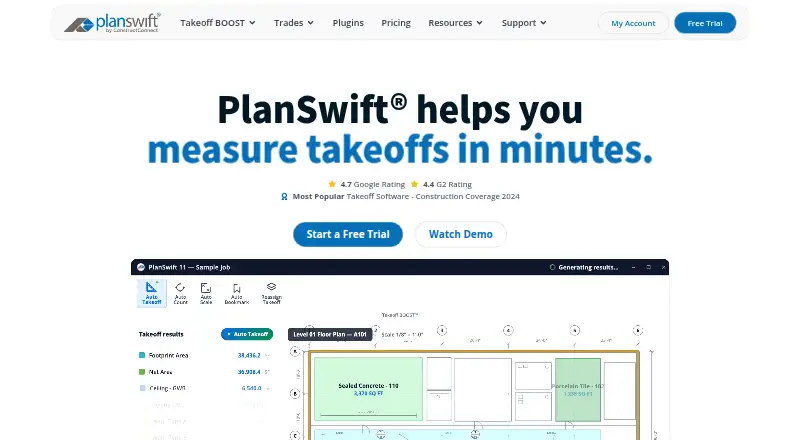
PlanSwift is installed Windows desktop software for construction takeoff and estimating. It measures areas, lengths, counts, slopes, and volumes on digital plans, then applies labor and material assemblies to calculate costs. Users can annotate plans, compare overlays, create cutouts and grids, and work across multiple scales. Takeoff values can be exported to Excel, linked so connected cells update when values change, or initiated from Excel using templates. Supported files include PDF, DWG, DXF, JPG, TIFF/TIF, and PLN; DWF imports have variable compatibility. Takeoff BOOST adds Auto Takeoff, Auto Count, Auto Scale, and Auto Bookmark. Assemblies, items, properties, templates, formulas, input fields, plugins, and starter packs are customizable. PlanSwift runs on Windows 10 and 11 and is designed for general and specialty contractors and estimators.
Good
- Measures multiple quantities directly on digital plans
- Links changing takeoff values with Excel
- Supports common PDF and CAD formats
- Includes AI-assisted Takeoff BOOST tools
- Customizable assemblies, templates, and plugins
Watch out
- Windows desktop only
- Not natively available for Mac
- No free plan
- Not tested on Windows Home editions
Who it suits
PlanSwift suits general contractors, specialty trade contractors, and estimators working in commercial or residential construction. It fits users who need digital takeoff, estimating, Excel connections, and customizable assemblies.
Verdict
PlanSwift combines detailed digital takeoff, estimating, Excel connectivity, and customization for construction workflows. Its Windows-only desktop deployment and listed pricing should be checked against your operating environment and budget.
Plans and prices
From PlanSwift's own pricing page, checked 1 Oct 2026.
| Plan | Price | What it gives you |
|---|---|---|
| Free Trial | Free | full PlanSwift Core · all AI tools · no credit card · PDF, JPG, TIFF, CAD · 14 days |
| PlanSwift Essential | $2,000 a year | discounted additional seats · Auto Count · Auto Scale · Auto Bookmark · priority phone/chat/email support · 2 hours live training · annual · 1 seat |
| PlanSwift Core | $3,000 a year | discounted additional seats · everything in Essential · full Takeoff BOOST suite · unlimited Auto Takeoff · annual · 1 seat |
The facts
Each one read from PlanSwift's own pages, with the date it was checked.
What it does
- Add-ons
- Trade-specific plugins and starter packs are available, and the official plugin page lists prices such as $149, $349, and $99 with optional 14-day trials on several products.checked 1 Oct 2026
- AI tools
- Takeoff BOOST includes Auto Takeoff, Auto Count, Auto Scale, and Auto Bookmark.checked 1 Oct 2026
- Customization
- Users can customize assemblies, items, properties, templates, formulas, input fields, plugins, and starter packs.checked 1 Oct 2026
- Excel integration
- PlanSwift provides Excel export, a Live Excel Link that updates connected cells as takeoff values change, Excel-initiated takeoff, and Excel templates.checked 1 Oct 2026
- Integrations
- PS-Connect imports plans from the ConstructConnect Bid Center directly into PlanSwift and is compatible with PS 10.3+ and Windows 11.checked 1 Oct 2026
- Notable deployment limits
- PlanSwift is not tested on Windows Home editions and is not tested or supported in server or Remote Desktop environments.checked 1 Oct 2026
- Operating systems
- The supported operating systems listed are Windows 10 and Windows 11.checked 1 Oct 2026
- Support
- Support is available Monday through Friday, 8am–7pm EST by phone and email, with an online Help Center, downloads, training videos, webinars, classroom training, and personalized 1-on-1 training.checked 1 Oct 2026
- Supported files
- Supported plan formats are PDF, DWG, DXF, JPG, TIFF/TIF, and PLN; DWF may also be imported with variable compatibility.checked 1 Oct 2026
- Takeoff capabilities
- The software measures areas, lengths, counts, slopes, and volumes directly on digital plans and includes overlays, comparisons, annotations, cutouts, grids, and multi-scale plans.checked 1 Oct 2026
- What it does
- PlanSwift is Windows desktop construction takeoff and estimating software for measuring digital plans, applying material and labor assemblies, calculating costs, connecting takeoff to Excel, creating reports, and customizing workflows.checked 1 Oct 2026
- Who it is for
- PlanSwift is designed for general contractors, specialty trade contractors, and estimators in commercial and residential construction across trades including electrical, concrete, HVAC, plumbing, roofing, flooring, and more.checked 1 Oct 2026
Where it runs
- Desktop platform
- PlanSwift is an installed Windows desktop application and is not browser-based.checked 1 Oct 2026
- Mac limitation
- PlanSwift is not available natively for Mac, but can run through Boot Camp or a virtual machine such as Parallels with supported Windows.checked 1 Oct 2026
The company
- Founded
- 2007checked 28 Sep 2026
- Headquarters
- Cincinnati, Ohio, United Stateschecked 28 Sep 2026
Alternatives to PlanSwift
- 1

AGTEK Gradework
AndroidiOSWebAPI7.3From $650 a month - 2

Bluebeam Revu
AndroidiOSWebWindows6.3 - 3
HCSS
AndroidiOSWebAPI6.3 - 4
Werx Takeoff
Web6.3 - 5

B2W Software
AndroidiOSWeb5.8 - 6
EarthWorks
WebLinuxmacOSWindows5.0