Pixel Paint
Pixel Paint is a pixel art coloring app for Android, iOS, and the web.
What Pixel Paint is
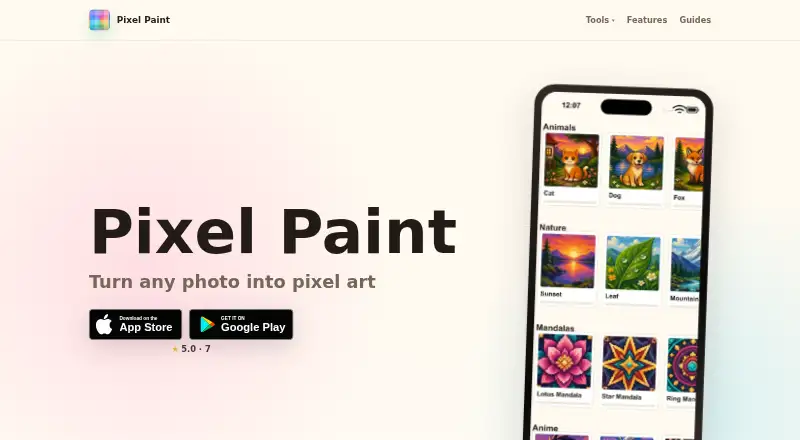
Pixel Paint is a pixel art coloring app for Android, iOS, and the web. Choose a ready-made puzzle or import a photo, which the app turns into a pixel art puzzle to fill and save to your gallery. The installed app works fully offline, and the free plan includes ready-made puzzles and photo import. In a browser, its free converter accepts JPG, PNG, and WebP images; you can set the pixel size and number of colors, then download a PNG without a watermark or sign-up. The converter runs on your device, and images are not uploaded. A separate browser grid maker creates grids from 8×8 to 64×64, which you can download as PNGs or print as blank templates. Pixel Paint is made by Nadya Yashchuk and Ivan Lukichev, who describe themselves as a two-person remote team. Questions, ideas, and bug reports can be sent to [email protected].
Good
- Installed app works fully offline
- Import photos to make coloring puzzles
- Free converter accepts JPG, PNG, and WebP
- Grid maker supports 8×8 to 64×64
Watch out
- No listed desktop app platform
- Browser converter only offers PNG downloads
Who it suits
It suits people who want to color pixel art puzzles, including ones made from their own photos. The browser tools may also suit users who want to create or print pixel grids.
Verdict
Pixel Paint combines offline puzzle coloring with browser-based photo conversion and grid-making tools. Its free plan includes ready-made puzzles and photo import.
Plans and prices
From Pixel Paint's own pricing page, checked 2 Oct 2026.
| Plan | Price | What it gives you |
|---|---|---|
| Free | Free | Free to download; ready-made puzzles and photo import |
The facts
Each one read from Pixel Paint's own pages, with the date it was checked.
What it does
- Business
- The maker says its apps are published through a sole proprietorship registered in Austria.checked 2 Oct 2026
- Business location
- The Impressum lists Nadzeya Yashchuk as the sole proprietor at an address in Wals-Siezenheim, Austria.checked 2 Oct 2026
- Converter limits
- The converter accepts JPG, PNG, and WebP images and offers downloads without a watermark or sign-up.checked 2 Oct 2026
- Offline use
- The installed app works fully offline.checked 2 Oct 2026
- Photo conversion
- The app converts imported photos into pixel art coloring puzzles that users can fill and save to their gallery.checked 2 Oct 2026
- Photo privacy
- The web converter runs entirely on the user's device and says images are not uploaded.checked 2 Oct 2026
- Support
- The makers say they handle support themselves and list [email protected] for questions, ideas, and bug reports.checked 2 Oct 2026
- Web converter
- The free browser converter lets users choose pixel size and number of colors, then download the result as a PNG.checked 2 Oct 2026
- What it does
- Pixel Paint is a pixel art coloring app where users pick a puzzle or import a photo, then tap to fill its squares with color.checked 2 Oct 2026
The company
- Grid maker
- The free browser grid maker supports grids from 8×8 to 64×64 and lets users download PNGs or print blank templates.checked 2 Oct 2026
- Headquarters
- Wals-Siezenheim, Austriachecked 28 Sep 2026
- Maker
- The app is made by Nadya Yashchuk and Ivan Lukichev, who describe themselves as a two-person remote team.checked 2 Oct 2026
Where it runs
- Platforms
- The maker describes Pixel Paint as an iOS and Android app and links to the App Store and Google Play.checked 2 Oct 2026
Alternatives to Pixel Paint
- 1
Coloring Book: Color by Number
Free planAndroidiOSmacOSWindows7.9From $49.99 a year - 2
InColor
Free planAndroidiOSmacOS7.8From $29.99 a year - 3

Colorfy
Free planAndroidiOS7.1$7.99 one-time - 4
Pixel Color
Free planAndroidiOS7.0From $3.99 a month - 5
Fine Artist
Free planAndroidiOS6.9$0.99 one-time - 6

Paint by Number
Free planAndroidiOSWindows6.9Free plan