PhotoRestore Pro
PhotoRestore Pro is an offline Windows application for restoring, enlarging, colorizing, and editing photographs.
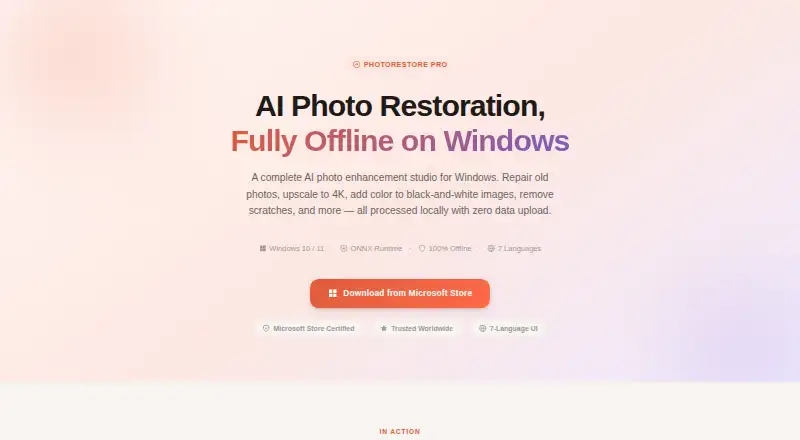
What PhotoRestore Pro is
PhotoRestore Pro is an offline Windows application for restoring, enlarging, colorizing, and editing photographs. Restoration options include an AI workflow for aged images, a faster traditional algorithm, and a classic mode that preserves original resolution. It provides 4× AI upscaling with Real-ESRGAN and colorization for black-and-white photos. Other tools cover color presets, scratch and crease repair, a nine-style filter grid, cropping, conversion, batch watermarking, and batch resizing. PNG, JPEG, WebP, BMP, and TIFF files can be imported and exported. Batch watermarking and resizing handle up to 50 images; other functions process one image at a time. Processing stays local, without analytics, telemetry, crash reports, or network communication. Windows 10 or 11 64-bit is required. The free trial has no time limit for basic tools but limits AI runs per session.
Good
- Works offline without an account
- Provides 4× AI upscaling
- Colorizes black-and-white photographs
- Supports five image formats
- Batch watermarking and resizing handle 50 images
Watch out
- Windows 10 or 11 64-bit required
- Free trial limits AI runs per session
- Other features process one photo at a time
- No free plan
Who it suits
It suits family historians, photographers, e-commerce owners, archivists, and museums working on Windows. It is useful when local, offline processing is important.
Verdict
PhotoRestore Pro combines restoration, enlargement, colorization, and batch utilities while keeping processing on the local computer. Its trial allows basic use without a time limit, but AI work is session-limited until a full license is obtained.
Plans and prices
From PhotoRestore Pro's own pricing page, checked 8 Oct 2026.
| Plan | Price | What it gives you |
|---|---|---|
| Free Trial | Free | Full feature access · limited AI runs per session · no credit card or account · No time limit on basic tools; AI processing limited per session |
| Full License | — | Unlimited AI processing · batch operations · future updates within the version · One-time purchase or subscription via Microsoft Store |
The facts
Each one read from PhotoRestore Pro's own pages, with the date it was checked.
What it does
- AI features
- The app offers 4× AI upscaling using Real-ESRGAN and AI colorization for black-and-white photographs.checked 8 Oct 2026
- Batch limits
- Batch watermarking and batch resizing support up to 50 images each; the guide says other features process one photo at a time.checked 8 Oct 2026
- Commercial use
- The maker says exported images have no watermarks or usage restrictions and may be used for commercial work.checked 8 Oct 2026
- Connectivity
- The app works offline after installation, and the maker says no account or internet connection is needed to use it.checked 8 Oct 2026
- Editing features
- Other tools include color presets, scratch and crease repair, a nine-style filter grid, crop and convert, batch watermarking, and batch resizing.checked 8 Oct 2026
- Hardware
- It supports Windows 10 or 11 64-bit, recommends at least 8 GB RAM and a DirectML-compatible GPU, and can fall back to CPU processing.checked 8 Oct 2026
- Integrations
- The maker's pages describe downloading and purchasing through the Microsoft Store and do not state other product integrations.checked 8 Oct 2026
- Privacy
- The maker says images are processed locally and that the app has no analytics, telemetry, crash reporting, or network communication.checked 8 Oct 2026
- Restoration tools
- Its restoration options include an AI pipeline for aged photos, a fast traditional-algorithm mode, and a classic mode that preserves original resolution.checked 8 Oct 2026
- Support
- The maker provides a user guide and lists [email protected] as a contact email on its Hummingbird Labs site.checked 8 Oct 2026
- Supported formats
- It imports PNG, JPEG, WebP, BMP, and TIFF, and exports those formats with adjustable quality where applicable.checked 8 Oct 2026
- What it does
- PhotoRestore Pro is an offline Windows app for AI photo restoration, upscaling, colorization, and other image editing tasks.checked 8 Oct 2026
- Who it is for
- The product page names family historians, professional photographers, e-commerce owners, archivists, and museums as intended users.checked 8 Oct 2026
The company
- Maker
- A Hummingbird Labs post describes the maker as an independent developer and identifies PhotoRestore Pro as one of its products.checked 8 Oct 2026
Alternatives to PhotoRestore Pro
- 1

ImageColorizer
Free planAndroidiOSWebmacOS8.2From $19.99 a year - 2

AIPhotor
Free planAndroidiOSWebAPI8.0From $29.99 a year - 3

DaVinci AI Photo Restoration
AndroidiOSWeb7.7From $39.99 a month - 4
Hotpot AI Photo Restorer
Free planWebAPISelf-hosted7.6$12 one-time - 5
Memento AI
Free planiOSmacOS7.5From $36.99 a year - 6

VanceAI Photo Restorer
WebAPILinuxmacOS7.5From $99.90 a year