photomosaic
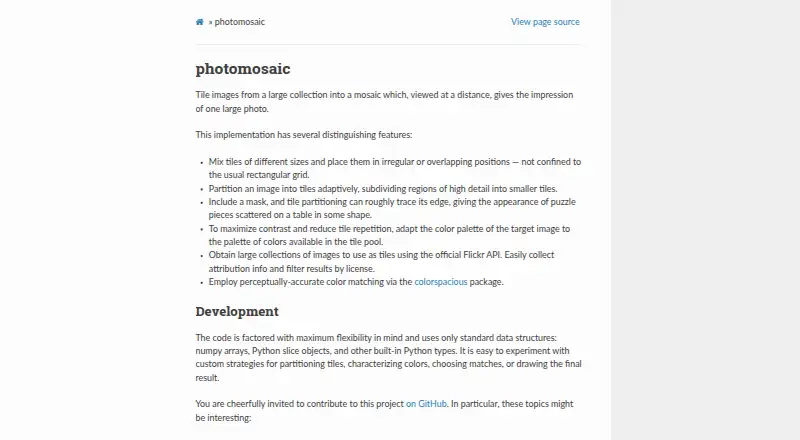
photomosaic is a free, open-source Python package that builds a larger image from a collection of smaller tile images.
What photomosaic is
photomosaic is a free, open-source Python package that builds a larger image from a collection of smaller tile images. It can arrange tiles at varied sizes, including irregular or overlapping layouts, and split detailed regions into smaller pieces. A mask can guide the tile partition to roughly follow an outline. For color matching, the package adapts the target palette to the available tiles and uses colorspacious for perceptual color matching. Its tools can download tile images from Flickr searches or albums through Flickr’s public API. Downloaded images include JSON attribution details; search queries can be license-filtered, but album downloads do not programmatically check licenses. The documentation says a pool of about 300 images is typically the minimum for good results. Installation is through pip, and the installation page specifies Python 3.5 or later. An optional parallel extra provides experimental parallelism features. Users can customize tile partitioning, color characterization, matching, and drawing approaches. The tutorial identifies drawing as typically the slowest step and notes that reusing resized-image caches can speed repeated draws. Outputs can be saved as image files or displayed with matplotlib.
Good
- Supports irregular and overlapping tile layouts.
- Detailed regions can be split into smaller tiles.
- Flickr tools provide image attribution information.
- Custom partitioning and matching strategies are possible.
Watch out
- Typically needs about 300 tile images for good results.
- Flickr album downloads do not check licenses programmatically.
- Python 3.5 or later is required.
- Drawing is typically the slowest step.
Who it suits
It suits Python users who want to create photo mosaics from a custom tile library and adjust tile layout or matching. It is also relevant to people comfortable installing packages and managing image attribution and licenses.
Verdict
photomosaic offers substantial control over how tiles are arranged and matched, with Flickr acquisition tools and attribution data. Users should account for tile-pool size and check licenses for album downloads.
Plans and prices
From photomosaic's own pricing page, checked 9 Oct 2026.
| Plan | Price | What it gives you |
|---|---|---|
| photomosaic | Free | Python package; install with pip or from source |
The facts
Each one read from photomosaic's own pages, with the date it was checked.
What it does
- Adaptive detail
- It can subdivide regions with high detail into smaller tiles.checked 4 Oct 2026
- Adaptive partitioning
- It can split high-detail regions into smaller tiles and use a mask to make tile partitions roughly trace an edge.checked 9 Oct 2026
- Attribution and licenses
- Downloaded images are accompanied by JSON attribution information, and Flickr search queries can be filtered by license; album downloads do not programmatically check licenses.checked 4 Oct 2026
- Color matching
- It adapts the target image’s palette to colors in the tile pool and supports perceptually accurate color matching through colorspacious.checked 9 Oct 2026
- Contribution
- The documentation invites contributions and names alternative matching and tile-partitioning algorithms as possible areas of interest.checked 4 Oct 2026
- Customization
- The project uses standard Python data structures and allows custom tile partitioning, color characterization, matching, and drawing strategies.checked 9 Oct 2026
- Dependencies
- Installation requires Python 3.5 or later, and optional parallelism dependencies can be installed with the parallel extra.checked 9 Oct 2026
- Flickr integration
- The package can download tile images from Flickr search results or albums using Flickr’s public API.checked 4 Oct 2026
- Image pool size
- The documentation says about 300 tile images is typically the minimum for good results.checked 4 Oct 2026
- Image source
- The package includes tools to obtain tile images through Flickr’s public API and save attribution information with each image.checked 9 Oct 2026
- Installation
- The package can be installed with pip and requires Python 3.5 or later according to the installation page.checked 4 Oct 2026
- Irregular tiles
- It can use tiles of different sizes in irregular or overlapping positions rather than only a rectangular grid.checked 9 Oct 2026
- License filtering
- Flickr search queries can be filtered by license, while downloading a Flickr album URL does not programmatically check licenses.checked 9 Oct 2026
- Maintenance history
- The documentation lists version 0.3.1 dated 21 June 2019 as its newest release note.checked 4 Oct 2026
- Masks
- A mask can make the tile partition roughly trace its edge.checked 4 Oct 2026
- Optional parallelism
- An optional parallel extra is available for experimental parallelism features.checked 4 Oct 2026
- Output
- The tutorial demonstrates saving a generated mosaic as an image file or displaying it with matplotlib.checked 9 Oct 2026
- Performance
- Drawing is typically the slowest step because pool images must be resized; the documentation recommends reusing a resized-image cache for repeated draws.checked 9 Oct 2026
- Pool size
- The documentation says about 300 images is typically the minimum for good results.checked 9 Oct 2026
- Project license
- The GitHub repository identifies the project license as BSD-3-Clause.checked 4 Oct 2026
- Purpose
- Photomosaic assembles images from a collection into a mosaic that looks like one large photo when viewed from a distance.checked 9 Oct 2026
- Security
- The opened project documentation does not state security certifications or compliance claims.checked 9 Oct 2026
- Support and contribution
- The project invites contributions on GitHub and names alternative matching, partitioning, and image-harvesting tools as areas of interest.checked 9 Oct 2026
The company
- Founded
- 2012checked 28 Sep 2026
The full review of photomosaic
Photomosaic is a free, open-source Python package for turning an image collection into a larger picture assembled from smaller tiles. It is aimed at developers, technical artists, and teams that want to control partitioning and matching in code rather than use a preset editor. Its unusual layout controls are compelling, but the package demands a substantial tile library and careful handling of downloaded-image rights.
Overview
Photomosaic moves beyond a fixed rectangular grid. Tiles can vary in size, sit at irregular positions, and overlap, allowing the finished image to follow a more deliberate composition. The project is licensed under BSD-3-Clause and encourages contributions, including alternative matching and tile-partitioning algorithms. Documentation records version 0.3.1 as the newest release note, dated 21 June 2019, so it is better suited to users comfortable with a mature, contribution-oriented project than to anyone expecting a recently refreshed turnkey application.
Key features
Layout, detail, and masking
High-detail areas can be split into smaller tiles, concentrating visual resolution where the source image needs it. A mask can make the partition roughly follow an edge, which is useful for shaping a subject or silhouette instead of accepting a uniform grid. Mixed-size and overlapping tiles create more expressive results, although achieving a good composition requires more setup and experimentation than a preset-based mosaic maker.
Color matching
The package can adapt the target image’s palette to the colors represented in the tile pool. It uses colorspacious for perceptually accurate color matching, a practical advantage when the available images cannot reproduce the source palette directly. The result is a better fit for users who care about tonal correspondence, provided they curate a sufficiently varied pool.
Flickr acquisition and attribution
Built-in tools can download tile images from Flickr search results or albums through Flickr’s public API. Downloaded images are accompanied by JSON attribution data. Search requests can be filtered by license, helping users narrow selections before downloading; album URLs do not receive a programmatic license check, so album-based workflows require manual rights review.
Customization and output
The project uses standard data structures and exposes room to experiment with tile partitioning, color characterization, matching, and drawing strategies. It supports a custom tile library and tile-reuse controls, and tutorials show saving a mosaic as PNG or JPG or displaying it with matplotlib. Drawing is typically the slowest stage; reusing a cache of resized pool images can accelerate repeated renders. An optional parallel extra provides experimental parallelism features rather than a guaranteed performance path.
About 300 tile images is described as a typical minimum for good results. That requirement is central to the experience: a small or repetitive pool limits visual variety regardless of how sophisticated the matching controls are.
Pricing
| Plan | Price | Includes |
|---|---|---|
| photomosaic | free | Python package; install with pip or from source |
There is no paid tier, trial period, seat quota, or renewal charge. The free open-source package is the complete offering, making it appropriate for individual creators and teams able to manage a Python installation. Installation requires Python 3.5 or later; users wanting optional parallelism must install the additional dependencies.
Platforms
Photomosaic is listed for Linux. It installs with pip or from source and is therefore a programming-oriented tool rather than a packaged desktop editor. The project documentation does not state security certifications or compliance claims.
Who it's for
Choose Photomosaic if you need irregular or overlapping tile geometry, adaptive subdivision, masks, perceptual color matching, and a programmable pipeline. It suits Python users building repeatable workflows or experimenting with new matching and partitioning methods. It is less suitable for someone who wants a graphical editor, a small ready-made image library, or a current product with a polished support and release cadence.
Pros and cons
- Pros: Mixed-size, irregular, and overlapping layouts avoid the constraints of a rectangular grid.
- Pros: Adaptive detail splitting and masks give finer control around important regions and edges.
- Pros: colorspacious-based matching and palette adaptation improve correspondence when tile colors differ from the target.
- Pros: Flickr search and album import, JSON attribution, custom libraries, and tile-reuse controls support repeatable sourcing workflows.
- Cons: Good results typically need about 300 tile images, creating a real curation and storage burden.
- Cons: Flickr album downloads do not automatically verify licenses, leaving rights checks to the user.
- Cons: Drawing can dominate render time, and parallelism is experimental rather than a core guarantee.
- Cons: The latest documented release note is from 2019, which may concern users prioritizing active maintenance.
Alternatives
For a cross-platform desktop mosaic maker with a free Standard plan covering 200 megapixels, 30,000 tiles, and 50,000 images, choose AndreaMosaic. If you prefer an account-based online workflow with free creation and paid downloads, prints, and video files, Picture Mosaics Online Mosaic Tool is the more suitable option.
EasyMoza fits web users who can accept low-resolution free downloads and pay once for an XL high-resolution output. Choose phomo for a free Python package and CLI utility across Linux, macOS, and Windows, with CUDA acceleration when compatible hardware and toolkit are present.
Rapid-Mosaic is preferable for free local Windows creation with an option to order prints online, while Photo Mosaica targets iOS and macOS users wanting adjustable diversity and size. PhotoMosaic.ai offers browser-based, always-free creation with AI color matching and 4,800×4,800px output. For unlimited browser mosaics without sign-up, watermark, or download charge, consider Mosaicify Studio. Browse the Photo Mosaic Software list for the wider category.
Verdict
Photomosaic is a strong choice for Linux-based Python users who value programmable tile geometry, adaptive detail, and perceptual color matching more than a graphical interface. Its free BSD-licensed code and Flickr tooling make experimentation inexpensive, but the need for roughly 300 tiles, manual album-license checks, slow drawing, and an older documented release make a more turnkey alternative the better choice for casual creators or teams seeking active product maintenance.
Alternatives to photomosaic
- 1
phomo
Free planOpen sourceWebAPILinuxmacOS7.5Free plan - 2
EasyMoza
Free planWeb7.3Free plan - 3
Picture Mosaics Online Mosaic Tool
Free planiOSWebAPI7.2$29 one-time - 4
Photo Mosaica
Free planiOSmacOS6.7$0.99 one-time - 5

PicTiler
Free planWeb6.7Free plan - 6
Rapid-Mosaic
Free planWebWindows6.7£29 one-time