
Pegasus Frontend
Pegasus Frontend is a free interface for collecting games from different platforms, viewing game information and media, and launching games or emulators.
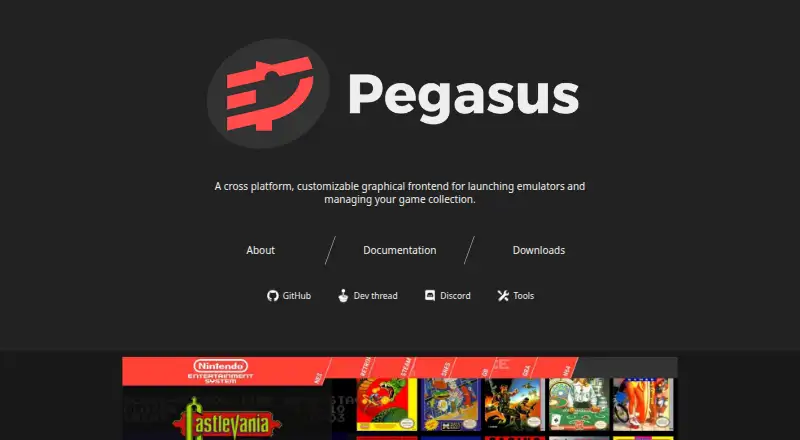
What Pegasus Frontend is
Pegasus Frontend is a free interface for collecting games from different platforms, viewing game information and media, and launching games or emulators. Themes let users change how their collection looks and how they interact with it. Navigation supports gamepads, keyboards, mice, and touch, across screen sizes ranging from TVs to handhelds. Pegasus works with emulators and lets users configure how to start them. Listed game sources include Steam, GOG, Android apps, Lutris, EmulationStation, and LaunchBox; availability depends on platform, and Lutris support is experimental. For metadata, it can use its own files or read EmulationStation gamelists and related assets. It does not supply games, emulators, stores, or game assets, so users bring those themselves. Official releases are listed for Windows 7 or later, Linux, Raspberry Pi, Odroid, Android 5 or later, and macOS 10.13 or later. Android installation requires manually enabling APK installation, and Pegasus is not available from the Play Store.
Good
- Free, with no ads or in-app purchases.
- Themes customize collection appearance and interaction.
- Supports gamepad, keyboard, mouse, and touch navigation.
- Reads EmulationStation lists and associated assets.
- Connects with several game-source platforms.
Watch out
- Does not include games, emulators, stores, or assets.
- Lutris source support is experimental.
- Android requires manual APK installation.
- Not available from the Play Store.
Who it suits
Pegasus suits people who want one customizable interface for game collections and emulator launching across supported devices. It also fits users who are comfortable supplying their own games, emulators, and assets.
Verdict
Pegasus brings game collections and emulator launching into a customizable interface, with navigation suited to different screen sizes and input methods. It requires users to provide their own content, and Android users must install it outside the Play Store.
Plans and prices
From Pegasus Frontend's own pricing page, checked 3 Oct 2026.
| Plan | Price | What it gives you |
|---|---|---|
| Free | Free | Free and open-source · no ads or in-app purchases |
The facts
Each one read from Pegasus Frontend's own pages, with the date it was checked.
What it does
- Customization
- Themes can fully customize how the game collection is presented and interacted with.checked 3 Oct 2026
- Emulators
- Pegasus works with emulators and lets users configure how to launch them.checked 3 Oct 2026
- Experimental support
- The documentation marks Lutris game-source support as experimental.checked 3 Oct 2026
- Input and displays
- The software supports gamepad, keyboard, mouse, and touch navigation, and different screen sizes from TVs to handhelds.checked 3 Oct 2026
- Integrations
- The docs list automatic game-source support for Steam, GOG, Android apps, Lutris, EmulationStation, and LaunchBox, with availability varying by platform.checked 3 Oct 2026
- Metadata
- Pegasus can use its own metadata files and read EmulationStation gamelist files and associated assets.checked 3 Oct 2026
- Modularity
- Pegasus does not include or download games, emulators, game stores, or game assets; users supply these from their own sources.checked 3 Oct 2026
- Purpose
- Pegasus provides a graphical interface for collecting games from various platforms, displaying game information and media, and launching games or emulators.checked 3 Oct 2026
- Support
- The project links users to its documentation, Discord, and development thread for information and community discussion.checked 3 Oct 2026
The company
- Maker
- The project site credits Mátyás Mustoha.checked 3 Oct 2026
Where it runs
- Platform caveat
- The documentation says Android installation requires enabling APK installation manually and that Pegasus is not yet available from the Play Store.checked 3 Oct 2026
- Supported devices
- Official releases are listed for Windows 7 or later, Linux, Raspberry Pi, Odroid, Android 5 or later, and macOS 10.13 or later.checked 3 Oct 2026
The full review of Pegasus Frontend
Pegasus Frontend is a free, open-source hub for organizing games from stores, apps, and emulators in one interface. It is best for players who already own their software and want a configurable library across desktop, mobile, and living-room screens. The main appeal is control over presentation and launching; the main cost is doing the collecting and setup yourself.
Overview
Pegasus gathers games into a graphical collection, shows their information and media, and starts games or configured emulators. It deliberately stops short of supplying content: games, emulators, stores, and artwork come from your own sources. That makes it a strong front end for an established library, but a poor choice if you want a turnkey catalog or bundled emulation.
Key features
Custom presentation and input
Themes can alter both the visual layout and the way a collection is navigated. Gamepad, keyboard, mouse, and touch controls are supported, and the interface is designed for screens ranging from televisions to handhelds. This breadth suits mixed-device households and dedicated gaming setups, while the amount of choice means you must decide how the library should look and behave.
Sources, emulators, and metadata
Automatic game-source support includes Steam, GOG, Android apps, Lutris, EmulationStation, and LaunchBox, with coverage dependent on platform. Lutris integration is experimental, so users whose library centers on Lutris should expect a less settled path. Emulator launch commands can be configured, and metadata can come from Pegasus files or EmulationStation gamelist files with their associated assets.
Modular by design
Pegasus does not download games, emulators, game stores, or game assets. That separation avoids tying the frontend to a particular storefront or emulator, but it also leaves acquisition, organization, and configuration to the user. Documentation, Discord, and a development thread provide places to get guidance and discuss the project.
Pricing
Pegasus is free and open source at no cost. There are no ads or in-app purchases, and there is no trial because the product itself is free. There are no paid tiers, seat charges, quotas, or renewal terms to weigh; the practical investment is the time needed to assemble and maintain your own library.
Platforms
Official support covers Android, Linux, macOS, Windows, Raspberry Pi, and Odroid. Listed releases include Windows 7 or later, Android 5 or later, and macOS 10.13 or later. Android installation requires manually allowing APK installation, and Pegasus is not distributed through the Play Store. That extra step makes Android less convenient than the desktop routes, while the range of supported hardware is useful for compact and television-based systems.
Who it's for
Choose Pegasus if you want one customizable interface for games spread across multiple stores, Android apps, and emulators, especially when controller navigation and varied screen sizes matter. It also fits users who value open-source software and are comfortable managing metadata and launch configurations. Look elsewhere if you need games included, automatic emulator downloads, or a minimal setup with little maintenance.
Pros and cons
- Pro: Themes can reshape both the collection's appearance and interaction model, supporting highly personal layouts.
- Pro: Gamepad, keyboard, mouse, and touch input work across television, desktop, and handheld-sized displays.
- Pro: Steam, GOG, Android apps, EmulationStation, and LaunchBox can feed a unified library, subject to platform coverage.
- Pro: Metadata-file support, including EmulationStation lists and assets, helps preserve an existing catalog.
- Con: You must provide games, emulators, stores, and media, so Pegasus is not a complete acquisition or emulation package.
- Con: Lutris support is experimental, weakening its suitability for Lutris-first collections.
- Con: Android requires APK sideloading and is absent from the Play Store.
Alternatives
For a broad, open-source multi-platform emulator framework that also runs on iOS and the web, choose RetroArch instead. If you want a self-hosted game-management option with web and mobile access, RomM is the more relevant alternative.
ES-DE Frontend is worth considering when you prefer a freemium frontend with a free desktop build and a separate Android offering. GameEx suits users seeking a free frontend whose commercial-use terms require registration or purchase per copy. For another free, open-source desktop frontend, consider RetroFE. Yamata Launcher is an alternative free, MIT-licensed option. Attract-Mode offers a free, GPLv3 open-source frontend for Linux, macOS, and Windows. Bezel is a free launcher with all systems and features included, alongside an optional premium tier for deeper AI features.
Browse the Game Library Managers and Emulation Frontends rankings to compare more choices.
Verdict
Choose it for its open, modular design and zero price. Look elsewhere if you want a ready-to-play catalog, integrated content acquisition, or a simpler Android installation.
Alternatives to Pegasus Frontend
- 1

RomM
Free planOpen sourceAndroidiOSWebAPI8.5From $6.49 a month - 2

ES-DE Frontend
Free planOpen sourceAndroidLinuxmacOSWindows8.3$6.50 one-time - 3

GameEx
Free planAndroidLinuxmacOSWindows7.8$17 one-time - 4

LaunchBox
Free planAndroidAPIWindows7.8$30 one-time - 5
RetroArch
Free planAndroidiOSWebLinux7.7Free plan - 6

Attract-Mode
Free planOpen sourceAPILinuxmacOSSelf-hosted7.5Free plan