PearPass
PearPass is a free, open-source password and identity manager from San Salvador, El Salvador.
What PearPass is
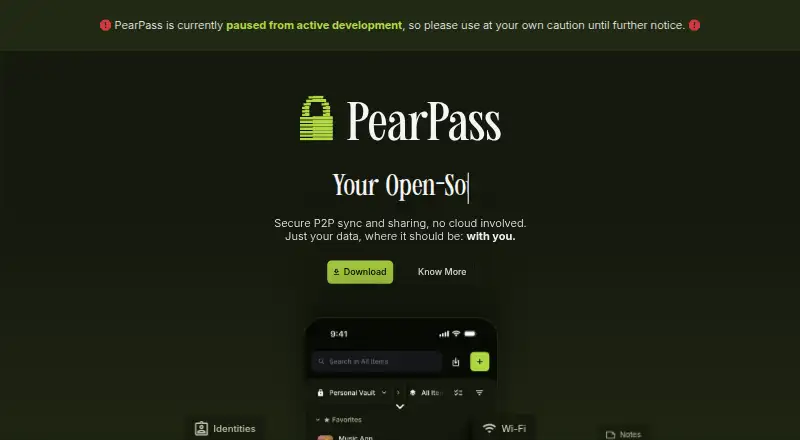
PearPass is a free, open-source password and identity manager from San Salvador, El Salvador. It keeps credentials on the user’s device and synchronizes vaults directly between devices through peer-to-peer connections rather than centralized servers. The vault can hold identities, logins, credit cards, notes, recovery phrases, Wi-Fi details, passkeys, and TOTP authenticator codes. A password generator creates high-entropy passwords locally, while configurable inactivity locking can secure the vault automatically. PearPass imports credentials from 1Password, LastPass, Bitwarden, and other password managers. Its Chromium extension autofills in Chrome, Edge, Brave, and Opera, but the desktop application must be running to access the local vault. Apps are available for Windows, macOS, Linux, iOS, and Android, with stated minimum versions for each. The maker says an independent Secfault Security audit led to fixes confirmed in a retest. Intel Mac builds are deprecated and not officially supported.
Good
- Free open-source plan
- Peer-to-peer encrypted vault syncing
- Stores passkeys and TOTP codes
- Imports from major password managers
- Supports desktop, mobile, and Chromium
Watch out
- Desktop app required for browser autofill
- Intel Mac builds lack official support
- No passwordless account login
Who it suits
PearPass suits people wanting a free, open-source manager with local storage and peer-to-peer syncing across desktop and mobile devices. It also fits users migrating from other password managers or needing passkeys and authenticator codes.
Verdict
PearPass combines broad credential storage with local, peer-to-peer synchronization and no subscription cost. Check the desktop-app requirement and Intel Mac limitation before choosing it.
Plans and prices
From PearPass's own pricing page, checked 11 Oct 2026.
| Plan | Price | What it gives you |
|---|---|---|
| PearPass | Free | Completely free · Open source · Cross-platform |
The facts
Each one read from PearPass's own pages, with the date it was checked.
What it does
- Authenticator codes
- PearPass can store and generate TOTP authenticator codes for two-factor authentication in the vault.checked 11 Oct 2026
- Data types
- The product page lists identities, logins, credit cards, notes, recovery phrases, and Wi-Fi as item types.checked 11 Oct 2026
- Encryption
- The product page says PearPass uses open-source encryption with cryptographic primitives from Libsodium.checked 11 Oct 2026
- Extension requirement
- The browser extension requires the PearPass desktop app to be running to access credentials in the local vault.checked 11 Oct 2026
- Import
- PearPass says users can import credentials from 1Password, LastPass, Bitwarden, and other password managers.checked 11 Oct 2026
- Imports
- PearPass supports importing credentials from 1Password, LastPass, Bitwarden, and other password managers.checked 11 Oct 2026
- Other security features
- PearPass offers a password generator and configurable automatic vault locking after inactivity.checked 11 Oct 2026
- Passkeys
- PearPass stores passkeys locally on the user's hardware.checked 11 Oct 2026
- Passkey support
- Yeschecked 20 Sep 2026
- Password and identity manager
- PearPass is an open-source password and identity manager that stores credentials locally on the user’s device.checked 11 Oct 2026
- Password generator
- PearPass can generate high-entropy passwords on the user’s device.checked 11 Oct 2026
- Passwordless account login
- Nochecked 20 Sep 2026
- Peer-to-peer sync
- PearPass syncs vaults directly between a user’s devices using peer-to-peer technology, without centralized servers.checked 11 Oct 2026
- Privacy claim
- The maker says PearPass stores data on users’ devices and does not use centralized infrastructure or servers for vault syncing.checked 11 Oct 2026
- Product
- PearPass is an open-source password and identity manager that stores credentials locally and syncs them across devices using peer-to-peer technology, without centralized servers.checked 11 Oct 2026
- Secure sharing
- Yeschecked 20 Sep 2026
- Security audit
- The maker says PearPass underwent an independent security audit by Secfault Security; the published report says identified issues were fixed and confirmed in a retest.checked 11 Oct 2026
Where it runs
- Browser integration
- The Chromium extension supports autofill in Chrome, Edge, Brave, and Opera, and requires the desktop app to be running.checked 11 Oct 2026
- Browser support
- The Chromium extension supports autofill in Chrome, Microsoft Edge, Brave, and Opera.checked 11 Oct 2026
- Platform limitation
- The installation guide says Intel Mac builds are deprecated, are no longer actively tested or officially supported, and have no guaranteed stability.checked 11 Oct 2026
Money
- Free
- The documentation says PearPass is completely free.checked 11 Oct 2026
- Free plan
- Yeschecked 20 Sep 2026
The company
- Headquarters
- San Salvador, El Salvadorchecked 28 Sep 2026
- Maker
- PearPass is made available by Tether Data, S.A. de C.V., whose terms list its registered office in San Salvador, El Salvador.checked 11 Oct 2026
Alternatives to PearPass
- 1

Proton Pass
Free planOpen sourceAndroidiOSWebAPI9.4From $35.88 a year - 2

Padloc
Free planOpen sourceAndroidiOSWebExtension9.1From $3.49 a month - 3

NordPass
Free planAndroidiOSWebAPI9.0Free plan - 4

Zoho Vault
Free planAndroidiOSWebAPI8.9Free plan - 5
LogMeOnce
Free planAndroidiOSWebAPI8.8From $2.50 a month - 6

1Password
AndroidiOSWebAPI8.7From $2.99 a month