PDFlipbook
PDFlipbook is a JavaScript component that turns PDFs into interactive page-flip books on webpages.
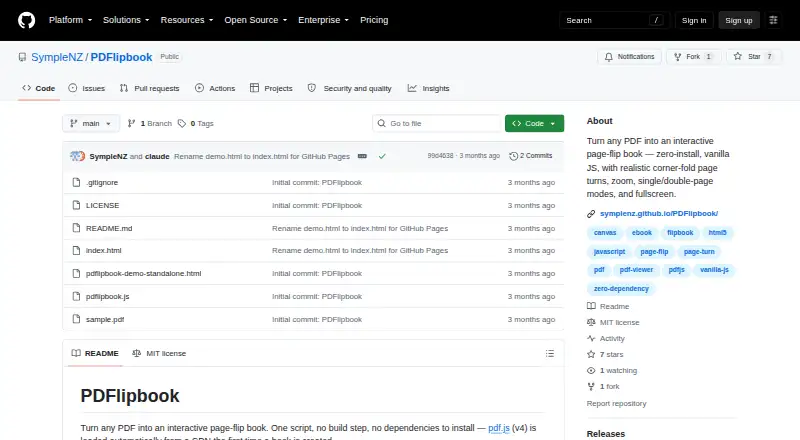
What PDFlipbook is
PDFlipbook is a JavaScript component that turns PDFs into interactive page-flip books on webpages. Readers can tap or drag near page edges, with corner dragging creating a folding effect. Display modes include automatic, single-page, and double-page views, alongside page navigation, zoom, pinch zoom, drag-to-pan, and fullscreen controls. A webpage embeds the book with a script and a div pointing to a PDF, requiring no build step. The layout reflows when the container resizes or a device rotates, and the demo includes desktop, tablet, and mobile views. Its JavaScript API controls navigation, zoom, display mode, fullscreen, and instance destruction. Events report readiness, page changes, mode changes, zoom changes, and errors, while CSS variables allow appearance customization. PDFlipbook is free under the MIT License and intended for self-hosted webpages. PDF.js version 4 loads from a CDN by default, with self-hosted files supported.
Good
- No build step for embedding
- Responsive across device rotations
- Includes zoom and fullscreen
- JavaScript API and events
- Free MIT License
Watch out
- Pages must be served over HTTP or HTTPS
- Cross-origin PDFs need CORS headers
- PDF.js loads from a CDN by default
Who it suits
It suits developers adding interactive PDF books to websites with JavaScript. Self-hosting users can supply their own PDF.js files and control deployment.
Verdict
PDFlipbook provides webpage-ready flipbook behavior with responsive viewing and programmable controls. Developers should account for serving requirements, CORS, and PDF.js hosting choices.
The facts
Each one read from PDFlipbook's own pages, with the date it was checked.
What it does
- Audience
- The project describes itself as a script for adding an interactive PDF book to a webpage; the README includes a sample demo and file upload example.checked 8 Oct 2026
- Embedding
- A webpage can embed the book with a script and a div that points to a PDF; no build step is required.checked 8 Oct 2026
- Events
- The component dispatches ready, page-change, mode-change, zoom-change, and error events on its container element.checked 8 Oct 2026
- Events and theming
- The component emits events including page-change and zoom-change, and its appearance can be customized with CSS variables.checked 8 Oct 2026
- Integration
- The script loads Mozilla pdf.js from a CDN by default and allows users to provide self-hosted pdf.js and worker files.checked 8 Oct 2026
- JavaScript API
- The API includes page navigation, zoom, display-mode controls, fullscreen toggling, and destruction of a book instance.checked 8 Oct 2026
- License
- The project is released under the MIT License.checked 8 Oct 2026
- Limitations
- The page must be served over HTTP or HTTPS for PDF fetching, and cross-origin PDF URLs need CORS headers.checked 8 Oct 2026
- Page turns
- Readers can drag or tap near page edges, with corner drags folding the page along a crease.checked 8 Oct 2026
- PDF.js
- PDF.js version 4 is loaded automatically from a CDN when a book is first created.checked 8 Oct 2026
- Purpose
- PDFlipbook turns PDFs into interactive page-flip books using a JavaScript script.checked 8 Oct 2026
- Responsive layout
- The book reflows when its container resizes or the device rotates, and the demo offers desktop, tablet, and mobile views.checked 8 Oct 2026
- Security
- The README recommends keeping PDF.js current, disabling eval support, and self-hosting PDF.js for untrusted PDFs or to avoid relying on a third-party CDN.checked 8 Oct 2026
- Security guidance
- The README recommends keeping pdf.js current, disables eval support, and advises self-hosting pdf.js with a Content-Security-Policy when rendering untrusted PDFs.checked 8 Oct 2026
- Viewing controls
- It includes zoom, fullscreen, page navigation, and single- or double-page display modes.checked 8 Oct 2026
- Viewing modes
- It supports automatic, single-page, and double-page display modes.checked 8 Oct 2026
- Who it is for
- The maker describes it as a zero-install JavaScript component for adding an interactive PDF flipbook to a webpage.checked 8 Oct 2026
- Zoom and fullscreen
- It provides zoom controls, pinch zoom, drag-to-pan while zoomed, and fullscreen.checked 8 Oct 2026
The company
- Headquarters
- New Zealandchecked 28 Sep 2026
Alternatives to PDFlipbook
- 1
AnyFlip
Free planAndroidiOSWebmacOS8.2From $13.08 a month - 2
FlowPaper
Free planAndroidiOSWebAPI8.2From $995 a year - 3

Flipsnack
Free planAndroidiOSWebAPI8.1Free plan - 4
FlipbookPDF.net
Free planAndroidiOSWebmacOS8.0From $45.90 a year - 5
FlippingBook
AndroidiOSWebAPI7.8From $20 a month - 6

DCatalog
AndroidiOSWebAPI7.6From $299 a year