PayPal.Me
PayPal.Me lets people request and receive money through a personalized payment link.
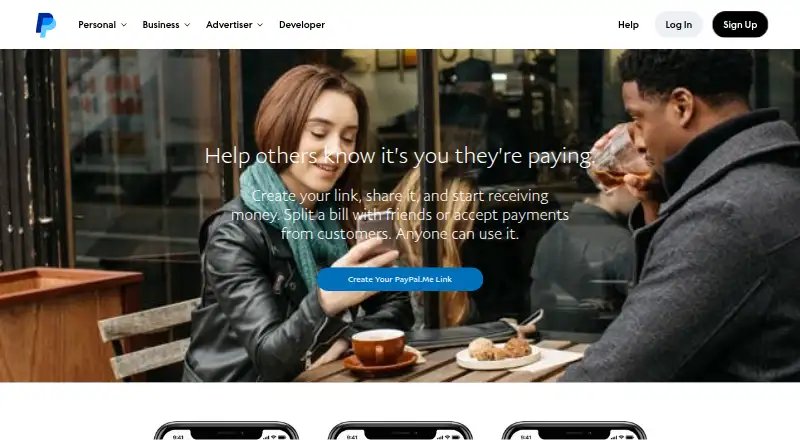
What PayPal.Me is
PayPal.Me lets people request and receive money through a personalized payment link. The payer opens the link, enters an amount, and sends payment without needing the recipient’s email address or phone number or the PayPal app. Links can be shared by email, text, chat, or on a business card, and a requested amount and currency code can be appended, such as /25AUD. Each PayPal account can have one link, and its name is limited to 20 characters and cannot be changed after creation. Links do not expire, though payment availability depends on the payer’s country or region. Money received goes into the recipient’s PayPal balance. The page displays the link, the recipient’s name or business name, profile picture or logo, and town or city; users can turn the link off in account settings. Setting up a link is free, but transaction fees may apply: in the US, personal transactions have no fee when no currency conversion occurs, while commercial payments are subject to merchant fees. Business accounts can accept only Goods and Services payments through PayPal.Me.
Good
- Payers do not need recipient contact details.
- Links can be shared through several channels.
- Links do not expire.
- Free to set up.
Watch out
- Each account can have only one link.
- Link name cannot be changed after creation.
- Availability depends on the payer’s country or region.
- Commercial payments may incur merchant fees.
Who it suits
PayPal.Me suits people, freelancers, and businesses that want to request payment with a shareable link. Business account holders should note that the link accepts only Goods and Services payments for them.
Verdict
PayPal.Me provides a straightforward link-based way to request and receive money. Consider the one-link limit, public profile details, regional availability, and possible transaction fees before sharing it.
Plans and prices
From PayPal.Me's own pricing page, checked 4 Oct 2026.
| Plan | Price | What it gives you |
|---|---|---|
| PayPal.Me | Free | No fee to open a PayPal account or set up a PayPal.Me link; transaction fees may apply based on payment type |
The facts
Each one read from PayPal.Me's own pages, with the date it was checked.
What it does
- Account types
- PayPal.Me is open to all account types, but business accounts can only accept Goods and Services payments.checked 4 Oct 2026
- Availability
- A link never expires, but whether someone can pay through it depends on PayPal.Me availability in their country or region.checked 4 Oct 2026
- Fees
- PayPal says setting up the link is free; its US fee page says receiving personal transactions has no fee when no currency conversion is involved, while commercial payments are subject to merchant fees.checked 4 Oct 2026
- Link format
- A requested amount and currency code can be appended to the link, such as /25AUD for 25 Australian dollars.checked 4 Oct 2026
- Link limits
- Each PayPal account can have one link; its name is limited to 20 characters and cannot be changed after creation.checked 4 Oct 2026
- Payment destination
- Payments received through PayPal.Me go into the recipient’s PayPal balance.checked 4 Oct 2026
- Payment flow
- A payer follows the link, enters an amount, and sends the payment; the payer does not need to know the recipient’s email address or phone number or have the PayPal app.checked 4 Oct 2026
- Personal and business use
- The link can be used for personal or business payments, and the main page presents it for friends, freelancers, and businesses.checked 4 Oct 2026
- Privacy
- The PayPal.Me page displays the link, name or business name, profile picture or logo, and account town or city, and the link can be turned off in account settings.checked 4 Oct 2026
- Protection
- The PayPal.Me page says business users and their customers benefit from PayPal protection programs, and says business accounts benefit from Seller Protection.checked 4 Oct 2026
- Purpose
- PayPal.Me lets people request and receive money by sharing a personalized payment link.checked 4 Oct 2026
- Security
- PayPal says its security measures include firewalls, data encryption, physical access controls at data centers, and information access authorization controls.checked 4 Oct 2026
- Sharing
- The link can be shared by email, text, chat, or on a business card.checked 4 Oct 2026
- Support
- The PayPal.Me FAQ directs users to PayPal’s Help Center, Resolution Center, Message Center, Technical Help, and Business Help.checked 4 Oct 2026
The company
- Headquarters
- San Jose, California, United Stateschecked 28 Sep 2026
Alternatives to PayPal.Me
- 1

Mollie
Free planAndroidiOSWebAPI8.2Free plan - 2
Paystack
Free planAndroidiOSWebAPI8.2From 1 NGN a month - 3
Dojo
Free planAndroidiOSWebAPI8.1From £11.99 a month - 4
SumUp Payment Links
Free planAndroidiOSWebAPI7.9From £189 a year - 5

Checkout.com
Free planAndroidiOSWebAPI7.7Free plan - 6

DePay Payment Links
Free planOpen sourceWebAPISelf-hosted7.7From $1.50 a month