
OrcaSlicer
OrcaSlicer is a free, open-source desktop slicer for FDM 3D printers, available for Windows, macOS, and Linux.
What OrcaSlicer is
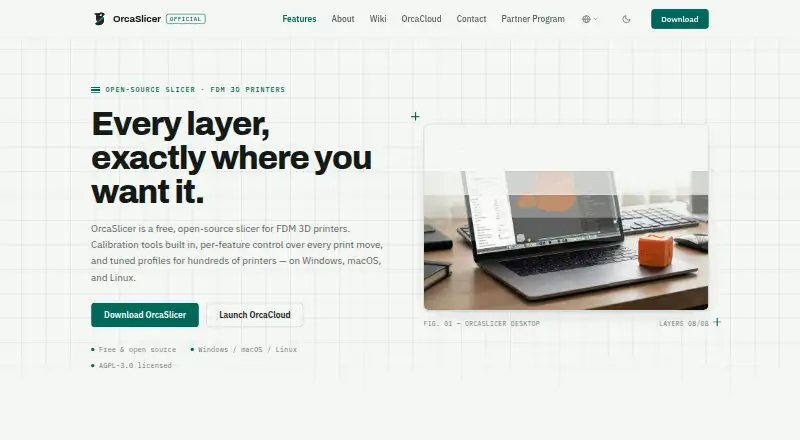
OrcaSlicer is a free, open-source desktop slicer for FDM 3D printers, available for Windows, macOS, and Linux. It prepares models for printing with controls to set speed, layer height, pressure, and temperature separately for walls, infill, supports, and other features. Its calibration tools cover flow rate, pressure advance, temperature towers, retraction, tolerance, and maximum volumetric speed. The app can send print jobs to and monitor printers running Klipper, PrusaLink, or OctoPrint, and includes tuned presets for hundreds of printers, including Bambu Lab, Prusa, Creality, and Voron. It supports automatic supports, model repair, multi-material printing, and variable layer height, but not resin or cloud slicing. OrcaSlicer works offline without an account or telemetry; models, project files, G-code, and printer settings stay on the user's device. Optional connections enable updates, profile downloads, and integrations. The project is licensed under AGPL-3.0 and developed openly by SoftFever and community contributors.
Good
- Free and open-source under AGPL-3.0
- Calibration suite covers multiple print parameters
- Printer presets span hundreds of models
- Supports model repair and multi-material printing
- Works offline without an account or telemetry
Watch out
- No resin slicing
- No cloud slicing
- Nightly builds may be unstable
Who it suits
OrcaSlicer suits FDM printer owners who want detailed print controls, calibration tools, and printer monitoring. It may also fit users who prefer offline desktop software without an account or telemetry.
Verdict
OrcaSlicer offers broad FDM controls, calibration, and printer integrations across three desktop platforms. Its offline use and optional connections make the privacy setup clear, though resin and cloud slicing are not included.
Plans and prices
From OrcaSlicer's own pricing page, checked 29 Sep 2026.
| Plan | Price | What it gives you |
|---|---|---|
| OrcaSlicer | Free | Free, open-source FDM 3D printer slicer · Windows, macOS, Linux |
The facts
Each one read from OrcaSlicer's own pages, with the date it was checked.
What it does
- Calibration
- Its built-in calibration suite covers flow rate, pressure advance, temperature towers, retraction, tolerance, and maximum volumetric speed.checked 29 Sep 2026
- Downloads
- Official stable builds are offered for Windows, macOS, and Linux through GitHub Releases, the Microsoft Store, and Flathub; nightly builds may be unstable.checked 29 Sep 2026
- Integrations
- The privacy policy lists optional print-host integrations including OctoPrint, Klipper/Moonraker, PrusaLink, and Duet, plus cloud services such as SimplyPrint, Obico, and Prusa Connect.checked 29 Sep 2026
- License
- OrcaSlicer is licensed under AGPL-3.0 and is developed in the open by SoftFever and community contributors.checked 29 Sep 2026
- Optional connections
- The app connects for update checks, profile updates, and printer or cloud integrations that users choose to enable.checked 29 Sep 2026
- Print controls
- Users can set speed, layer height, pressure, and temperature independently for walls, infill, supports, and other features.checked 29 Sep 2026
- Printer profiles
- The site describes tuned presets for hundreds of printers, including Bambu Lab, Prusa, Creality, and Voron.checked 29 Sep 2026
- Privacy
- The desktop app works offline, requires no account, and collects no telemetry; models, project files, G-code, and printer settings stay on the user's device.checked 29 Sep 2026
- Product
- OrcaSlicer is a free, open-source slicer for FDM 3D printers.checked 29 Sep 2026
- Security
- The privacy policy says update and profile downloads use HTTPS and print-host credentials are stored locally.checked 29 Sep 2026
- Support
- The project directs bug reports and feature requests to GitHub and offers community help through Discord.checked 29 Sep 2026
- System requirements
- The download page specifies Windows 10 or later, macOS 10.15 or later, and Ubuntu 20.04 or equivalent for Linux, with 4GB RAM minimum and 500MB free disk space.checked 29 Sep 2026
- Third-party plugin
- The Bambu Network Plugin is an optional third-party download and is not installed silently.checked 29 Sep 2026
- Workflow
- The slicer can send jobs to and monitor printers running Klipper, PrusaLink, or OctoPrint.checked 29 Sep 2026
The company
- Maker and headquarters
- The about page names SoftFever as creator and maintainer; the privacy policy identifies OrcaSlicer Pte. Ltd. in Singapore as the legal entity responsible for privacy requests.checked 29 Sep 2026
The full review of OrcaSlicer
Overview
OrcaSlicer is a free, open-source desktop slicer for FDM 3D printing. It is best suited to makers who want detailed control over print settings, calibration tools, and the option to manage a connected printer. Its focus is firmly on FDM: resin slicing and cloud slicing are not part of the package.
Its combination of printer presets and fine-grained controls gives experienced users room to tune prints without requiring an online account. That breadth is useful, but newcomers looking for a simpler workflow may not need so many settings.
Compare it with other options in 3D Slicer Software and 3D Printing Software.
Key features
The calibration suite covers flow rate, pressure advance, temperature towers, retraction, tolerance, and maximum volumetric speed. These tools help users work through common print variables in one application; they are most valuable to people willing to calibrate rather than rely only on default profiles.
Controls for speed, layer height, pressure, and temperature can be set independently for walls, infill, supports, and other features. That granularity supports targeted adjustments, though it also means there is more to manage than in a basic slicer workflow.
OrcaSlicer offers tuned presets for hundreds of printers, including models from Bambu Lab, Prusa, Creality, and Voron. It supports multi-material printing, variable layer height, model repair, auto supports, and both manual and automatic support generation. Supported inputs include STL, 3MF, STEP, DRC, OBJ, AMF, SVG, and ZIP; outputs include G-code, Gcode.3MF, OBJ, STL, DRC, and generic 3MF.
For printer management, it can send jobs to and monitor machines running Klipper, PrusaLink, or OctoPrint. Optional integrations also include Duet, Moonraker, SimplyPrint, Obico, and Prusa Connect. The Bambu Network Plugin is a separate third-party download rather than a silently installed component.
Pricing
OrcaSlicer — free. The free, open-source plan includes the FDM slicer for Windows, macOS, and Linux, along with printer control, print monitoring, multi-material tools, model repair, and support generation. There is no free trial because the software is free. This is a straightforward fit for hobbyists and other users who want the full listed slicer feature set without a subscription; there is no lower paid tier to trade features against.
The software is licensed under AGPL-3.0 and developed in the open by SoftFever and community contributors. Optional connections can be enabled for updates, profiles, printer integrations, or cloud services, but cloud slicing itself is not included.
Platforms
OrcaSlicer runs on Windows, macOS, and Linux. Minimum requirements are Windows 10, macOS 10.15, or Ubuntu 20.04 or equivalent, with 4GB of RAM and 500MB of free disk space. Stable builds are offered through GitHub Releases, the Microsoft Store, and Flathub; nightly builds may be unstable.
The desktop application works offline, requires no account, and collects no telemetry. Models, project files, G-code, and printer settings stay on the user's device. Connections for updates, profiles, printers, or cloud integrations are optional; update and profile downloads use HTTPS, and print-host credentials are stored locally.
Who it's for
OrcaSlicer suits FDM makers who want detailed tuning, broad printer presets, multi-material support, and direct control or monitoring of compatible print hosts. Its offline operation and optional networking also suit users who prefer to keep projects and settings local unless they choose otherwise.
It is not the right fit for resin workflows or anyone whose priority is cloud-based slicing. Users who want a simpler, less adjustable setup may also find its breadth unnecessary. Bug reports and feature requests go through GitHub, while community help is available through Discord.
Pros and cons
- Pros: Calibration spans several important print variables, giving users practical tools to diagnose and tune output.
- Pros: Independent controls and presets for hundreds of printers make it adaptable across a wide range of FDM setups.
- Pros: Offline use, no account, and no telemetry make its privacy posture clear, while integrations remain optional.
- Cons: Resin slicing and cloud slicing are absent, ruling it out for those workflows.
- Cons: The depth of print controls may be more than users seeking a minimal slicer need.
Alternatives
PrusaSlicer is another free, open-source slicer, based on the Slic3r project; consider it when you want that project lineage instead.
Bambu Studio is a free option for Windows, macOS, and Linux, with SD card printing possible without its optional networking plugin; choose it if that workflow suits your setup.
Creality Print is a free, open-source FDM slicer for Windows, macOS, and Linux, making it another option to consider for an open-source FDM workflow.
ideaMaker is a free alternative for Windows, macOS, and Linux, with no paid tiers or usage limits stated.
Lychee Slicer has a free Lite plan with limited multi-plate use and ads on export, plus a paid Plus plan; consider it if those plan terms fit your needs.
Formlabs PreForm is free for Formlabs SLA and SLS printers, so it is the more relevant choice for those printer workflows.
UltiMaker Cura is another slicer option.
SuperSlicer is free and generates G-code for FFF printers as well as PNG layers for mSLA printers; consider it if that output mix is a better match.
Verdict
Choose OrcaSlicer if you print with FDM and want serious calibration, fine-grained controls, broad printer presets, and optional printer management without an account or telemetry. Look elsewhere if you need resin or cloud slicing, or would rather avoid a feature-rich tuning workflow.
Alternatives to OrcaSlicer
- 1
AstroPrint
Free planAndroidiOSWebAPI7.4From $9.90 a month - 2
GrabCAD Print
Free planAndroidiOSWebWindows7.3From $5,000 a year - 3

3DPrinterOS
AndroidiOSWebAPI7.0From $19 a month - 4

CHITUBOX
Free planLinuxmacOSWindows6.9$499 one-time - 5

PrusaSlicer
Free planAndroidiOSWebLinux6.9Free plan - 6
OctoPrint
Free planAndroidWebAPILinux6.8Free plan