Opti.Tax Transfer Pricing Documentation
Opti.Tax Transfer Pricing Documentation helps organizations create and maintain transfer pricing documentation using the BZSt taxonomy.
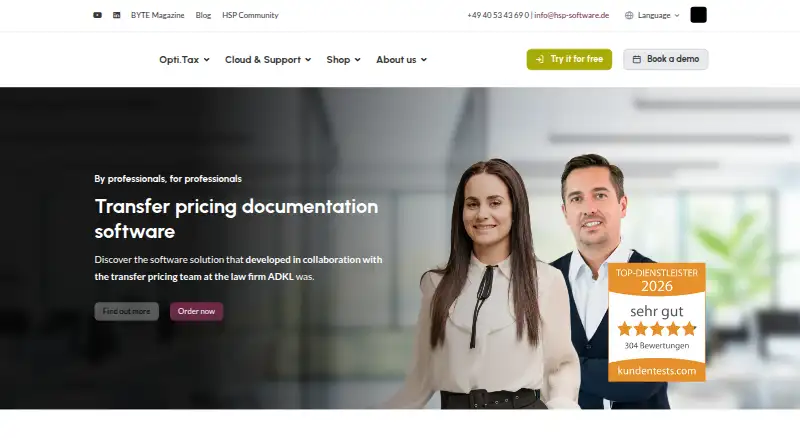
What Opti.Tax Transfer Pricing Documentation is
Opti.Tax Transfer Pricing Documentation helps organizations create and maintain transfer pricing documentation using the BZSt taxonomy. Its live validation checks entries as they are completed, and item-specific help videos provide guidance. A bookable e-learning course by transfer pricing expert Tobias Polka is also available. DeepL integration translates the software, cloud interface, chats, tasks and generated documents into supported languages. Microsoft 365 integration sends process-change notifications by email or Teams and routes tasks to Microsoft To Do and Outlook. The software also connects with Microsoft Dynamics 365 Business Central, Sage, taskplace.de, kanzlei.land, DATEV and Audicon. Country-by-Country Reporting and Pillar 2 are optional modules. The product has web and Windows access in a hybrid setup. Opti.Tax Cloud works in Chrome, Edge, Firefox or Safari and is intended for temporary rather than permanent data storage. The Windows client requires 64-bit Windows 10 or 11 and a SQL Server 2017-or-later database, though other databases may be arranged. Pricing is on request.
Good
- Uses the BZSt taxonomy for documentation.
- Continuously validates entries and includes help videos.
- DeepL translates the interface and generated documents.
- Integrates with Microsoft 365 and listed business systems.
Watch out
- Pricing is available on request.
- Windows client requires 64-bit Windows 10 or 11.
- Cloud workspace is intended for temporary data storage.
Who it suits
It suits beginners and professionals in SMEs, law firms and businesses who need to prepare transfer pricing documentation. Its onboarding includes training and German customer support.
Verdict
Opti.Tax combines structured documentation workflows with entry validation, guidance and language support. Organizations should confirm pricing and deployment requirements with the maker.
Plans and prices
From Opti.Tax Transfer Pricing Documentation's own pricing page, checked 7 Oct 2026.
| Plan | Price | What it gives you |
|---|---|---|
| Opti.Tax Transfer Pricing Documentation | Priced on request | Price on request · optional Country-by-Country Reporting and Pillar 2 · free, no-obligation consultation |
The facts
Each one read from Opti.Tax Transfer Pricing Documentation's own pages, with the date it was checked.
What it does
- Cloud access
- Opti.Tax Cloud is an online workspace accessed through Chrome, Edge, Firefox or Safari and is intended for temporary rather than permanent data storage.checked 7 Oct 2026
- Cloud security
- The vendor says cloud data is encrypted in transit and at rest, access is controlled and logged, and automatic backups are used.checked 7 Oct 2026
- Database options
- The maker lists Microsoft SQL Server 2017 or later for a database server and says other database systems may be possible by arrangement.checked 7 Oct 2026
- Desktop requirements
- The Windows client requirements specify Windows 10/11 64-bit and support for Microsoft SQL Server 2017 or later for the database server.checked 7 Oct 2026
- Guidance
- The software includes help videos for individual items and offers a bookable e-learning course by transfer pricing expert Tobias Polka.checked 7 Oct 2026
- Guidance and validation
- It includes in-software help videos and ongoing live validation of entries.checked 7 Oct 2026
- Hosting and compliance
- The vendor says Opti.Tax Cloud data is stored in certified data centres in Germany and the EU under GDPR requirements.checked 7 Oct 2026
- Integrations
- Opti.Tax has interfaces with Microsoft Dynamics 365 Business Central, Sage, taskplace.de, kanzlei.land, DATEV and Audicon.checked 7 Oct 2026
- Intended users
- The vendor describes the product as suitable for beginners and professionals, including SMEs, law firms and businesses.checked 7 Oct 2026
- Languages
- DeepL integration makes the software, including its cloud interface, available in multiple languages and translates chats and tasks into the recipient’s system language.checked 7 Oct 2026
- Microsoft 365
- Microsoft 365 integration sends process-change notifications by email or Teams and routes tasks to Microsoft To Do and Outlook.checked 7 Oct 2026
- Optional modules
- Country-by-Country Reporting and Pillar 2 are described as optional.checked 7 Oct 2026
- Pricing availability
- The transfer-pricing page invites visitors to order or book a consultation but does not state a product price.checked 7 Oct 2026
- Purpose
- Opti.Tax Transfer Pricing Documentation helps create and maintain transfer pricing documentation.checked 7 Oct 2026
- Support
- The maker advertises onboarding including training and German customer support.checked 7 Oct 2026
- Support and onboarding
- The vendor lists comprehensive onboarding including training and German customer support.checked 7 Oct 2026
- Taxonomy
- The software uses the BZSt taxonomy for transfer pricing documentation.checked 7 Oct 2026
- Translation
- DeepL integration translates the software, cloud interface, project chats, tasks and generated documents into supported languages.checked 7 Oct 2026
- Validation
- Live validation continuously checks entries for validity.checked 7 Oct 2026
The company
- Company and product history
- hsp says it has developed professional software for tax practices, audit firms and businesses since 1991, and says the transfer pricing module was developed with ADKL.checked 7 Oct 2026
- Founded
- 1991checked 28 Sep 2026
- Headquarters
- Hamburg, Germanychecked 28 Sep 2026
- Maker
- hsp Handels-Software-Partner GmbH is based in Hamburg and says it has operated since 1991.checked 7 Oct 2026
Where it runs
- Windows requirements
- The desktop client requires 64-bit Windows 10 or 11; the maker lists 4 GB free RAM recommended, at least 2 GB, and 2 GB free disk space.checked 7 Oct 2026
The full review of Opti.Tax Transfer Pricing Documentation
Opti.Tax Transfer Pricing Documentation is a hybrid application for preparing and maintaining transfer-pricing records under the BZSt taxonomy. It is best suited to tax teams and businesses that need guided documentation workflows and connected task handling. Its strongest case is ongoing entry validation and broad language support; buyers must be comfortable arranging a consultation and choosing between cloud and Windows deployment.
Overview
The software brings documentation work into a structured process rather than treating it as a one-off report. Continuous checks flag invalid entries as users work, while item-level help videos and a bookable e-learning course with transfer-pricing expert Tobias Polka provide support for both newcomers and experienced practitioners. That guidance is valuable for mixed-skill teams, though it does not remove the need to assess whether the workflow fits an organization’s own review practices.
Opti.Tax is made by Hamburg-based hsp Handels-Software-Partner, which says it has developed professional software for tax practices, audit firms and businesses since 1991. The transfer-pricing module was developed with ADKL. Optional Country-by-Country Reporting and Pillar 2 modules can broaden the scope for organizations handling those related obligations.
Key features
Validation, training and language support
Live validation continuously checks entries for validity, helping users address problems during preparation instead of leaving all correction work to a later review. Help videos explain individual items, and the optional course offers a more guided learning path. These supports make the product a plausible choice for beginners as well as professionals, but teams should still confirm that its taxonomy-based process aligns with their documentation needs.
DeepL integration translates the software, cloud interface, project chats, tasks and generated documents into supported languages. Chats and tasks can be translated into the recipient’s system language, which is useful when contributors work across language groups. The breadth of translation reaches beyond the interface to collaboration and output, although it depends on the languages supported by the integration.
Connected workflows
Microsoft 365 integration sends process-change notifications by email or Teams and routes tasks to Microsoft To Do and Outlook. Interfaces are also available for Microsoft Dynamics 365 Business Central, Sage, taskplace.de, kanzlei.land, DATEV and Audicon. For teams already using these systems, the connections can reduce workflow fragmentation; organizations using other tools should confirm integration needs before committing.
Cloud and desktop deployment
The hybrid product offers a Windows client and Opti.Tax Cloud, an online workspace accessed through Chrome, Edge, Firefox or Safari. The cloud workspace is intended for temporary rather than permanent data storage. The vendor says cloud data is encrypted in transit and at rest, access is controlled and logged, and automatic backups are used; data is stored in certified data centres in Germany and the EU under GDPR requirements.
The Windows client requires 64-bit Windows 10 or 11, with at least 2 GB of free RAM, 4 GB recommended and 2 GB of free disk space. A database server requires Microsoft SQL Server 2017 or later; other database systems may be possible by arrangement. Those requirements make the desktop option less turnkey for smaller teams without suitable infrastructure. The maker advertises comprehensive onboarding including training and German customer support.
Pricing
Opti.Tax Transfer Pricing Documentation: custom pricing, with optional Country-by-Country Reporting and Pillar 2 modules. The maker offers a free, no-obligation consultation. There is no published self-serve price or free plan to compare, so prospective buyers should use the consultation to establish the cost of the core documentation product and any modules they need. This sales-led approach suits organizations prepared to scope a deployment with the vendor, but is less convenient for buyers comparing fixed prices before contact.
Platforms
Opti.Tax is a hybrid product: use the Windows client on 64-bit Windows 10 or 11, or access the cloud workspace in Chrome, Edge, Firefox or Safari. The desktop route brings database-server requirements, while cloud access avoids specifying a local database setup but is intended for temporary data storage rather than permanent retention. Teams should choose their deployment with those distinctions in mind.
Who it's for
The product is aimed at SMEs, businesses and law firms, as well as tax professionals who prepare and maintain transfer-pricing documentation. Its videos, validation and onboarding make it more approachable for beginners than a bare documentation tool, while the integrations and optional reporting modules give established teams room to connect it to surrounding processes. It is a weaker fit for buyers who need transparent published pricing, a free entry tier or a permanently stored cloud repository.
Pros and cons
- Pros: Continuous entry validation can surface invalid information during preparation, reducing the chance that issues accumulate until review.
- Pros: DeepL translation covers documents as well as the interface, chats and tasks, supporting collaboration across supported languages.
- Pros: Microsoft 365 task routing and a range of accounting, tax and workflow interfaces can connect documentation work to existing systems.
- Cons: Custom pricing and a consultation-led buying path make upfront budget comparisons difficult.
- Cons: The Windows version requires a SQL Server database or an arrangement for another database system, adding deployment considerations.
- Cons: The cloud workspace is intended for temporary data storage, so teams needing a permanent cloud repository should look elsewhere or confirm their storage plan.
Alternatives
PlaidCloud Operational Transfer Pricing is worth considering when a free starting point matters: its free plan is billed forever at no cost and includes one builder, unlimited viewers, 15 GB storage, one workspace, 100 workflow runs per month and community support. It also has a free trial and API, self-hosted and web platforms, though its stated plan limits differ from Opti.Tax’s consultation-led offer.
Alphatax is another paid option, with a free trial and API, web and Windows platforms. For web-only paid alternatives, consider Navigate Customs & Trade, ONESOURCE Transfer Pricing, Transfer Pricing Lifecycle Management or Astraea.
TP Doc Gen AI is a paid API and web option from Steadfast Business Consulting’s transfer-pricing practice. Integral is a paid web alternative with a Platform Only SaaS plan for in-house teams managing planning, agreements and compliance, as well as a Fully Managed plan handled by Integral experts. These alternatives are worth comparing if their deployment or service model better matches the buyer’s preference.
Browse the wider Transfer Pricing Software category to compare more options.
Verdict
Opti.Tax is a strong candidate for SMEs, businesses, law firms and tax teams that want structured transfer-pricing documentation, continuous entry checks and translation across collaboration and generated documents. Its guidance and integrations give it practical breadth beyond document creation alone. Look elsewhere if you require published pricing before engaging a vendor, a free plan, or permanent cloud data storage; desktop buyers should also account for the database requirements.
Getting started
- Open the transfer-pricing product website
- Book a consultation or request an order
- Choose the web cloud workspace or Windows client
- For Windows, use 64-bit Windows 10 or 11 with Microsoft SQL Server 2017 or later
- Arrange onboarding and training with German customer support
Limits worth knowing
The product price is provided on request. Country-by-Country Reporting and Pillar 2 require optional modules, and the cloud workspace is intended for temporary rather than permanent data storage.
Questions
What does Opti.Tax Transfer Pricing Documentation do?
It creates and maintains transfer pricing documentation using the BZSt taxonomy, with continuous entry validation and item-level help videos.
How much does it cost?
Pricing is on request. The vendor offers a free, no-obligation consultation.
Which platforms are supported?
The product uses a hybrid setup with web and Windows access. The cloud workspace supports Chrome, Edge, Firefox, and Safari.
Is it suitable for smaller organizations?
The vendor describes it as suitable for beginners and professionals, including SMEs, law firms, and businesses.
What integrations are available?
Integrations include DeepL, Microsoft 365, Microsoft Dynamics 365 Business Central, Sage, taskplace.de, kanzlei.land, DATEV, and Audicon.
Are Country-by-Country Reporting and Pillar 2 included?
They are described as optional modules.
Alternatives to Opti.Tax Transfer Pricing Documentation
- 1

PlaidCloud Operational Transfer Pricing
Free planiOSWebAPISelf-hosted7.6From $800 a month - 2
globalDoc Solution
WebSelf-hosted6.9From €10,000 a year - 3

ArmsLength AI Benchmarks
WebAPI6.6From €469 a month - 4

Alphatax
WebAPIWindows6.4 - 5
TP/OS
WebAPI6.4 - 6

Aibidia
WebAPI6.3