OpenText Legal Knowledge Management
OpenText Legal Knowledge Management searches structured and unstructured information across an organization to help legal teams locate content and expertise.
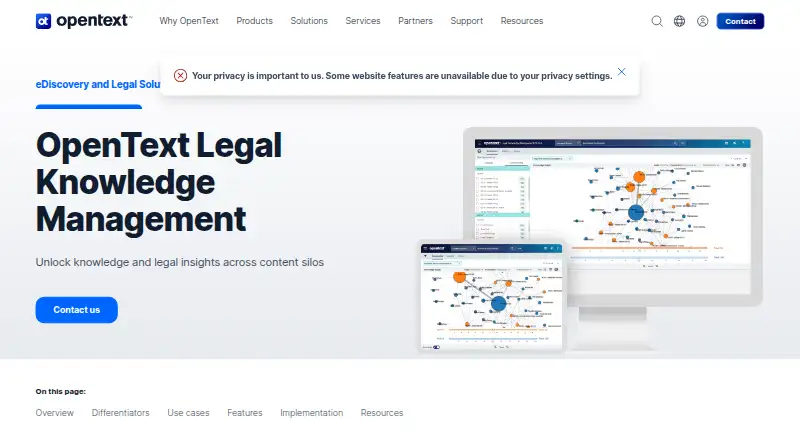
What OpenText Legal Knowledge Management is
OpenText Legal Knowledge Management searches structured and unstructured information across an organization to help legal teams locate content and expertise. The product page describes searching billions of records across more than 400 file types. Search options include predictive search, concept group search, classification, data visualization, and single sign-on. Integrated OpenText MindServer uses concept analysis and supervised machine learning to find related material even when a query lacks exact matching terms. A rules-based categorizer can scan incoming documents, classify them, and add metadata. Searchable sources include DMS, finance and billing systems, matter management, attorney profiles, HR, litigation dockets, file shares, intranets, portals, and email. Use cases include finding subject matter experts, developing case strategy, classifying data, and assembling teams for business bids. Its security model respects source systems’ native security and includes layered controls, permit and deny settings, and ethical walls. Deployment options include cloud, on-premise, and off-cloud. It runs on web or self-hosted platforms; pricing is available on request.
Good
- Searches across more than 400 file types.
- MindServer can find similar content without exact keywords.
- Rules-based classification can tag incoming documents.
- Supports cloud, on-premise, and off-cloud deployment.
- Includes permit and deny controls and ethical walls.
Watch out
- Pricing is available on request.
- The product is listed for web and self-hosted platforms.
Who it suits
It is aimed at legal teams that need to search organizational information, identify expertise, or support case strategy. Its listed security and deployment options may suit organizations with specific access-control or hosting needs.
Verdict
OpenText Legal Knowledge Management brings broad organizational search and legal-focused discovery tools together. Teams should weigh its deployment and security fit alongside pricing, which requires contacting OpenText.
The facts
Each one read from OpenText Legal Knowledge Management's own pages, with the date it was checked.
What it does
- AI search
- Integrated OpenText MindServer search uses concept analysis and supervised machine learning to retrieve similar content, even without exact keyword matches.checked 4 Oct 2026
- Buyer and pricing
- The product page directs buyers to contact OpenText and does not display a product price.checked 4 Oct 2026
- Classification
- A rules-based categorizer scans incoming documents for automated classification and metadata tagging.checked 4 Oct 2026
- Data sources
- The product overview lists DMS, finance and billing, matter management, attorney profiles, HR, litigation dockets, file shares, intranets, portals, and email as sources it can search.checked 4 Oct 2026
- Deployment
- The product page lists an off-cloud deployment option; the product overview also describes cloud and on-premise deployment.checked 4 Oct 2026
- Integrations
- The product page names Microsoft SharePoint and OpenText Legal Content Management for secure integration and single sign-on.checked 4 Oct 2026
- Purpose
- OpenText Legal Knowledge Management searches structured and unstructured data across an organization to help legal teams find information and expertise.checked 4 Oct 2026
- Search features
- Features include predictive search, concept group search, classification, data visualization, and single sign-on.checked 4 Oct 2026
- Search scale
- The product page says it can handle billions of records and locate content across more than 400 file types.checked 4 Oct 2026
- Security
- The product overview says the architecture respects source systems’ native security and supports layered security, permit and deny controls, and ethical walls.checked 4 Oct 2026
- Support
- OpenText lists professional services, support services, customer success services, managed services, training, and premium support alongside the product.checked 4 Oct 2026
- Use cases
- Listed use cases include identifying subject matter experts, developing case strategy, classifying data, and building teams for new business bids.checked 4 Oct 2026
The company
- Headquarters
- Waterloo, Ontario, Canadachecked 4 Oct 2026
Alternatives to OpenText Legal Knowledge Management
- 1
Lawformer
Free planWebmacOSWindows7.0Free plan - 2
Kahana
Free planWeb6.6From $29.99 a month - 3

Lexis+
AndroidiOSWeb6.5 - 46.3
- 5
Picard.law
Free planWebSelf-hosted6.2Free plan - 6
Inmagic Presto
AndroidiOSWebAPI6.1