
OpenFiles
OpenFiles is a desktop workspace for browsing, viewing, editing, converting, and getting AI assistance with files.
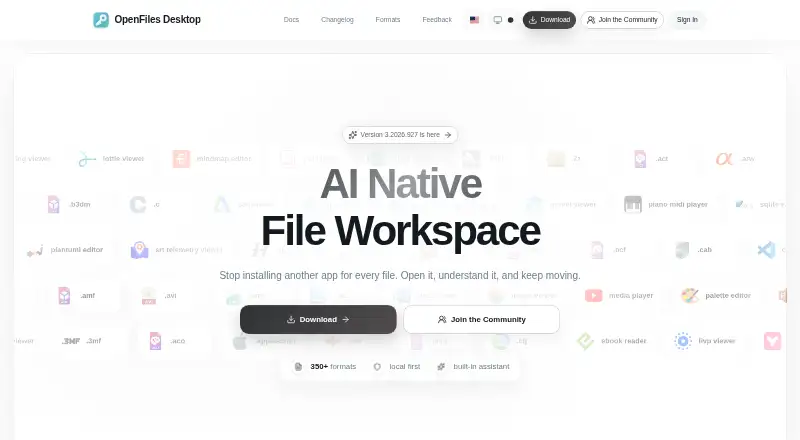
What OpenFiles is
OpenFiles is a desktop workspace for browsing, viewing, editing, converting, and getting AI assistance with files. Its navigator can move through folders, search for files, and open them in an appropriate app. Contextual toolbars cover documents, media, archives, maps, and code, with conversion and export available from the current tab. The maker describes support for more than 350 formats across categories such as documents, images, media, data, code, and archives. A built-in assistant supports summaries, generation, and file-aware work. File processing takes place on the device; content is not sent to a server unless a user chooses an internet feature such as online conversion, which asks for confirmation before upload. The privacy policy says Umeng+ and Google Analytics collect anonymized usage, performance, and file-format statistics. OpenFiles is available for Linux, macOS, and Windows. The maker says users can open and view SBZ files for free. The developer invites feedback through Discord, QQ, and GitHub, and lists an email address for support.
Good
- Supports more than 350 file formats
- Converts and exports from the current tab
- Processes files on the device by default
- Available for Linux, macOS, and Windows
Watch out
- Online conversion can involve uploading file content
- Privacy policy describes anonymized usage analytics
Who it suits
OpenFiles suits people who want a desktop-focused workspace for personal files across Linux, macOS, or Windows. It may be useful to people working with varied file formats who want browsing, editing, conversion, and AI assistance together.
Verdict
OpenFiles brings file navigation, editing, conversion, and AI assistance into one desktop workspace. Its local processing approach has an exception for internet features, and its privacy policy also describes anonymized analytics collection.
The facts
Each one read from OpenFiles's own pages, with the date it was checked.
What it does
- AI assistant
- The built-in assistant supports summaries, generation, and file-aware work.checked 30 Sep 2026
- Analytics
- The privacy policy says Umeng+ and Google Analytics collect anonymized usage events, feature frequency and duration, performance metrics, and format usage statistics.checked 30 Sep 2026
- Developer
- The maker identifies Liang Wensen as the individual developer.checked 29 Sep 2026
- Editing and conversion
- The product offers contextual toolbars for documents, media, archives, maps, and code, and can convert or export files from the current tab.checked 30 Sep 2026
- File browsing
- Users can navigate folders, search files, and open files from one navigator.checked 30 Sep 2026
- File workspace
- OpenFiles combines file browsing, viewing, editing, conversion, and AI assistance in one desktop workspace.checked 29 Sep 2026
- Format coverage
- The maker describes support for more than 350 formats across categories including documents, images, media, data, code, and archives.checked 29 Sep 2026
- Formats
- The site describes OpenFiles as supporting more than 350 file formats and provides a searchable catalog.checked 30 Sep 2026
- Intended users
- The homepage describes OpenFiles as designed for personal files and emphasizes a desktop-focused workflow.checked 30 Sep 2026
- Local processing
- The privacy policy says file processing happens locally unless a feature such as online format conversion requires internet access, in which case upload requires explicit confirmation.checked 30 Sep 2026
- Permissions
- The policy says system permissions are requested only when needed for a feature and can be revoked through device settings.checked 30 Sep 2026
- Product
- OpenFiles is a desktop workspace for browsing, viewing, editing, converting, and getting AI help with files.checked 30 Sep 2026
- Security
- The privacy policy says the developer uses reasonable technical measures, including encrypted transmission and trusted cloud providers, to protect data.checked 30 Sep 2026
- Support
- Users can contact support by email, submit feedback, or reach the developer through GitHub, Discord, and QQ.checked 30 Sep 2026
- Support response
- The privacy policy says the individual developer will make a best effort to respond to reasonable privacy requests within 15 business days and does not provide a standardized large-company support system.checked 30 Sep 2026
- Telemetry
- The privacy policy says Umeng+ and Google Analytics collect anonymized usage, performance, and file-format statistics.checked 29 Sep 2026
Money
- Free use
- The maker says users can open and view SBZ files with OpenFiles for free.checked 29 Sep 2026
Where it runs
- Platforms
- The official site provides Windows downloads and separate macOS Apple Silicon and Intel downloads; the site also describes OpenFiles as available for macOS, Windows, and Linux.checked 30 Sep 2026
Alternatives to OpenFiles
- 1
ViewAnyFile.app
Free planAndroidiOSWebLinux7.9From $9.99 a month - 2

Universal File Opener
Free planAndroidWebLinuxSelf-hosted7.8From $9.99 a year - 3

Okular
Free planLinuxmacOSWindows6.9Free plan - 4
FastStone Image Viewer
Free planWindows6.8Free plan - 5
IrfanView
Free planWindows6.8Free plan - 6
Evince
Free planLinux6.5Free plan