OpenDraft
OpenDraft is a free, MIT-licensed screenwriting application for screenplay formatting, story planning, collaboration, revision tracking, and production taggi…
What OpenDraft is
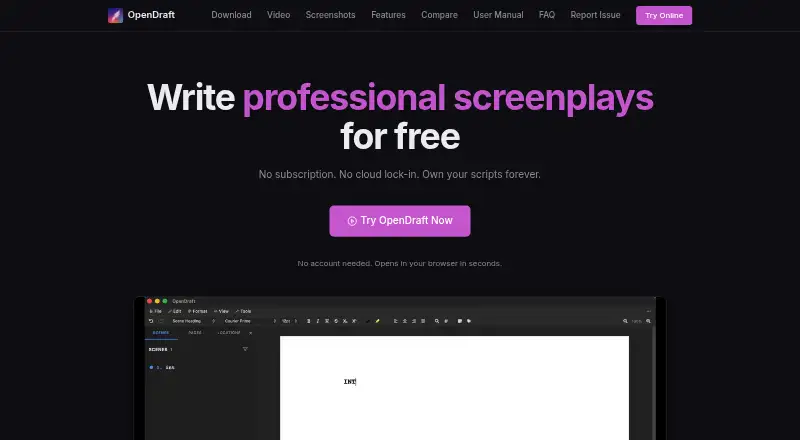
OpenDraft is a free, MIT-licensed screenwriting application for screenplay formatting, story planning, collaboration, revision tracking, and production tagging. Planning tools include a Beat Board, Index Cards, Scene Navigator, and color-coded Script Notes, alongside character management. Writers can edit a screenplay together through an invite link, with changes synchronized during collaboration. Its Git-based version control supports named check-ins, side-by-side comparisons, and restoration of earlier versions. OpenDraft imports and exports Final Draft FDX, Fountain, and Fade In files; it also imports OSF and plain text, and exports PDF and DOCX. Production tags can cover categories such as cast, props, costumes, and VFX. Projects are stored as local files, with no cloud servers, accounts, or data collection. The desktop app works offline, while collaboration and update checks need internet access. Backups can be saved to desktop folders or, on mobile, to Files, iCloud Drive, Google Drive, or Dropbox. It supports desktop, mobile, and browser use; browser self-hosting requires Python 3.12 or newer, Node.js 18 or newer, and Git.
Good
- Free and MIT-licensed with no feature gates.
- Desktop app works entirely offline.
- Includes Git-based revision tracking.
- Exports PDF and DOCX.
- Supports collaboration through invite links.
Watch out
- Real-time collaboration requires internet access.
- Browser self-hosting requires Python, Node.js, and Git.
- Update checks require internet access.
Who it suits
OpenDraft suits screenwriters who want formatting, planning, revision history, and production tagging without a subscription. It may also suit writers who prefer local project files and offline desktop work.
Verdict
OpenDraft combines screenplay planning and production tools with local-file storage and a broad set of import and export formats. Its offline desktop mode is distinct from its internet-dependent collaboration and update checks.
Plans and prices
From OpenDraft's own pricing page, checked 1 Oct 2026.
| Plan | Price | What it gives you |
|---|---|---|
| Free forever | Free | No account needed · no subscription · no feature gating |
The facts
Each one read from OpenDraft's own pages, with the date it was checked.
What it does
- Backups
- Automatic timestamped backups can be written to folders on desktop or to Files, iCloud Drive, Google Drive, or Dropbox on mobile.checked 1 Oct 2026
- Collaboration
- Multiple writers can edit a screenplay simultaneously through an invite link, with changes synchronized instantly.checked 1 Oct 2026
- Data storage
- Projects are stored as files on the local computer with no cloud servers, accounts, or data collection.checked 1 Oct 2026
- Extensibility
- A plugin architecture allows custom features to be added without modifying the core application.checked 1 Oct 2026
- File formats
- OpenDraft imports and exports Final Draft FDX, Fountain, and Fade In files, imports OSF and plain text, and exports PDF and DOCX.checked 1 Oct 2026
- License
- OpenDraft is MIT-licensed and has no subscriptions, feature gates, or hidden costs.checked 1 Oct 2026
- Offline use
- The desktop app works entirely offline, while internet access is needed for real-time collaboration and update checks.checked 1 Oct 2026
- Privacy
- OpenDraft states that it has zero tracking, zero analytics, and zero data collection.checked 1 Oct 2026
- Product
- OpenDraft is a free, open-source screenwriting application with professional screenplay formatting, collaboration, version control, beat boards, character management, production tagging, and multi-format export.checked 1 Oct 2026
- Production tools
- Production tagging supports reusable categories such as cast, extras, stunts, vehicles, props, costumes, and VFX.checked 1 Oct 2026
- Self-hosting requirement
- Browser self-hosting requires Python 3.12 or newer, Node.js 18 or newer, and Git.checked 1 Oct 2026
- Support
- Users can report bugs or request features through the project's GitHub Issues page and community discussions.checked 1 Oct 2026
- Version control
- Built-in Git-based version control supports named check-ins, side-by-side comparison, and restoring earlier versions.checked 1 Oct 2026
Where it runs
- Platforms
- OpenDraft runs on macOS, Windows, Linux, Android, iOS/iPadOS, and in a browser through self-hosting or an online demo.checked 1 Oct 2026
Money
- Story planning
- Story-planning tools include a Beat Board, Index Cards, Scene Navigator, and color-coded Script Notes.checked 1 Oct 2026
The full review of OpenDraft
Overview
OpenDraft is a free, open-source screenwriting app for writers who want screenplay development and production preparation without putting project files on a vendor’s cloud. It suits solo writers who value offline work as well as collaborators who need live co-editing; the trade-off is that collaboration, unlike desktop writing, depends on an internet connection.
Its strongest case is the combination of local-file storage, Git-based revision history, and planning and production tools in one MIT-licensed application. The breadth is useful for a project moving from outline to breakdown, though readers who want an account-based cloud workflow may prefer a different model.
For more options, see Screenwriting Software.
Key features
Planning and production
A Beat Board, Index Cards, Scene Navigator, and color-coded Script Notes give writers several ways to structure story material and keep track of scenes. Character management and reusable production tags for cast, extras, stunts, vehicles, props, costumes, and VFX extend that organization into breakdown work. This makes OpenDraft more suitable for writers who want planning and production preparation alongside drafting than for someone seeking only a basic script editor.
Collaboration and revision history
Writers can invite collaborators through a link and edit simultaneously, with changes synchronized instantly. That can support shared drafting without changing the local-file basis of the desktop app, but live collaboration requires internet access. Git-based version control adds named check-ins, side-by-side comparisons, and restoration of earlier versions, giving writers a way to review and recover changes.
Formats, backups, and extensions
OpenDraft imports and exports Final Draft FDX, Fountain, and Fade In files; it also imports OSF and plain text, and exports PDF and DOCX. The supported format range helps when exchanging scripts or delivering documents, although it does not remove the need to check that a receiving workflow handles the chosen format as expected. Automatic timestamped backups can go to desktop folders or, on mobile, to Files, iCloud Drive, Google Drive, or Dropbox. A plugin architecture allows custom additions without changing the core application.
Privacy and offline use
Projects are stored as files on the local computer, with no cloud servers or account requirement. OpenDraft states that it has no tracking, analytics, or data collection. Desktop use works offline, while real-time collaboration and update checks need internet access; that distinction will matter to writers choosing between private local work and connected teamwork.
Pricing
Free forever: free. The free plan requires no account or subscription and has no feature gating. OpenDraft is MIT-licensed, with no hidden costs, so there is no paid tier to unlock the listed tools. This is a strong fit for writers who want a full screenwriting workflow without recurring fees; there is no free trial because the product is free.
Platforms
OpenDraft supports macOS, Windows, Linux, iOS/iPadOS, Android, and browser use. The desktop app works offline. Browser self-hosting requires Python 3.12 or newer, Node.js 18 or newer, and Git, so that option is best suited to users comfortable meeting those technical requirements. Mobile backups can use Files, iCloud Drive, Google Drive, or Dropbox.
Who it's for
OpenDraft is best for screenwriters who want a no-subscription tool that covers story planning, script revision, and production tagging while keeping projects as local files. It also fits co-writers who need simultaneous editing and are comfortable using an internet connection for that work. Writers who need desktop access without internet may use the app offline, but anyone seeking cloud-hosted storage as the default should look elsewhere.
Pros and cons
- Pro: Local project files, no account requirement, and stated zero tracking, analytics, or data collection suit privacy-conscious writers.
- Pro: Beat and scene planning, character management, production tags, and script formatting bring several stages of screenplay work together.
- Pro: Git-based check-ins, comparisons, and restoration make revision history more deliberate than relying only on saved copies.
- Pro: Import and export support for major screenplay formats plus PDF and DOCX helps with handoffs.
- Con: Real-time co-editing and update checks require internet access, so offline use does not cover every workflow.
- Con: Browser self-hosting depends on Python 3.12 or newer, Node.js 18 or newer, and Git, which adds setup work for users choosing that route.
- Con: Bug reports and feature requests go through GitHub Issues and community discussions, rather than a stated direct support channel.
Alternatives
- Celtx is a better fit for writers who prefer a cloud-based editor and want a free studio limited to one project, with a free trial also offered.
- ScreenWeaver is worth comparing for writers seeking a free plan with unlimited projects and pages plus PDF and Final Draft export.
- Story Architect may suit writers who want an open-core option: its core source is MIT-licensed, while some features are closed source and commercial.
- Revision Screenwriter is another free choice for writers comparing screenwriting apps without stated plan limits.
- WriterDuet offers a free plan capped at three projects, with a paid Plus plan for unlimited projects and real-time collaboration.
- Arc Studio Pro may appeal to writers who want a free plan with two scripts and PDF export, with a watermark.
- Scriptum is another free, open-source screenwriting application.
- DramaQueen offers a free plan with no stated project-number or length restriction, alongside writing, formatting, and outlining.
Verdict
Choose OpenDraft if you want a capable, no-cost screenwriting workflow built around local files, offline desktop use, revision history, and production organization. Its main reason to look elsewhere is the split between offline solo work and internet-dependent collaboration, or the technical setup required for browser self-hosting.
Getting started
- Open the OpenDraft website
- Choose a desktop, mobile, or browser-supported platform
- Install or open the application for your platform
- Create screenplay files locally without an account
- For browser self-hosting, prepare Python 3.12 or newer, Node.js 18 or newer, and Git
- Invite collaborators with a link when internet access is available
Limits worth knowing
The Free forever plan costs nothing and has no subscription or feature gating. Browser self-hosting has the stated Python, Node.js, and Git requirements.
Questions
Is OpenDraft free?
Yes. Its Free forever plan is free, with no subscription, account requirement, or feature gating.
Which platforms does OpenDraft support?
It supports macOS, Windows, Linux, iOS/iPadOS, Android, and browser use.
Can OpenDraft work offline?
The desktop app works entirely offline. Internet access is needed for real-time collaboration and update checks.
What files can it import and export?
It imports FDX, Fountain, Fade In, OSF, and plain text. Exports include PDF, DOCX, FDX, Fountain, Fade In, OSF, and OpenDraft files.
Does OpenDraft use cloud storage or collect data?
Projects are stored as local files, with no cloud servers, accounts, or data collection. OpenDraft states that it has zero tracking and zero analytics.
Alternatives to OpenDraft
- 1

Story Architect
Free planOpen sourceAndroidiOSLinuxmacOS8.6From $4.17 a month - 2
Celtx
Free planAndroidiOSWebExtension8.2From $11.24 a month - 3

ScreenWeaver
Free planAndroidiOSWebAPI8.2Free plan - 4
WriterDuet
Free planAndroidiOSWebLinux8.2From $9.99 a month - 5
TalkingDraft
Free planAndroidiOSWeb7.9From $79 a year - 6
Studiovity
AndroidiOSWebAPI7.8