OpenCLM
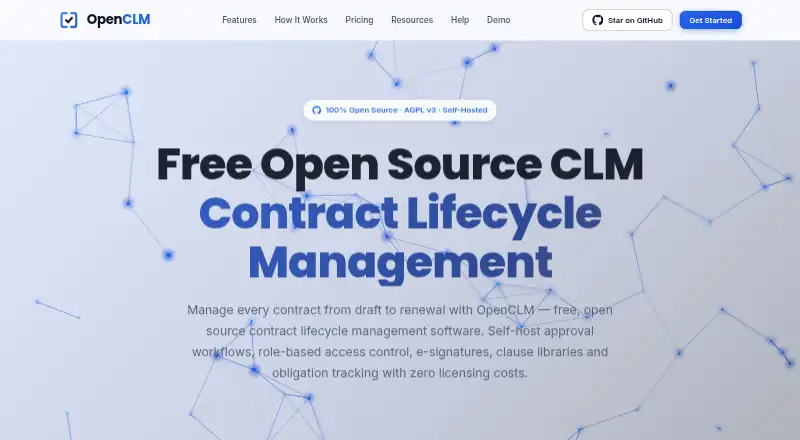
OpenCLM is a contract lifecycle management platform with contract templates, approval workflows, renewal tracking, built-in e-signatures, and API access.
What OpenCLM is
OpenCLM is a contract lifecycle management platform with contract templates, approval workflows, renewal tracking, built-in e-signatures, and API access. Its searchable repository supports rich-text editing, version history, and metadata. Approval flows can run sequentially or in parallel, with routing, escalation, and notifications. The interface supports six languages, and the platform provides 12 pre-configured roles with granular resource-level permissions. OpenCLM is released under the AGPL v3 license with complete source access; its full platform can be self-hosted without licensing fees. The Free plan is $0 forever for one user, unlimited contracts, and five e-signatures per month. Professional is $49 per month and includes a 14-day trial; annual billing is listed as saving 20%, with Professional also listed at $2,390 per year. Teams costs $649 per month for up to 25 users. Self-hosted paid options include Professional at $199 per month and Teams at $519 per month. Professional lists Slack and Salesforce integrations, and OpenSign provides e-signatures. The platform lists SOC 2, GDPR, ISO 27001, HIPAA, and SOX controls, as well as audit trails. Support ranges from community support to email, priority, 24/7 priority, and account management.
Good
- Free plan includes unlimited contracts.
- Supports sequential and parallel approval workflows.
- Searchable repository includes version history and metadata.
- Self-hosted free version has no licensing fees.
Watch out
- Free plan is limited to one user.
- Free plan lists five e-signatures per month.
- Professional costs $49 per month.
- Teams costs $649 per month.
Who it suits
OpenCLM suits organizations that need contract records, approvals, renewal tracking, and e-signatures, including teams that prefer self-hosting or source access. The Free plan fits one user, while Teams supports up to 25 users.
Verdict
OpenCLM offers contract workflows and a searchable repository, with a no-license-fee self-hosted option and plans for larger teams. Check the user and e-signature limits on Free, and note that Teams is listed at $649 per month.
Plans and prices
From OpenCLM's own pricing page, checked 28 Sep 2026.
| Plan | Price | What it gives you |
|---|---|---|
| Free | Free | 1 user; unlimited contracts; e-signatures listed as 5/month · 1 user · Unlimited contracts · 5/month e-signatures · $0 forever |
| Professional | $49 a month | 1 user; 14-day free trial; advanced workflows and API access · 1 user · billed monthly |
| Teams | $649 a month | Up to 25 users; 14-day free trial; analytics and collaboration · Up to 25 users · billed monthly |
| Enterprise | Priced on request | Unlimited users; advanced security; custom pricing · Unlimited users |
| Self-Hosted Free | Free | Community support only · Self-hosted deployment · Community support · $0 |
| Self-Hosted Professional | $199 a month | 20% off cloud price; email support · Self-hosted deployment · Email support · 20% off cloud price |
| Self-Hosted Teams | $519 a month | 20% off cloud price; priority support · Self-hosted deployment · Priority support · 20% off cloud price |
| Self-Hosted Enterprise | Priced on request | Dedicated support and SLA · Self-hosted deployment · Dedicated support · SLA · Custom |
The facts
Each one read from OpenCLM's own pages, with the date it was checked.
What it does
- Annual Discount
- Annual billing saves 20%; Professional is listed at $2,390/year.checked 28 Sep 2026
- API access
- Yeschecked 21 Sep 2026
- API Architecture
- The platform provides a REST API-first architecture and API access on Professional and higher.checked 28 Sep 2026
- Available Integrations
- Professional lists Slack and Salesforce integrations; OpenSign provides e-signatures.checked 28 Sep 2026
- Built-in e-signature
- Yeschecked 21 Sep 2026
- Built-In Roles
- OpenCLM provides 12 pre-configured roles with granular resource-level permissions.checked 28 Sep 2026
- Contract Repository
- It includes a centralized searchable repository with rich-text editing, version history, and metadata.checked 28 Sep 2026
- Contract templates
- Yeschecked 21 Sep 2026
- Data Security
- The pricing page says infrastructure uses bank-level encryption and regular security audits.checked 28 Sep 2026
- Deployment
- bothchecked 21 Sep 2026
- Language Support
- The interface supports six languages out of the box.checked 28 Sep 2026
- Open Source License
- Released under the AGPL v3 license with complete source access.checked 28 Sep 2026
- Renewal tracking
- Yeschecked 21 Sep 2026
- Renewal Tracking
- Automated 30/60/90-day reminders cover renewals, expirations, and key milestones.checked 28 Sep 2026
- Security Standards
- The page lists SOC 2, GDPR, ISO 27001, HIPAA, SOX controls, and full audit trails.checked 28 Sep 2026
- Support Levels
- Support ranges from community support to email, priority, 24/7 priority, and account management.checked 28 Sep 2026
Where it runs
- Approval workflows
- Yeschecked 21 Sep 2026
- Platform Access
- The platform is self-hosted on servers or private cloud, with mobile app access on the Free plan.checked 28 Sep 2026
The company
- Company Model
- OpenCLM describes itself as an open-core company funded by value-added features and support.checked 28 Sep 2026
- Team Collaboration
- Teams supports up to 25 users, advanced permissions, bulk operations, and audit logs.checked 28 Sep 2026
Money
- Free plan
- Yeschecked 21 Sep 2026
- Free Plan Limits
- The Free plan supports 1 user, unlimited contracts, and e-signatures listed as 5/month.checked 28 Sep 2026
- Free Usage
- The complete platform can be self-hosted and used forever without licensing fees.checked 28 Sep 2026
- Paid Trial
- Paid plans include a 14-day free trial with no credit card required.checked 28 Sep 2026
The full review of OpenCLM
OpenCLM brings contract storage, approvals and signing into a single contract lifecycle management platform. It is best suited to organizations that want to self-host or adapt open-source software, especially when controlling where contracts are stored matters. Its strongest proposition is deployment freedom; its main constraint for smaller teams is that the cloud entry plans are capped at one user.
Overview
OpenCLM covers the central stages of contract work: templates, searchable storage, renewal tracking, approval workflows and e-signatures. That breadth can reduce the need to split routine contract tasks across separate tools. The Free plan’s unlimited contracts are a useful starting point, but five e-signatures per month and a single user sharply limit it as a shared team workspace.
Key features
The repository combines search, rich-text editing, version history and metadata, making it more than a file store: users can find agreements and maintain their contents in the same place. Approval workflows support sequential and parallel review, routing, escalation and notifications, which suits processes with multiple steps. Templates, renewal tracking and built-in e-signatures round out the core workflow.
OpenCLM is released under AGPL v3 with complete source access, and the full platform can be self-hosted indefinitely without licensing fees. It runs on servers or a private cloud, with mobile app access on the Free plan. This is a meaningful option for organizations seeking control over deployment, though self-hosting is most attractive when they can manage the hosting themselves or select a paid support tier.
The REST API-first design supports integration work, with API access included on Professional and higher. Professional also includes Slack and Salesforce integrations; OpenSign provides e-signatures. Teams adds advanced permissions, bulk operations, analytics, collaboration and audit logs for up to 25 users. Twelve preconfigured roles offer granular resource-level permissions, and the interface supports six languages.
Security features include full audit trails and controls associated with SOC 2, GDPR, ISO 27001, HIPAA and SOX. OpenCLM also describes bank-level encryption and regular security audits. These provisions may help organizations with formal security requirements assess the platform, while Enterprise is the tier for unlimited users and advanced security.
Pricing
Cloud Free costs $0 forever and includes one user, unlimited contracts and five e-signatures per month. It is a credible way for a solo user to manage a substantial contract library, but the signing quota makes it a poor fit for frequent execution or a team that needs shared access.
Professional costs $49 a month, with one user, advanced workflows and API access, plus a 14-day trial with no credit card required. Annual billing saves 20%; Professional is listed at $2,390/year. The annual figure is worth comparing with monthly billing before committing, and the one-user ceiling remains a significant restriction for growing teams.
Teams costs $649 a month for up to 25 users, with analytics and collaboration alongside advanced permissions, bulk operations and audit logs. It is the cloud option for a group that needs shared contract work, but the price is a substantial step up from Professional. Paid plans include a 14-day free trial with no credit card required.
Enterprise has custom pricing and supports unlimited users with advanced security. It is the relevant route for larger organizations that outgrow the 25-user Teams cap, but requires a custom quote.
Self-hosted Free costs $0 and includes community support, making it the no-license-fee route for organizations willing to operate the platform themselves. Self-hosted Professional costs $199 a month, includes email support and is 20% off the cloud price; Self-hosted Teams costs $519 a month, includes priority support and is also 20% off cloud. Self-hosted Enterprise has custom pricing with dedicated support and an SLA. The support tiers matter: free self-hosting trades paid assistance for license-free use.
Platforms
OpenCLM is available through API access and self-hosted deployment, including servers or private cloud. The platform also provides mobile app access on the Free plan. The deployment model favors organizations that want infrastructure control more than buyers seeking a conventional web or desktop app.
Who it's for
OpenCLM is a strong fit for organizations that want an open-source, self-hostable contract system with searchable records and configurable approval paths. Solo users can get started without a license fee, while teams of up to 25 can use Teams for collaboration. It is less compelling for small groups that need multiple users at the lowest price: both Free and Professional are limited to one user, and Teams is a sizable monthly commitment.
Pros and cons
- Pro: AGPL v3 source access and free self-hosting give organizations meaningful control over deployment without recurring license fees.
- Pro: Unlimited contracts on cloud Free make the repository useful even before upgrading.
- Pro: Search, version history, workflows, renewals and e-signatures bring several contract tasks into one platform.
- Con: Free allows only one user and five e-signatures per month, limiting collaboration and signing volume.
- Con: Professional also supports just one user, so the cloud team option begins at Teams, $649 a month.
- Con: Self-hosted Free provides community support only; organizations needing assistance must pay for a support tier.
Alternatives
Contractbook is worth considering for a cloud-oriented alternative: its Essential plan has one user, 100 signed contracts per year and five templates, while Centralize is $399 a month billed annually for five users. Choose it when those stated plan limits and its web/API platforms suit better than OpenCLM’s self-hosting focus.
Mitratech CaseCloud is a paid option with Android, iOS and web platforms; consider it if those platforms are a priority.
Conga CLM is another paid option, with API, macOS, web and Windows platforms.
DocuSign eSignature suits readers focused on sending, signing and managing agreements; it has a free plan, a free trial, and Personal at $11 a month with an annual commitment.
SpotDraft may suit organizations seeking in-house implementation, dedicated customer success and 24/7 support, with pricing based on users or contract volume.
Docusign CLM is a paid CLM option available through API access, with pricing by contacting sales.
JAGGAER Contracts is a paid web-based alternative.
Onit Contract Lifecycle Management is a paid web-based option with custom solutions.
Browse Contract Lifecycle Management Software, Legal Contract Management Software or Contract Management Software for more options.
Verdict
Choose OpenCLM if deployment control, AGPL v3 source access and a broad contract workflow matter more than a low-cost multi-user cloud plan. Its combination of a searchable repository, approvals and signing is compelling, particularly for organizations prepared to self-host. Look elsewhere if a small team needs affordable shared access or if the Free plan’s five monthly signatures will not cover its workload.
Getting started
- Visit https://openclm.ai/.
- Choose API access or self-hosted deployment.
- Start on Free or select a paid plan.
- Use the 14-day trial for paid plans; no credit card is required.
- For self-hosting, choose the free option or a paid self-hosted plan.
Limits worth knowing
The Free plan supports one user, unlimited contracts, and five e-signatures per month. Self-Hosted Free includes community support only; Professional and Teams self-hosted plans include email and priority support, respectively.
Questions
Is OpenCLM free?
Yes. The Free plan costs nothing, and the self-hosted platform can be used without licensing fees.
What is included in the Free plan?
It supports one user, unlimited contracts, and five e-signatures per month.
How much do the paid plans cost?
Professional costs $49 a month and Teams costs $649 a month for up to 25 users. Self-hosted Professional costs $199 a month, and self-hosted Teams costs $519 a month.
Is there a free trial?
Paid plans include a 14-day free trial with no credit card required.
Is OpenCLM open source?
Yes. It is released under the AGPL v3 license with complete source access.
What deployment options are available?
OpenCLM is available through API access and self-hosted deployment on servers or private cloud.
Alternatives to OpenCLM
- 1

Contractbook
Free planWebAPI7.9From $399 a month - 2

fynk
Free planWebAPI7.9From €19 a month - 3

Zoho Contracts
Free planAndroidiOSWebAPI7.8Free plan - 4

Legito
Free planWebAPI7.8From €6.90 a month - 5
Timemy
Free planAndroidiOSWeb7.7From $29 a month - 6

Icertis Contract Management
AndroidiOSWebAPI7.6