
Nikon NX Studio
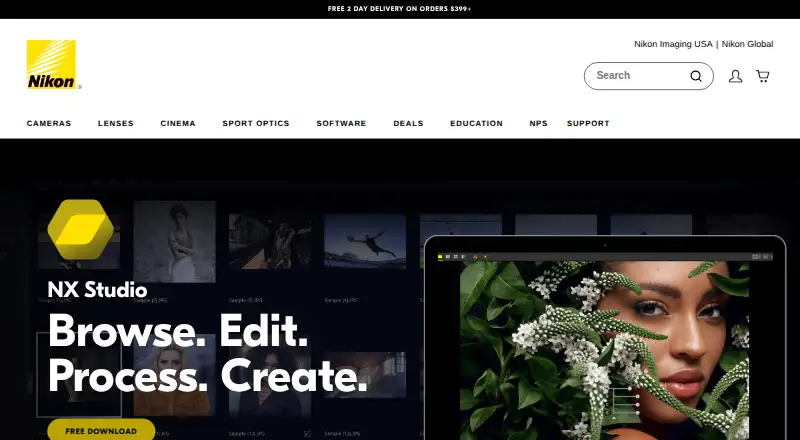
Nikon NX Studio is a free desktop suite for viewing, processing, and editing still images and video captured with Nikon digital cameras.
What Nikon NX Studio is
Nikon NX Studio is a free desktop suite for viewing, processing, and editing still images and video captured with Nikon digital cameras. It combines viewing features from ViewNX-i with processing and editing features from Capture NX-D. Supported images include Nikon RAW .NEF and .NRW files, JPEG, and TIFF. Editing tools cover cropping, straightening, retouching, corrections, Picture Controls, and local color and exposure adjustments; Color Control Points and the LCH Tool provide additional color adjustments. Movie Editor can trim footage, add background music, combine clips, and make slideshows from stills and video. Browsing features include thumbnails, location data, metadata, comparisons, focus point overlays, labels, and ratings. Users can edit XMP/IPTC information and use presets. Edited RAW data can be saved in a sidecar file or written to the original RAW file. Flexible Color Picture Control allows adjustments to up to eight colors, color grading, and saving a custom profile for transfer to listed compatible Nikon Z cameras by memory card. An internet connection is required for all functions. Listed systems are Windows 11 64-bit and macOS Tahoe 26, Sequoia 15, Sonoma 14, or Ventura 13.
Good
- Free download for Windows and macOS
- Processes Nikon RAW, JPEG, and TIFF images
- Includes image and video editing tools
- Supports manual bulk renaming and resizing
Watch out
- An internet connection is required for all functions
- Nikon's US download page requests personal details
- Batch automation is manual
Who it suits
NX Studio suits Nikon camera owners who want desktop tools for viewing and editing images and video. It also fits users who need RAW processing, manual bulk renaming or resizing, and JPEG, TIFF, or HEIF output.
Verdict
NX Studio brings Nikon image viewing, RAW processing, and video editing into one free desktop suite. Its internet requirement and manual batch workflow are important practical considerations.
Plans and prices
From Nikon NX Studio's own pricing page, checked 7 Oct 2026.
| Plan | Price | What it gives you |
|---|---|---|
| NX Studio | Free | Free download · Nikon camera image formats, JPEG and TIFF |
The facts
Each one read from Nikon NX Studio's own pages, with the date it was checked.
What it does
- Color tools
- Color Control Points and the LCH Tool let users adjust color attributes in selected areas or across an image.checked 7 Oct 2026
- Download conditions
- Nikon's US page offers a free download and asks for first name, last name, email, and country to proceed.checked 7 Oct 2026
- Editing tools
- Editing tools include cropping, straightening, retouching, corrections, Picture Controls, and local color and exposure adjustments.checked 7 Oct 2026
- Flexible Color Picture Control
- Users can adjust up to eight colors, apply color grading, and save a custom profile for transfer by memory card to listed compatible Nikon Z cameras.checked 7 Oct 2026
- Integrations
- NX Studio works with Nikon software including Camera Control Pro 2 and Picture Control Utility 2, and connects to Nikon Image Space for publishing.checked 7 Oct 2026
- Internet requirement
- An internet connection is required for all functions, including online help, web services, movie-related functions, and update information.checked 7 Oct 2026
- Metadata
- Users can edit XMP/IPTC information and use built-in presets.checked 7 Oct 2026
- Operating systems
- The listed requirements are Windows 11 64-bit and macOS Tahoe 26, Sequoia 15, Sonoma 14, or Ventura 13.checked 7 Oct 2026
- Organization
- Browsing and review features include thumbnails, location data, metadata, comparisons, focus point overlays, labels, and ratings.checked 7 Oct 2026
- Purpose
- NX Studio is a desktop image processing suite for viewing, processing and editing still images and video captured with Nikon digital cameras.checked 7 Oct 2026
- Save options
- Edited RAW data can be saved non-destructively in a sidecar file or written directly to the original RAW file.checked 7 Oct 2026
- Supported formats
- It supports Nikon RAW .NEF and .NRW files as well as JPEG and TIFF images.checked 7 Oct 2026
- Unified workflow
- It combines image viewing features from ViewNX-i with processing and editing features from Capture NX-D.checked 7 Oct 2026
- Video editing
- Movie Editor can trim footage, add background music, combine clips, and create slideshows with still images and video.checked 7 Oct 2026
Alternatives to Nikon NX Studio
- 1
Lychee
Free planOpen sourceAndroidiOSWebAPI8.5Free plan - 2

iCloud Backup
Free planAndroidiOSWebAPI8.3From $0.99 a month - 3

Adobe Lightroom
AndroidiOSWebmacOS7.9 - 4

Luminar Neo
AndroidiOSWebAPI7.6 - 5

ON1 Photo RAW
AndroidiOSExtensionmacOS7.5From $89.99 a year - 6

PhotoDirector
Free planmacOSWindows7.5$119.99 one-time