NestJS CLI
NestJS CLI is a free, MIT-licensed command-line tool for initializing, developing, and maintaining Nest applications.
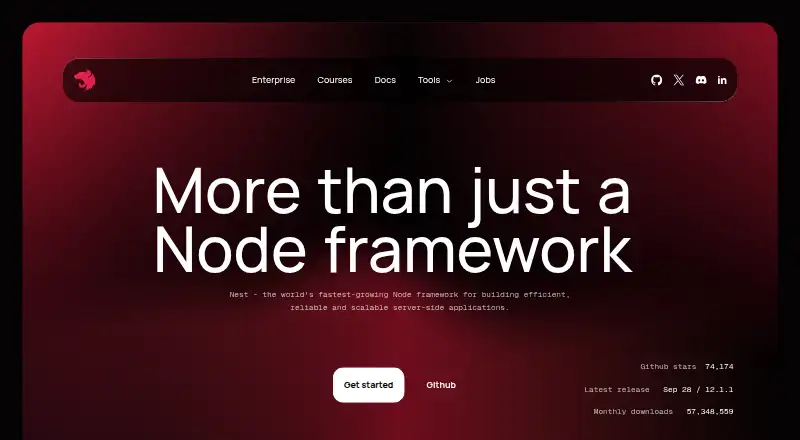
What NestJS CLI is
NestJS CLI is a free, MIT-licensed command-line tool for initializing, developing, and maintaining Nest applications. It can scaffold a project with `nest new`, generate or change files from schematics, and compile or run an application or workspace. Project setup offers a choice of ESM or CommonJS. The CLI supports standard and monorepo modes, with built-in library support in monorepos, and its commands are designed to encourage well-structured applications. You can use `add` to install a library packaged for Nest by running its install schematic, or `deploy` to send an application to the cloud powered by Mau. Installation is available globally with npm or through npx without a global installation. The CLI binary requires Node.js v20.11 or later; the `new`, `generate`, and `upgrade` schematics have higher Node.js requirements. The Node.js binary must include internationalization support (ICU). Nest also offers enterprise support covering technical, architectural, security, performance, code review, and upgrade guidance.
Good
- Free, MIT-licensed open-source CLI.
- Scaffolds projects with ESM or CommonJS options.
- Supports standard and monorepo project modes.
- Can generate files from Nest schematics.
- Offers global npm and npx installation options.
Watch out
- CLI binary requires Node.js v20.11 or later.
- Key schematics require newer Node.js versions.
- Node.js must include ICU support.
Who it suits
NestJS CLI suits developers building Nest applications in TypeScript or JavaScript who want command-line scaffolding, code generation, and build tools. Its monorepo mode also fits projects that need built-in library support.
Verdict
NestJS CLI covers project setup, schematic-based generation, builds, and deployment in one command-line tool. Check its Node.js and ICU requirements before choosing an installation path.
Plans and prices
From NestJS CLI's own pricing page, checked 4 Oct 2026.
| Plan | Price | What it gives you |
|---|---|---|
| Free | Free | MIT-licensed open-source CLI · installable from npm |
| Nest CLI | Free | MIT-licensed open-source project · runs from the OS command line · requires Node.js |
The facts
Each one read from NestJS CLI's own pages, with the date it was checked.
What it does
- Architecture
- The CLI provides commands that encourage well-structured applications and supports Nest schematics.checked 4 Oct 2026
- Build and run
- The CLI provides commands to compile applications or workspaces and to compile and run an application.checked 9 Oct 2026
- Build integrations
- The CLI build command uses tsc or SWC for standard projects and Rspack for monorepos.checked 9 Oct 2026
- Code generation
- The `nest generate` command generates or modifies files based on a schematic.checked 4 Oct 2026
- Deployment
- The `deploy` command deploys an application to the cloud powered by Mau.checked 4 Oct 2026
- Development workflow
- The generated application can recompile and reload automatically when a source file changes, and the CLI documentation recommends SWC for faster builds.checked 9 Oct 2026
- Installation options
- The documentation shows global installation with npm and also describes running the CLI through npx without a global install.checked 4 Oct 2026
- Integrations
- The `add` command imports a library packaged as a Nest library by running its install schematic.checked 4 Oct 2026
- License
- Nest is an MIT-licensed open-source project supported by the community.checked 9 Oct 2026
- Package managers
- The `nest new` command supports npm, yarn, or pnpm when the selected package manager is installed globally.checked 9 Oct 2026
- Project generation
- The `nest new` command creates a standard-mode application with boilerplate files, and `nest generate` creates or modifies files from schematics.checked 9 Oct 2026
- Purpose
- Nest CLI initializes, develops, and maintains Nest applications by scaffolding projects and building and bundling them for production.checked 9 Oct 2026
- Requirements
- The CLI binary requires Node.js v20.11 or later, while schematics for `new`, `generate`, and `upgrade` require Node.js v22.22.3+, v24.15+, or v26+.checked 4 Oct 2026
- Runtime dependency
- The CLI requires a Node.js binary built with internationalization support (ICU).checked 4 Oct 2026
- Runtime requirements
- The CLI binary requires Node.js v20.11 or later, while schematics for `nest new`, `nest generate`, and `nest upgrade` require Node.js v22.22.3+, v24.15+, or v26+.checked 9 Oct 2026
- Security
- NestJS documents built-in CSRF protection and security headers for applications running on Express and Fastify.checked 9 Oct 2026
- Support
- The Nest homepage offers enterprise support covering technical guidance, architectural reviews, mentoring, security and performance concerns, code reviews, and long-term support and upgrade assistance.checked 9 Oct 2026
The company
- Maker
- The NestJS documentation credits Kamil Mysliwiec.checked 9 Oct 2026
Where it runs
- Monorepos
- Nest CLI supports monorepo mode for managing multiple projects and libraries in one file system structure, with built-in library support.checked 9 Oct 2026
The full review of NestJS CLI
NestJS CLI is a free command-line toolkit for creating and maintaining Nest applications. It is best suited to developers who want a repeatable Nest structure and schematic-based code generation; its close focus on Nest makes it a poor fit for unrelated projects.
Overview
The CLI brings project scaffolding, development serving, compilation, and deployment into a command-driven workflow. Its commands are designed around Nest schematics, so teams can build applications with a more consistent structure rather than assembling every project by hand.
That consistency is useful for Nest teams, especially where several developers need to follow the same conventions. The trade-off is specialization: this is a Nest development tool, not a general-purpose JavaScript project manager.
Key features
Scaffolding and code generation
nest new creates an application with boilerplate files and offers a choice of ESM or CommonJS. nest generate creates or modifies files according to a schematic. Custom templates are supported, making the CLI adaptable to a team's preferred starting point; generated output still depends on the schematic in use.
Builds, monorepos, and integrations
The CLI can compile an application or workspace, and it can compile and run an application. Its standard and monorepo modes give teams a choice of project organization, with built-in library support in monorepo mode. The add command installs libraries packaged for Nest by running their install schematics, a focused integration path rather than a general package integration system.
Cloud deployment
The deploy command deploys an application to the cloud powered by Mau. That gives Nest developers a deployment route from the same CLI, though it is specifically tied to Mau.
Pricing
The Free plan costs free and provides the MIT-licensed open-source CLI, installable from npm. It includes the CLI itself, project scaffolding, and custom templates; there are no paid CLI tiers to weigh against reduced free-plan limits. Nest also offers enterprise support with technical guidance, architectural reviews, security and performance advice, code reviews, and long-term support and upgrade assistance. Enterprise support has custom pricing.
Platforms
NestJS CLI is installed through npm and can also be run with npx without a global installation. The CLI binary requires Node.js v20.11 or later. Schematics for new, generate, and upgrade require Node.js v22.22.3+, v24.15+, or v26+. The Node.js binary must also be built with internationalization support (ICU). These requirements matter: a compatible CLI installation alone does not guarantee that the main generation commands will run on an older Node.js version.
Who it's for
This is a strong fit for developers building Nest applications who value repeatable setup, schematic-driven generation, and a CLI that covers both standard and monorepo work. Teams can use custom templates to align project creation with their own conventions, while individual developers can avoid a global install through npx. Developers working outside Nest should choose a broader tool instead; the CLI's architecture and integrations center on Nest.
Pros and cons
- Pro: One free, MIT-licensed CLI covers scaffolding, code generation, builds, and cloud deployment, reducing the need to stitch together separate Nest-specific commands.
- Pro: Standard and monorepo modes, plus built-in library support for monorepos, accommodate different Nest project structures.
- Con: Schematics need newer Node.js versions than the CLI binary itself, which can block project creation or generation on an otherwise compatible installation.
- Con: The required ICU support and Mau-specific deployment route add environment and workflow constraints for some developers.
Alternatives
Choose Laravel Vapor if you want a deployment service with a freemium plan and AWS-backed project and deployment options; its Unlimited Monthly plan costs $39 a month, with AWS cloud costs not included. Buffalo is a free alternative for developers seeking software available on Linux, macOS, Windows, and the web. Express is another free option, with Linux, macOS, and Windows platforms.
Play Framework is a free alternative available on Linux, macOS, and Windows. SmartClient offers a free LGPL edition with its core framework, as well as a commercial Pro edition with additional enterprise capabilities; choose it when that framework and edition structure suit your needs. Echo is a free option for Linux, macOS, and Windows, while Koa is another free option for those platforms. Flask is a free alternative available on the web.
Verdict
Choose NestJS CLI if you are building Nest applications and want free, schematic-based project setup, generation, and build commands in one focused tool. Its strongest reason to choose it is the way it supports consistent Nest structures across standard and monorepo projects. Look elsewhere if your work is not centered on Nest, or if the Node.js and ICU requirements do not fit your development environment.
Browse Web Frameworks or Code Generators for more options.
Getting started
- Install the CLI globally with npm, or run it through npx without a global install.
- Ensure the Node.js binary is v20.11 or later and includes ICU internationalization support.
- For `new`, `generate`, or `upgrade` schematics, use Node.js v22.22.3+, v24.15+, or v26+.
- Run `nest new` to scaffold an application and choose ESM or CommonJS.
- Use `nest generate` to create or modify files from a schematic.
Questions
How much does NestJS CLI cost?
The listed Free plan is free. The CLI is an MIT-licensed open-source project.
What does the CLI do?
It scaffolds Nest applications, generates or modifies files using schematics, and provides commands to compile or run applications and workspaces.
What Node.js version does it require?
The CLI binary requires Node.js v20.11 or later. The `new`, `generate`, and `upgrade` schematics require Node.js v22.22.3+, v24.15+, or v26+.
How can I install or run it?
The documentation describes global installation with npm and running the CLI through npx without a global install.
Does it support monorepos?
Yes. NestJS CLI supports standard and monorepo modes, with built-in library support in monorepo mode.
Who makes NestJS?
The NestJS documentation credits Kamil Mysliwiec.
Alternatives to NestJS CLI
- 1
Play Framework
Free planOpen sourceWebAPILinuxmacOS7.5Free plan - 2
Symfony MakerBundle
Free planOpen sourceAPILinuxmacOSSelf-hosted7.4Free plan - 3

Laravel Vapor
Free planWebAPI6.6From $399 a year - 4
Svelte REPL
Free planWeb6.1Free plan - 5

Astro Starlight
WebSelf-hosted5.7 - 6
Buffalo
WebLinuxmacOSWindows5.0