Muvizu
Muvizu is Windows software for creating 3D animations and rendering them as videos.
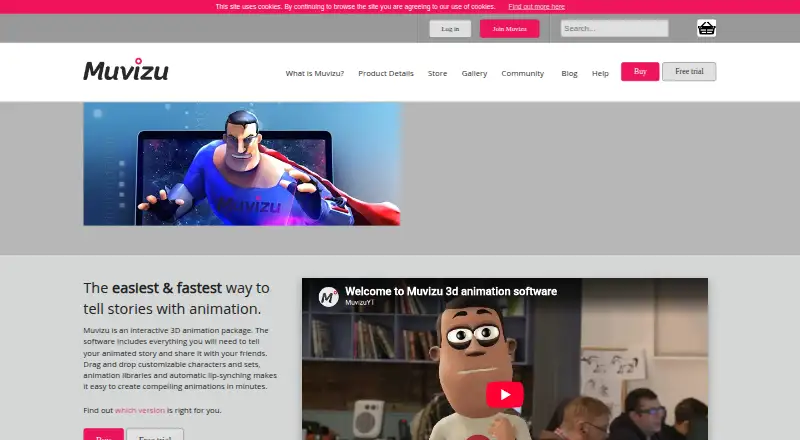
What Muvizu is
Muvizu is Windows software for creating 3D animations and rendering them as videos. It includes 3D modeling, automatic lip sync in both Muvizu:Play and Play+, and exports to AVI or a Targa sequence. The two plans differ in output, content, and use restrictions. Play produces SD watermarked renders and lists 2 customizable character types, 75 attachments, 79 objects, 1 special effect, and 1 scene. Play+ provides 1920 x 1080 output and unlimited watermark-free video, with 17 character types, 990 attachments, 570 objects, 22 effects, and 77 scenes. Play+ supports importing user-created .set, .fbx, and .ase content. It is listed at $69.99 a month, billed as a one-off payment, and a free trial is available, though there is no free plan. The maker says watermarked Play output is for educational, non-commercial, and personal projects, while Play+ has no commercial restrictions. Minimum requirements include Windows 7 or newer, a 2.4 GHz processor, a Shader Model 3 graphics card, and 2.3 GB of free disk space.
Good
- Automatic lip sync is included in both plans.
- Exports finished work as AVI or Targa sequence.
- Play+ supports importing .set, .fbx, and .ase content.
- Play+ includes watermark-free 1920 x 1080 video.
- A free trial is available.
Watch out
- Only Windows is supported.
- Play output is watermarked and limited to SD.
- Play watermark cannot be removed without purchasing Play+.
- Minimum requirements include Windows 7 or newer.
Who it suits
Muvizu may suit Windows-based storytellers, animators, teachers, or businesses creating 3D animated videos. Play may fit personal or educational projects, while Play+ is the option for commercial use or watermark-free output.
Verdict
Muvizu provides a Windows-focused route to 3D animation, with lip sync and distinct Play and Play+ content tiers. Check the watermark and commercial-use restrictions before choosing a plan.
Plans and prices
From Muvizu's own pricing page, checked 7 Oct 2026.
| Plan | Price | What it gives you |
|---|---|---|
| Muvizu:Play | Free | Free to evaluate · SD output · Watermark on renders · Functional limitations · Personal, educational and non-commercial use |
| Muvizu:Play+ | $69.99, paid once | HD output · No watermark · Expanded characters and content · Commercial use · One-off payment |
The facts
Each one read from Muvizu's own pages, with the date it was checked.
What it does
- 2D animation tools
- Nochecked 21 Sep 2026
- 3D modeling
- Yeschecked 21 Sep 2026
- Auto lip sync
- Both Muvizu:Play and Muvizu:Play+ include automatic lip sync.checked 7 Oct 2026
- Character and scene library
- The comparison lists 2 customizable character types, 75 character attachments, 79 objects, 1 special effect and 1 scene for Play, compared with 17, 990, 570, 22 and 77 respectively for Play+.checked 7 Oct 2026
- Commercial use
- The maker says watermarked Play output may be used for educational, non-commercial and personal projects, while Play+ has no commercial restrictions.checked 7 Oct 2026
- Export formats
- AVI,Targa sequencechecked 21 Sep 2026
- Import formats
- Play+ supports importing user-created .set, .fbx and .ase content; the maker’s terms say users must accept an EULA when installing the software.checked 7 Oct 2026
- Intended users
- The maker describes the animation engine as suited to storytellers, animators, teachers and businesses.checked 7 Oct 2026
- Payment processing
- The download page says payments are handled by SagePay and that Muvizu does not store or access users’ card or bank details.checked 7 Oct 2026
- Support
- The Help page points users to its wiki, video tutorials, FAQs and community forum for help.checked 7 Oct 2026
- Watermark restriction
- The maker says the Play watermark cannot be hidden, cropped, blurred or otherwise removed; purchasing Play+ is the only permitted way to remove it.checked 7 Oct 2026
- What it does
- Muvizu is 3D animation software for creating animations and rendering them as videos.checked 7 Oct 2026
Money
- Free plan
- Nochecked 21 Sep 2026
Where it runs
- Mac and Linux
- The maker’s wiki says Muvizu cannot run on Mac or Linux operating systems and requires Windows on those computers.checked 7 Oct 2026
- Supported platforms
- Windowschecked 21 Sep 2026
- Windows requirements
- The Help page lists Windows 7 or newer, a 2.4 GHz processor, a Shader Model 3 graphics card and 2.3 GB of free disk space as minimum requirements.checked 7 Oct 2026
The company
- Maker
- The website terms identify Meshmellow Limited as the company behind the Muvizu site and say it is incorporated in China; they list a Glasgow contact address.checked 7 Oct 2026
Alternatives to Muvizu
- 1

Cascadeur
Free planAndroidiOSAPILinux8.2From $96 a year - 2

Rokoko Studio
Free planAndroidiOSWebAPI8.2Free plan - 3

Plask Motion
Free planWebAPIExtensionmacOS7.8From $18 a month - 4
iClone
Free planiOSAPIWindows7.7Free plan - 5

Houdini
Free planWindowsmacOSLinux7.6From $95 a year - 6

Blender
Free planOpen sourceLinuxmacOSWindows7.5Free plan