Murmur
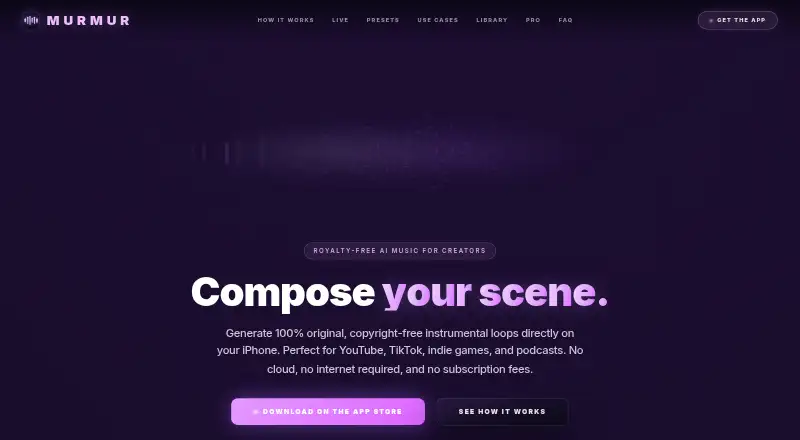
The facts below are what the maker publishes about Murmur, checked and dated. Our editors have not written about it yet.
Plans and prices
From Murmur's own pricing page, checked 12 Oct 2026.
| Plan | Price | What it gives you |
|---|---|---|
| Free | Free | Core presets · free tracks every day · Orpheus: 3 tracks/day up to 30 seconds plus 1 free long track |
| Murmur Pro | €14.99, paid once | Unlimited tracks up to 6 minutes each · all 170+ presets · custom scene prompts · Live mode · WAV export · editing and advanced controls · €14.99 once |
The facts
Each one read from Murmur's own pages, with the date it was checked.
What it does
- Analytics and crash services
- The privacy policy identifies EU-hosted PostHog for product analytics and Sentry for crash and error reporting.checked 12 Oct 2026
- Audio export formats
- wavchecked 21 Sep 2026
- Audio upload
- Yeschecked 21 Sep 2026
- Commercial rights
- The maker says every generated track, on the free tier or Pro, is royalty-free and usable commercially, while automated services such as YouTube Content ID may occasionally produce false matches.checked 12 Oct 2026
- Commercial use
- Yeschecked 21 Sep 2026
- Developer
- The App Store lists Konstantin Tabakov as the developer and seller.checked 12 Oct 2026
- Export and integrations
- Tracks export as high-quality WAV and can be shared to TikTok and Instagram Reels or transferred to Final Cut Pro, Premiere, and Unity.checked 12 Oct 2026
- Internet requirement
- An internet connection is needed to download the AI models the first time; music generation then runs locally without cloud rendering.checked 12 Oct 2026
- Live mode
- Live mode generates a continuous instrumental set on the iPhone and lets users change instrument layers with on-screen controls.checked 12 Oct 2026
- Privacy
- The maker says prompts and generated audio stay on the phone, while the app collects anonymous usage analytics and crash reports and does not use advertising or ad tracking.checked 12 Oct 2026
- Prompting
- Users can choose a preset or describe a scene by genre, instrument, texture, or tempo to generate a track.checked 12 Oct 2026
- Purpose
- Murmur generates original, royalty-free instrumental music on iPhone for videos, games, podcasts, and other creator projects.checked 12 Oct 2026
- Styles
- The app offers more than 170 curated styles, including cinematic, electronic, jazz, ambient, acoustic, and world categories.checked 12 Oct 2026
- Track editing
- The Library supports waveform playback, renaming, trimming, and fading saved tracks.checked 12 Oct 2026
- Usage limits
- Live sessions last a few minutes because real-time generation can heat the iPhone and trigger thermal throttling.checked 12 Oct 2026
- Vocal generation
- Nochecked 21 Sep 2026
Money
- Free plan
- Yeschecked 21 Sep 2026
Where it runs
- On-device processing
- Music generation runs on the iPhone using Apple silicon, with Orpheus powered by Stability AI and Live mode using Google Magenta RT.checked 12 Oct 2026
- Supported device requirement
- The Orpheus engine requires iOS 18 or later according to Murmur’s FAQ.checked 12 Oct 2026
- Supported platforms
- web_and_mobilechecked 21 Sep 2026
Alternatives to Murmur
- 1

Loudly
Free planAndroidiOSWebAPI8.3From $96 a year - 2

BeMusic AI Cover
Free planAndroidiOSWebLinux8.2From $12 a month - 3

AIVA
Free planWebLinuxmacOSWindows7.7From €11 a month - 4

Ecrett Music
Free planAndroidiOSWeb7.7From $4.99 a year - 5

Topview AI
AndroidiOSWebAPI7.5 - 6

Mubert
Free planAndroidiOSWeb7.4From $14 a month