MPC-HC
MPC-HC is a free, open-source video and audio player for Windows, licensed under GPL v3.
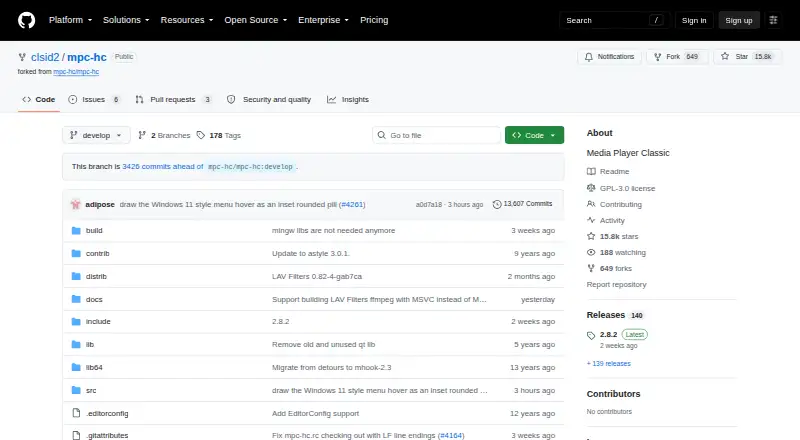
What MPC-HC is
MPC-HC is a free, open-source video and audio player for Windows, licensed under GPL v3. It supports formats including HEVC (H.265), VVC (H.266), AV1 video, and AC4 audio. The interface offers modern dark and light themes as well as a classic theme; users can adjust playback speed, configure keyboard and mouse controls, pan and scan video, and resume from a remembered position. Subtitle tools include search, WebVTT support, and loading a second external text track. With yt-dlp.exe in its installation folder, the player can open video website URLs, stream videos, and save copies; that feature also requires the Microsoft Visual C++ 2010 SP1 Redistributable Package (x86). HDR playback requires MPC Video Renderer or madVR, and MPC Video Renderer is included and recommended. Blu-ray playback requires a decrypting tool, and Blu-ray menus are unsupported. A local-network web interface and an API using window messages provide remote control. The listed operating systems are Windows 7, 8, 8.1, 10, and 11.
Good
- Free and open source under GPL v3.
- Supports HEVC, VVC, AV1, and AC4.
- Offers dark, light, and classic themes.
- Can remember playback position for resuming.
- Supports subtitle search and a second external text track.
Watch out
- Blu-ray playback requires a decrypting tool.
- Blu-ray menus are not supported.
- Website playback needs yt-dlp.exe and a Visual C++ package.
- HDR requires MPC Video Renderer or madVR.
Who it suits
MPC-HC may suit Windows users looking for a free player with broad listed format support, subtitle tools, and configurable controls. It also offers remote control through a local-network web interface or API.
Verdict
MPC-HC combines format support and playback controls in a free Windows player. Note the extra requirements for website streaming, HDR, and Blu-ray playback before relying on those uses.
Plans and prices
From MPC-HC's own pricing page, checked 8 Oct 2026.
| Plan | Price | What it gives you |
|---|---|---|
| MPC-HC | Free | Windows video and audio player · GPL v3 |
The facts
Each one read from MPC-HC's own pages, with the date it was checked.
What it does
- Blu-ray limitation
- Blu-ray playback requires a decrypting tool, and Blu-ray menus are not supported.checked 8 Oct 2026
- Customization
- It offers dark and light themes, configurable keyboard and mouse controls, playback speed adjustment, and video pan-and-scan controls.checked 8 Oct 2026
- Dependencies
- The README says YouTube and other website playback requires yt-dlp.exe, and notes that Microsoft Visual C++ 2010 SP1 Redistributable Package (x86) is also needed for that feature.checked 8 Oct 2026
- Development
- The maintainer says new feature requests are not accepted, while improvements continue and programmer contributions can be submitted as pull requests.checked 8 Oct 2026
- Development status
- The maintainer describes the player as mature and stable and says new feature requests are not currently accepted.checked 8 Oct 2026
- Extensibility
- As a DirectShow player, MPC-HC supports flexibility and extensibility through third-party filters.checked 8 Oct 2026
- Formats
- It supports formats including HEVC (H.265), VVC (H.266), AV1 video, and AC4 audio.checked 8 Oct 2026
- HDR
- HDR playback requires MPC Video Renderer, which is included, or madVR.checked 8 Oct 2026
- Integration
- MPC-HC is a DirectShow player that supports extensibility through third-party filters.checked 8 Oct 2026
- Interface
- The player offers a simple interface with modern dark and light themes and a classic theme.checked 8 Oct 2026
- License
- The project states that MPC-HC's code is licensed under GPL v3.checked 8 Oct 2026
- Operating systems
- The stated system requirements are Windows 7, 8, 8.1, 10, and 11.checked 8 Oct 2026
- Playback
- It supports formats including HEVC (H.265), VVC (H.266), AV1 video, and AC4 audio.checked 8 Oct 2026
- Playback history
- It can remember playback position so users can resume later.checked 8 Oct 2026
- Product
- MPC-HC is a free and open-source video and audio player for Windows.checked 8 Oct 2026
- Purpose
- MPC-HC is a free, open-source video and audio player for Windows.checked 8 Oct 2026
- Remote control
- The project describes a web interface for remote control from a phone or browser on the local network, and an API for control through window messages.checked 8 Oct 2026
- Requirements
- The listed supported operating systems are Windows 7, 8, 8.1, 10, and 11.checked 8 Oct 2026
- Streaming
- With yt-dlp.exe in its installation folder, it can play URLs from YouTube and many other video sites and save copies.checked 8 Oct 2026
- Streaming integration
- With yt-dlp.exe in its installation folder, MPC-HC can open video website URLs, stream videos, and save copies.checked 8 Oct 2026
- Subtitles
- It supports WebVTT, libass rendering, and manual or automatic subtitle search.checked 8 Oct 2026
Alternatives to MPC-HC
- 1

Infuse
Free planiOSmacOS7.4From $16.99 a year - 2
RealPlayer
Free planAndroidiOSmacOSWindows7.4From $4.99 a month - 3
ALLPlayer
Free planAndroidiOSWindows7.1$1.40 one-time - 4
mpv
Free planAndroidAPILinuxmacOS7.1Free plan - 5
Flowplayer
AndroidiOSWebAPI7.0$99 one-time - 6
Dragon Player
Free planOpen sourceLinux6.9Free plan