MindLabs
Its teacher dashboard offers classroom management, digital notebooks, progress tracking, readiness check-ins, and collaboration insights.
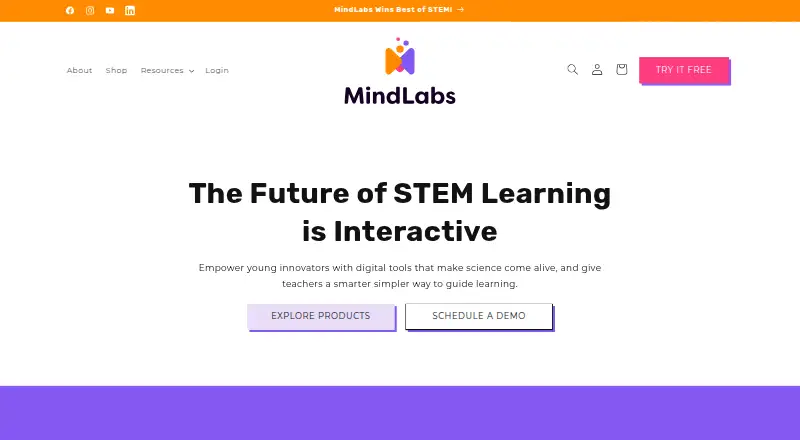
What MindLabs is
Its teacher dashboard offers classroom management, digital notebooks, progress tracking, readiness check-ins, and collaboration insights. MindLabs says its curriculum aligns with NGSS and CCSS and includes differentiated prompts, extension challenges, and support strategies. The Power Bundle is designed for grades 3–5, with content expanding through grade 8. Listed Power Bundle plans for homeschool, classroom, and school each cost $109, paid once; the CoLabs+ Digital Notebook costs $179, paid once. Notebook, SEL, and collaboration tools work in a browser, while AR requires the mobile app. Students can use AR independently offline, but work in AR or the notebook is not saved offline; saved notebooks and group AR require internet. Fire tablets are unsupported, and most Chromebooks cannot display AR.
Good
- AR units combine digital experiences with physical card decks.
- Teacher dashboard includes progress tracking and classroom management.
- Curriculum includes differentiated prompts and extension challenges.
- Free plan and free trial are listed.
Watch out
- AR requires the mobile app.
- Fire tablets are unsupported.
- Most Chromebooks cannot display AR.
- Offline AR and notebook work is not saved.
Who it suits
MindLabs is intended for homeschool families, classrooms, schools, districts, microschools, learning pods, museums, libraries, and after-school programs. Its Power Bundle is designed for grades 3–5, with content expanding through grade 8.
Verdict
MindLabs combines STEM lessons with classroom tools and AR activities, with plans for both individual educators and schools. Check device compatibility and offline-saving limits if AR or notebook work is central to a learning setup.
Plans and prices
From MindLabs's own pricing page, checked 29 Sep 2026.
| Plan | Price | What it gives you |
|---|---|---|
| MindLabs Power Bundle — Classroom Learning Plan | $109, paid once | 1 educator · up to 28 students · 1, 2, or 3-year access period · 7 AR card decks |
| MindLabs Power Bundle — Homeschool Learning Plan | $109, paid once | 1 educator · up to 5 students · 1, 2, or 3-year access period · 1 AR card deck |
| MindLabs Power Bundle — School Learning Plan | $109, paid once | 10 educators · up to 300 students · 1, 2, or 3-year access period · 14 AR card decks |
| CoLabs+ Digital Notebook | $179, paid once | Homeschool: 1 educator and 5 students · Classroom: 1 educator and 28 students · School: 10 educators and 300 students · 1, 2, or 3-year access period |
The facts
Each one read from MindLabs's own pages, with the date it was checked.
What it does
- AR learning
- Its STEM units use augmented-reality experiences, physical card decks, and hands-on challenges.checked 29 Sep 2026
- Curriculum
- MindLabs says its curriculum aligns with NGSS and CCSS and includes differentiated prompts, extension challenges, and support strategies.checked 29 Sep 2026
- Data retention
- For school accounts, the policy says records are retained for no longer than 24 months after termination or inactivation, or can be deleted or transferred within 90 days on the institution’s request.checked 29 Sep 2026
- Grades
- The Power Bundle is designed for grades 3–5, with expanding content through grade 8.checked 29 Sep 2026
- Integrations
- MindLabs says it is piloting Clever integration at the teacher level; its FAQ lists Google Classroom integration as a question but does not claim an integration.checked 29 Sep 2026
- Offline use
- Students can use AR independently offline, but work in AR or the notebook is not saved during offline use; saved notebooks and group AR require internet access.checked 29 Sep 2026
- Privacy and compliance
- The FAQ describes MindLabs as FERPA and COPPA compliant, while its privacy policy says it is not certified under a third-party COPPA Safe Harbor Program.checked 29 Sep 2026
- Student data
- The privacy policy says student data is not sold or leased for advertising or marketing and is used to provide the services and benefit students, schools, and parents.checked 29 Sep 2026
- Support
- Support is available at [email protected], and the FAQ says the team aims to respond within 24 hours.checked 29 Sep 2026
- Teaching tools
- The teacher dashboard provides classroom management, digital notebooks, progress tracking, readiness check-ins, and collaboration insights.checked 29 Sep 2026
- What it does
- MindLabs provides interactive STEM learning tools and lessons designed to spark collaboration and creativity for elementary and middle school students.checked 29 Sep 2026
- Who it is for
- The maker lists homeschool families, classrooms, schools and districts, microschools, learning pods, museums, libraries, and after-school programs as learning environments.checked 29 Sep 2026
Where it runs
- Devices and limits
- Notebook, SEL, and collaboration tools work in a browser, while AR requires the mobile app; Fire tablets are unsupported and most Chromebooks cannot display AR.checked 29 Sep 2026
Money
- Free trial
- The maker offers a free trial to try a Forces & Motion lesson and explore the AR experience, challenges, and teacher tools; no trial duration is stated.checked 29 Sep 2026
Alternatives to MindLabs
- 1

Beyond Labz
Free planAndroidiOSWebmacOS8.2$31.95 one-time - 2
PraxiLabs
Free planAndroidiOSWeb8.1From $29.99 a year - 3
CK-12 FlexBook 2.0
Free planAndroidiOSWebExtension7.6Free plan - 4
mozaik3D
Free planAndroidiOSWebLinux7.3From €36 a year - 5

Labster
AndroidiOSWebmacOS7.0From $5,000 a year - 6
PhET Interactive Simulations
Free planAndroidiOSWebWindows7.0Free plan