MechWorks PDM
MechWorks PDM manages product documents and files across design and other lifecycle stages, with workflows for CAD and document management.
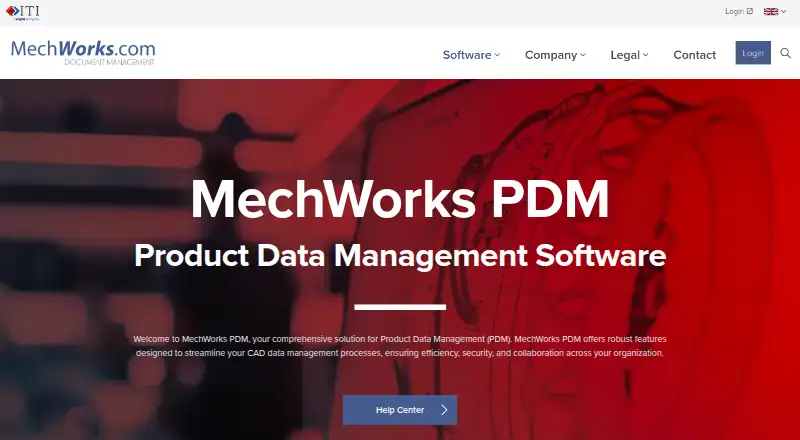
What MechWorks PDM is
MechWorks PDM manages product documents and files across design and other lifecycle stages, with workflows for CAD and document management. It organizes parts, assemblies and drawings in parent-child hierarchies, stores document properties in a database, and tracks revision history with rollback. Users can configure graphical workflows, assign projects and apply rights management. The product suite covers SolidWorks, Autodesk Inventor and Siemens Solid Edge documents, and lists connectors for AutoCAD, BricsCAD, DraftSight and 64-bit Office 365 Word and Excel. It can generate HTML pages and Excel bills of materials, and handle drawing formats such as TIFF and PDF. ERP connectors support integration with existing databases. For distributed teams, it supports data sharing and document transfers between branches. The compatibility information lists 64-bit Windows 10 and 11, Windows Server 2019, 2022 and 2025, and SQL Server 2017, 2019, 2022 and 2025. Pricing is on request; demo downloads are available by request, with no trial duration stated.
Good
- Tracks revisions and supports rollback.
- Provides workflow and rights management.
- Lists connectors for multiple CAD products.
- Supports document transfers across branches.
Watch out
- Pricing is available on request.
- Demo downloads require a request.
- The product page lists a prior release end-of-life date of December 31, 2026.
- File encryption software on parameter or temporary files is not supported.
Who it suits
MechWorks PDM suits teams managing CAD documents for SolidWorks, Inventor or Solid Edge, including organizations coordinating work across branches.
Verdict
MechWorks PDM combines CAD document organization with revision control, permissions and workflow management. Check the current compatibility details and the stated end-of-life notice for the prior product line when evaluating it.
Plans and prices
From MechWorks PDM's own pricing page, checked 3 Oct 2026.
| Plan | Price | What it gives you |
|---|---|---|
| MechWorks PDM | Priced on request | Pricing on request · authorized reseller supports implementation |
The facts
Each one read from MechWorks PDM's own pages, with the date it was checked.
What it does
- CAD integrations
- The service lists CAD connectors for SolidWorks, Solid Edge, Inventor, AutoCAD, BricsCAD, and DraftSight.checked 2 Oct 2026
- CAD products
- The product suite manages documents for SolidWorks, Autodesk Inventor, and Siemens Solid Edge.checked 3 Oct 2026
- Data control
- MechWorks says customers retain control of their data and that existing PDM data remains available when moving to R26 without migration.checked 2 Oct 2026
- Data management
- It organizes parts, assemblies, and drawings in parent-child hierarchies and stores document properties in a database.checked 3 Oct 2026
- Integrations
- The product page lists CAD support for SolidWorks, Inventor, Solid Edge, AutoCAD, BricsCAD, DraftSight, and 64-bit Office 365 Word and Excel; the R26 manual also documents an Outlook add-in.checked 3 Oct 2026
- Intended users
- MechWorks describes its products as serving SolidWorks, Inventor, and Solid Edge document management needs.checked 2 Oct 2026
- Legacy product limit
- The MechWorks PDM page lists an end-of-life date of December 31, 2026 for a prior product line and directs customers to R26.checked 2 Oct 2026
- Notable lifecycle detail
- The product page lists December 31, 2026 as the planned end-of-life date for a release and recommends switching to R26.checked 3 Oct 2026
- Office and ERP
- The service lists an MS Office connector and ERP connectors for integration with existing databases.checked 2 Oct 2026
- Operating systems
- The R26 compatibility page lists 64-bit Windows 10 and Windows 11, plus Windows Server 2019, 2022, and 2025.checked 2 Oct 2026
- Outputs
- The product can generate bills of materials, images, reports, document summaries, HTML pages, and Excel BOMs.checked 3 Oct 2026
- Purpose
- MechWorks PDM manages product and CAD data, revisions, workflows, and collaboration across an organization.checked 3 Oct 2026
- Revision control
- It tracks revision history and supports rollback for managed data and files.checked 2 Oct 2026
- Revisions and workflow
- Features include revision history, revision rollback, workflow management, and rights management.checked 3 Oct 2026
- Security
- DBWACLServer provides file protection, while role and group permissions restrict operations such as approving revisions and deleting projects.checked 3 Oct 2026
- Security limitation
- The DBWorks product page says MechWorks will not debug or support file encryption software that operates on its parameter or temporary files.checked 2 Oct 2026
- Support
- Mainstream support with a current subscription maintenance plan includes technical support, support-site resources, and service-pack updates; extended support offers technical support and resources but no further service packs.checked 3 Oct 2026
- Supported environment
- The R26 compatibility page lists 64-bit Windows 10 and Windows 11, Windows Server 2019, 2022, and 2025, and SQL Server 2017, 2019, 2022, and 2025; it notes a SolidWorks limitation with Server 2019–2022.checked 3 Oct 2026
- Workflow and access
- It provides graphical workflow design, rights management, and project assignment for users.checked 2 Oct 2026
The company
- Company
- MechWorks says it was founded in 1998 and is based in Bologna, Italy; it became part of International TechneGroup in January 2018.checked 3 Oct 2026
- Distributed teams
- Its geographically distributed environment supports near real-time data sharing and document transfers between office branches.checked 3 Oct 2026
- Founded
- 1998checked 28 Sep 2026
- Headquarters
- Bologna, Italychecked 28 Sep 2026
Money
- Trial
- MechWorks offers a demo download through a form that asks users to select a product; the page does not specify a trial duration.checked 3 Oct 2026
The full review of MechWorks PDM
MechWorks PDM is engineering product-data software for managing CAD files, revisions, and approval workflows. It is best suited to teams working with SolidWorks, Inventor, or Solid Edge that need structured control across projects and locations. Its specialist controls are a strong fit for engineering document management, but custom pricing, a Windows-oriented supported environment, and a December 31, 2026 end-of-life date for a prior product line make transition planning important.
Overview
The system organizes parts, assemblies, and drawings in parent-child hierarchies, with document properties kept in a database. Revision history and rollback help teams recover earlier managed files; workflow design, project assignment, and rights management put changes into a more controlled process than ad hoc file storage. This is focused engineering data management, not a general-purpose repository.
MechWorks says customers retain control of their data and existing PDM data remains available when moving to R26 without migration. That eases one aspect of a release change, but does not remove the need to check compatibility with a team's CAD and server setup. The prior product line is scheduled to reach end of life on December 31, 2026, and MechWorks recommends R26.
Key features
Revision, workflow, and permissions
Graphical workflow design, revision tracking, and rollback give engineering teams a way to govern change and restore prior versions of managed data. Role and group permissions can restrict sensitive actions, including approving revisions and deleting projects. Those controls matter in teams with formal release responsibilities; organizations that only need shared folders may find the system's process focus unnecessary.
CAD and business-system connections
Connectors cover SolidWorks, Solid Edge, Inventor, AutoCAD, BricsCAD, and DraftSight, alongside MS Office and ERP connectors for existing databases. The R26 materials also document 64-bit Office 365 Word and Excel support and an Outlook add-in. This breadth can help teams working across several design tools and office processes, though buyers should confirm that their specific configuration is supported.
Distributed work and outputs
Support for geographically distributed environments enables near-real-time data sharing and automatic or manual document transfers between branches. The system can generate HTML pages and Excel bills of materials, and manage TIFF and PDF drawing formats. These capabilities suit teams coordinating engineering documents across sites, rather than users seeking only a lightweight file viewer.
Data protection and limits
DBWACLServer provides file protection, while role and group permissions govern operations. One important constraint: MechWorks says it will not debug or support file-encryption software that operates on DBWorks parameter or temporary files. Teams relying on that kind of encryption should resolve the compatibility and support implications before deployment.
Pricing
MechWorks PDM has custom pricing, with pricing on request and implementation support through an authorized reseller. The paid product includes workflow capabilities, but no per-seat price or plan tiers are given, so organizations should request a quote suited to their deployment and user count. A demo download can be requested for DBWorks, DBInventor, DBSolidEdge, Standalone Client, and WebClient; no trial duration is stated.
Platforms
MechWorks identifies API, self-hosted, web, and Windows availability. The R26 compatibility page lists 64-bit Windows 10 and Windows 11, plus Windows Server 2019, 2022, and 2025, and SQL Server 2017, 2019, 2022, and 2025. It notes a SolidWorks limitation with Server 2019–2022, so teams using that combination should verify their setup before choosing a release.
Who it's for
MechWorks PDM makes the most sense for engineering organizations that need controlled CAD document histories, approvals, and access rights, particularly those using SolidWorks, Inventor, or Solid Edge. Its distributed-environment support and branch transfers are relevant to teams operating across locations. It is less compelling for organizations needing only basic document sharing, those requiring transparent per-seat pricing, or teams whose operating environment falls outside the supported Windows and SQL Server versions.
Pros and cons
- Pros: Revision history and rollback help recover managed data and files; graphical workflows and granular permissions support controlled approvals and project access.
- Pros: Connectors span major CAD products, Office, and ERP databases, while distributed-environment support enables sharing and transfers across branches.
- Cons: Custom pricing makes cost comparison difficult without a reseller quote.
- Cons: The supported environment centers on Windows and SQL Server, with a noted SolidWorks limitation on Server 2019–2022.
- Cons: The prior product line's December 31, 2026 end-of-life date calls for transition planning, and MechWorks will not support certain file-encryption software operating on DBWorks parameter or temporary files.
Alternatives
Product Data Management Software is the broader category for comparing PDM options. Consider OpenBOM if a free plan and broad platform coverage matter; its free tier caps data records at 2,000. Adept is worth comparing when a $12 a month named on-premise read-only seat for search, browsing, and 2D/3D viewing fits the need better than a full workflow-focused PDM system.
ENOVIA PDM is another paid, self-hosted and web option, with a 3DEXPERIENCE Cloud Evaluation Offer at from $345 (priced on request) per quarter and user. OpenText Documentum Content Management is a paid document-management alternative with Microsoft 365 integration. Vistapoint PDM may suit teams seeking a web-based option with a $24 a month read-only seat and 500 GB cloud storage. HELiOS offers a self-hosted Windows PDM/PLM product with Viewer, Office, and Engineer base modules. RAM Elements is another paid Windows product. ProjectWise is a web and Windows alternative with a Bentley Infrastructure Cloud Connect plan at $312 a year.
Verdict
Choose MechWorks PDM if your engineering team needs revision rollback, controlled approvals, and CAD-focused document management across locations, especially with SolidWorks, Inventor, or Solid Edge. Its combination of workflow controls, permissions, and CAD connectors is the central reason to choose it. Look elsewhere if you need clear per-seat pricing, a less Windows-centered environment, or support for encryption software that touches DBWorks parameter or temporary files; teams on the prior product line should also plan for the December 31, 2026 end-of-life date.
Getting started
- Open the MechWorks PDM website
- Request a demo download for the relevant client or product
- Choose Windows, web, API, or self-hosted deployment
- Request pricing; use an authorized reseller for implementation support
- Connect supported CAD, Office, Outlook, or ERP systems
Limits worth knowing
Pricing is provided on request rather than through a listed fixed plan. A previous product line has a planned end-of-life date of December 31, 2026, with R26 recommended.
Questions
What platforms does MechWorks PDM support?
Deployment is listed for Windows, web, API, and self-hosted environments. Compatibility information includes 64-bit Windows 10 and 11, Windows Server 2019, 2022, and 2025.
Which CAD systems connect to it?
Listed CAD support includes SolidWorks, Solid Edge, Inventor, AutoCAD, BricsCAD, and DraftSight.
Is there a free trial?
MechWorks offers a demo download request form for DBWorks, DBInventor, DBSolidEdge, Standalone Client, and WebClient. The listed facts do not give a trial duration.
How is MechWorks PDM priced?
The product is paid, with pricing available on request. An authorized reseller supports implementation.
Does it support approval and access controls?
Yes. It provides workflow management, rights management, and role or group permissions for actions such as approving revisions and deleting projects.
Alternatives to MechWorks PDM
- 1

OpenBOM
Free planAndroidiOSWebAPI8.1From $25 a month - 2
Adept
AndroidiOSWebSelf-hosted6.8From $12 a month - 3
ENOVIA PDM
WebSelf-hosted6.4 - 46.2From $240 a year
- 5
OpenText Documentum Content Management
AndroidiOSWeb5.8 - 6
ProjectWise
WebWindows5.7From $312 a year