MapleRead
MapleRead is an iOS e-book reader family with CX, CE, and SE editions.
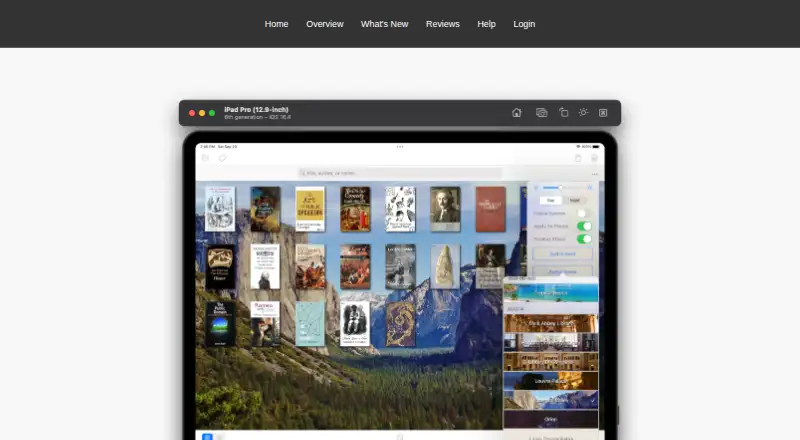
What MapleRead is
MapleRead is an iOS e-book reader family with CX, CE, and SE editions. Its EPUB reader supports customizable styles, layouts, themes, and fonts, and can generate pseudo audiobooks with narrator voices in over 40 languages. It also supports synchronized immersion reading. Readers can look up words, translate sentences, collect vocabulary, highlight passages, and write notes. The library tools organize books with sets and tags and allow metadata editing. MapleRead reads DRM-free, password-free EPUB books; SE also includes a reader for DRM-free, password-free PDFs. The app works with Calibre and supports importing and transferring books through OPDS, HTML, PC Upload, iTunes, and AirDrop. Cloud sync covers reading positions, notes, vocabulary, bookmarks, and book-set membership, but not book files. Synced data can be viewed in a web browser on desktop and mobile devices. CX is free to try with limitations and in-app purchases; CE costs 6.99 USD once, SE costs 8.99 USD once, and the SE-CE bundle costs 10.49 USD once. The maker describes MapleRead as intended for book lovers with large or growing collections.
Good
- Adjustable styles, layouts, themes, and fonts.
- Pseudo audiobooks offer voices in over 40 languages.
- Includes vocabulary, translation, highlighting, and notes.
- Cloud sync includes reading positions and annotations.
- SE reads DRM-free, password-free PDFs.
Watch out
- Available on iOS only.
- Book files are not included in cloud sync.
- EPUB and PDF support excludes DRM-protected files.
- CX has limitations and in-app purchases.
Who it suits
MapleRead suits iOS readers who want adjustable EPUB reading, study tools, and library organization. SE is the edition to consider for PDF reading, while readers should note that cloud sync does not include book files.
Verdict
MapleRead combines EPUB reading with reference tools and library organization across three editions. Compare the PDF support and one-time purchase options, and remember that synced data does not include the books themselves.
Plans and prices
From MapleRead's own pricing page, checked 8 Oct 2026.
| Plan | Price | What it gives you |
|---|---|---|
| MapleRead CX | Free | CE with some limitations · Free to try; in-app purchases are listed. |
| MapleRead CE | $6.99, paid once | EPUB reader · no PDF reader · no built-in Library Server · One-time purchase; no recurring subscription fees. |
| MapleRead SE | $8.99, paid once | EPUB and PDF reader · built-in Library Server · One-time purchase; no recurring subscription fees. |
| MapleRead SE-CE Bundle | $10.49, paid once | Includes MapleRead SE and MapleRead CE · One-time bundle purchase. |
The facts
Each one read from MapleRead's own pages, with the date it was checked.
What it does
- Audio
- It can generate pseudo audiobooks with narrator voices in over 40 languages and supports synchronized immersion reading.checked 8 Oct 2026
- Cloud sync
- Secure cloud sync covers reading positions, notes, vocabulary, bookmarks, and book-set membership, but not the book files.checked 8 Oct 2026
- EPUB reading
- The EPUB reader supports customizable reading styles, layouts, themes, and fonts.checked 8 Oct 2026
- File compatibility
- MapleRead reads DRM-free, password-free EPUB books, while MapleRead SE also includes a PDF reader for DRM-free, password-free PDFs.checked 8 Oct 2026
- Integrations
- The app works with Calibre and supports importing and transferring books through OPDS, HTML, PC Upload, iTunes, and AirDrop.checked 8 Oct 2026
- Intended users
- The maker describes MapleRead as designed for book lovers who may have a large or growing book collection.checked 8 Oct 2026
- Learning tools
- Readers can look up words, translate sentences, collect vocabulary, highlight text, and write notes.checked 8 Oct 2026
- Library management
- The app organizes books with sets and tags and lets users edit book metadata.checked 8 Oct 2026
- Privacy
- The privacy policy says Maplepop accounts use an email address as the Maplepop ID and that personal information is not sold, rented, or shared with third parties.checked 8 Oct 2026
- Product
- MapleRead is an iOS e-book reader family with SE, CE, and CX editions.checked 8 Oct 2026
- Security
- The privacy policy says online services such as reading-progress synchronization protect personal information in transit using SSL.checked 8 Oct 2026
- Support
- The help page provides FAQs and instructions for reporting EPUB rendering bugs through the app.checked 8 Oct 2026
- Web access
- Synced data can be viewed in a web browser on desktop and mobile devices.checked 8 Oct 2026
Alternatives to MapleRead
- 1
Librera Reader
Free planOpen sourceAndroidiOSWebExtension8.5$5.99 one-time - 2

Readest
Free planOpen sourceAndroidiOSWebLinux8.4From $4.99 a month - 3

BookFusion
Free planAndroidiOSWebAPI8.0From $2.99 a month - 4

FBReader
Free planAndroidiOSLinuxmacOS7.6$14.99 one-time - 5
KyBook 3
Free planiOSmacOS7.5From $14.99 a year - 6
Libby
Free planAndroidiOSWebmacOS7.3Free plan